Sheep Shack Guide!

27 February 2013 FarmMaster 0

Hey
Farmers,

The
Sheep Shack has arrived in FarmVille 2!

Use this new building to store your Prized Sheep and feed
them all with a single click! If that wasn’t enough, Prized Sheep in the Shack
will only require half the Feed and you also gain an additional
+25 Feed Capacity.

If
you are level 9 or higher, you will see the following pop-up. Click on “Place Sheep
Shack” to get started.


Building
the Sheep Shack


Your first step is collecting construction parts. You will need the following
items to start building your Sheep Shack:

  • Sheep Railings
  • Crooks
  • Sod

To
collect Sheep Railings, click on the “Post” button to post to your Facebook
wall – you will get the parts when your friends click on it, or when you click
on a similar newsfeed post.

Click
on the “Ask” button to send requests for Crooks and Sod to
your Neighbors. If you do not wish to wait for your friends, you can skip any
of these tasks for Farm Bucks.

Sheep Shack - FarmVille 2

Note: You can send
a request for materials to your Friends every 18 hours.


Once you have collected the required items, click on the “Start
Building!” button at the bottom of the construction Menu. 

Sheep Shack - FarmVille 2

Now
that the Sheep Shack is almost complete, you will need a little help from your
Neighbors to finish the job. The Sheep Shack requires 4 additional mechanics,
so click on the “Ask Friends” button to send some crew requests to your
Friends. When they accept, you will see the spots in the Build Menu begin to
fill. If you do not wish to wait for your friends, click the “Hire One” button
to purchase crew members with Farm Bucks.

Sheep Shack - FarmVille 2

Using
the Sheep Shack

Click on the Sheep Shack to open the main
menu. 

Sheep Shack - FarmVille 2

Inside
the Sheep Shack you will see placements that you can fill with Prized Sheep. Prized
Sheep will take up one spot in your Shack regardless of breed (see below: White
Sheep).

 
Sheep Shack - FarmVille 2

Adding
& Removing Sheep

To
add Prized Sheep in the Shack, check the “Auto Fill” box and click on the green
“Add Prized Sheep” button. All of your Prized Sheep will automatically jump
into the Shack!

To
remove a Prized Sheep from the Shack, open the main menu and click on the red
“–“ (minus symbol) box on the bottom left hand corner of the placement slot
(see below: A).

The
Sheep cards have symbols on them to indicate different things:


Sheep Shack - FarmVille 2
 

A. Minus
Symbol
: Remove Sheep


B. Feed: How much Feed the Sheep will consume


C. Fleece: How much Sheep Cheese the Sheep will produce (see
below: Feeding).

Feeding

Prized
Sheep stored in the Shack will eat half of the amount of Feed they
normally do. For example, a Sheep that eats 8 Feed outside of the Shack will eat 4 Feed when inside the Shack. Note:
Any Prized Sheep that would normally eat an odd amount of feed outside of
the Sheep Shack will be rounded up by one. For example, a Sheep that would
normally eat 9 Feed will only need 5 Feed when stored in the Sheep Shack.

Golden Fleece

Each time you harvest the Sheep Shack you have a chance of
finding a Golden Fleece, which can be used in exclusive Crafting Workshop
Recipes. Golden Fleece will linger on your farm similar to Prized Crops, so be
on the lookout for them after feeding!

Note: Clicking on
the Golden Fleece will automatically add it to your Inventory.

Sheep Shack - FarmVille 2

Tip: Fill up your
Sheep Shack for a greater chance of finding more Golden Fleeces!

Additional
Information
:

  • Once your Sheep Shack is completed, you now have +25 Feed Capacity!
  • The timer for your Sheep Shack will pause when placed in Storage, and
    then resume once placed back on your farm.
  • If you do not wish to use the Sheep
    Shack feature, it can be sold (frame only) or stored in your Inventory.
  • If you want to see how much time you
    have left to harvest, hover your cursor over the Shack.
  • You are limited to one Sheep Shack per
    farm.
  • Rotate the Shack to view a different
    angle!

Land Expansions Guide!

26 February 2013 FarmMaster 0

Few Expansions are for coins and some of them are for Farm Bucks. When you reached in the higher level than you need to expand so here are writing all details about the expansion for your farm.
Expansion 1: Starting Land in the Game

Expansion 2:
 Feed Mill
  • 175 coins
Expansion 3: Family Well
  • Have 4 Eggs
  • 1,000 coins
Expansion 4: Crafting Kitchen
  • Reach Level 5
  • Have 5 Trees
  • Gather 6 Milk
  • 2,000 coins
Expansion 5: West Meadow, Cottontail Rabbits
  • Reach Level 8
  • Craft 2 Apple Scones
  • Gather 5 Garden Clippers from friends
  • 20,000 coins
Expansion 6: Milk Meadow, Longhorn Cows, Extra Water Trough
  • Reach Level 11
  • Have 11 Adult Animals
  • Gather 7 Iron Hoes
  • 50,000 coins
Expansion 7: Playground, Tire Swings
  • 100 Farm Bucks for Early Access
Expansion 8: East Woodlands, Pine Trees for Logs
  • 100 Farm Bucks for Early Access
Expansion 9: The Horse Wilds, Appaloosa Horse and Flags
  • 100 Farm Bucks for Early Access
Expansion 10: Waterpatch, Extra Well
  • 100 Farm Bucks for Early Access
Expansion 11: The Old Silo, More Feed Silo
  • Reach Level 15
  • Craft 3 Apple Pies
  • Gather 10 Pitch Forks
  • 125,000 coins
Expansion 12: Mango Gardens, Peach Trees, Ivy Trellis Arches
  • Reach Level 20
  • Have 1 Adult Black Arabian Horse
  • Gather 13 Chainsaws
  • 300,000 coins
Expansion 13: Golden Chicken Colony, Cochin Chickens, Concrete Birdbaths
  • Reach Level 24
  • Craft 5 Banana Cream Cakes
  • Gather 15 Produce Crates
  • 500,000 coins
Expansion 14: Apricot Acres, Apricot Trees, Dinner Bell
  • Reach Level 28
  • Have 8 Saddles
  • Gather 18 Garden Gloves
  • 750,000 coins
Expansion 15: Camarillo Country, Camarillo Horses, Hitching Posts
  • Reach Level 30
  • Craft 8 Apricot Trifles
  • Gather 20 Garden Clippers
  • 1 million coins

New Limited Edition Celtic Items!

25 February 2013 FarmMaster 0

Greetings,
Farmers! New Celtic items are now available in the General Store for a
limited time, along with new Crops, Trees and Recipes! Check out the
information below for more details about our latest release and be sure
to let us know what your favorite new Animal is! We’re pretty partial to
the adorable Galway Sheep.

New Limited Edition items:

Gaelic Round House, 35 Farm Bucks
Pre-Celtic Megalith – 8 Farm Bucks
Eternal Braid Farm Fence – 4 Farm Bucks
Eternal Braid Garden Paver – 3 Farm Bucks
Eternal Braid Farm Gate – 3,500 Coins


New Limited Edition Trees:
Hawthorn Tree – 12 Farm Bucks
Irish Juniper Tree – 12 Farm Bucks
 

New Limited Edition Animals:
Black Welsh Mountain Sheep – 38 (Baby 25) Farm Bucks (reissue!)
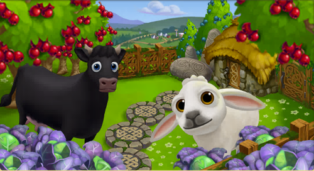
Black Dexter Cow – 34 (Baby 30) Farm Bucks 
Galway Sheep –  34 (Baby 21) Farm Bucks
 

New Limited Edition Crops:
Savoy Cabbage – 50 Coins, matures in 4 hours
 

New Crafting Kitchen Recipes:
Pickled Savoy Cabbage - Level 7    
Hawthorn Jelly - Level 7
Hawthorn Candy - Level 7
 

Heirloom Recipes Tips!!!

23 February 2013 FarmMaster 0


Hey Farmers!

Vanilla is back for a limited time only! For four days only, use Vanilla to craft three special Recipes: Vanilla Cream, Vanilla Butterscotch Filling and Vanilla Butterscotch Bundt.
All of these Recipes yield a hefty profit, so hurry on into the Crafting Kitchen to whip up some of these delicious treats before they disappear!

Sneak Peek: Pigs!

22 February 2013 FarmMaster 0
Pigs have been spotted in FarmVille 2! They seem to be awfully friendly…maybe one will make its way to your Farm in the near future? Let us know what you think of the adorable Baby Pig by leaving us a comment below!

Collect 2 Feeds for your Adult Goats!

21 February 2013 FarmMaster 0

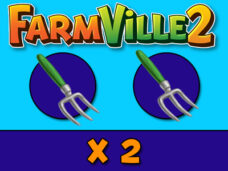
Feed your 2 adult goats another small bonus for our fans. We are just looking for freebies released by Zynga to share with our fans but soon you will have more gifts and releases on our blog we will inform you to get and collect as many as you can just keep an eye on our Facebook FarmVille 2 Bonus Page to get latest info and releases. Meanwhile grab 2x free feeds for your adult animals.

Click below Image to Get a Free Gift as 2 Feeds for your Animals in Farm.

Press share and Like button.

Comment Below and write few words so we will improve.

New Fertilizer Bin Guide!

20 February 2013 FarmMaster 0

Hey Farmers,

Do you need more Fertilizer? If so, the new Fertilizer Bin
is for you! Feed your animals to fill the Bin and then harvest it to earn free
Fertilizer for your crops. If that wasn’t enough, you also have a chance of
earning Speed-Grow when you collect from your Fertilizer Bin, so head on over
to FarmVille 2 and start building today!

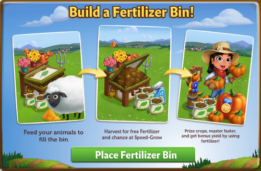
If you are level 8 or higher, you will see the following
pop-up. Click on “Place Fertilizer Bin” to get started.


Building the Fertilizer Bin


Your first step is collecting construction parts. You will need the
following items to start building your Fertilizer Bin:

  • Green Paint
  • Grass Clippings
  • Wood Plank

For the Green Paint, click on the “Post” button to post to
your Facebook wall – you will get the parts when your friends click on it, or
when you click on a similar newsfeed post.

To collect Grass Clippings and Wood Planks, click on the
“Ask” button to send requests for the items to your Neighbors.

You can also purchase any of these items above for Farm Bucks
if you do not wish to wait for your friends to respond to your requests or newsfeed
posts.

Fertilizer Bin - FarmVille 2

Note: You can post a request for Green Paint to your
newsfeed every 16 hours and send requests for Grass Clippings and Wood Planks to
your Friends every 18 hours.


Once you have collected the required items, click on the “Start Building!”
button at the bottom of the construction Menu. 

Fertilizer Bin - FarmVille 2

Now that the Fertilizer Bin is almost complete, you will
need a little help from your Neighbors to finish the job. The Fertilizer Bin
requires 4 additional mechanics, so click on the “Ask Friends” button to send
some crew requests to your Friends. When they accept, you will see the spots in
the Build Menu begin to fill. If you do not wish to wait for your friends,
click the “Hire One” button to purchase crew members with Farm Bucks.

Once you have successfully filled all 4 spots, click on the
“Finish & Share” button.

 
Fertilizer Bin - FarmVille 2

Using the Fertilizer Bin

You must have at
least one Adult Animal on your farm that is
not Prized for the Bin to be
functional. When you feed your Animals, they will fill your Fertilizer Bin
Meter with compost, which is a new type of material
that can only be
used with this feature.

Collected
compost
will be automatically added to your Fertilizer Bin Meter. Once your
Meter is full, you can harvest the Bin with a Fertilizer Rake
(see below) for extra Fertilizer.

To see your Meter, click on the Fertilizer Bin to open the
main menu. Your Meter is located on the left-hand side of this screen. The
number at the bottom of the Meter indicates how much compost you need to
collect and your current progress towards this goal.

Fertilizer Bin - FarmVille 2

Additionally, you can also see your progress by hovering
your mouse over the Bin to display the green progress bar.

Fertilizer Bin - FarmVille 2

Fertilizer Rakes & Harvesting your Bin

Once you have
collected the necessary amount of compost, you will need one Fertilizer Rake to
harvest your bin. You can craft your Rake in the Workshop with two Pieces of
Wood. Click on the turquoise “Craft” button to head on into the Crafting
Workshop.

Fertilizer bin - FarmVille 2

Once you are inside
the Crafting Workshop, you will need two “Piece of Wood” to craft the Rake.

Fertilizer bin - FarmVille 2

Note: If you do
not want to craft a Fertilizer Rake, you can use Farm Bucks to skip these steps
and get it right away.

A cute butterfly
flying over the Bin will indicate it is full. Once you have crafted your
Fertilizer Rake, harvest your Bin by clicking on it. When you harvest your Bin,
you will always produce extra Fertilizer, which can be used on Crops &
Trees.

Fertilizer bin - FarmVille 2

Note: Any extra
Fertilizer you produce will be automatically added to the Fertilizer total at
the top of the game screen.

Fertilizer bin - FarmVille 2

In addition to Fertilizer, you have a chance of earning
Speed-Grow when you harvest your Bin!

Additional Information:

  • Minimum of one Adult Animal (non-Prized) on any
    given farm is required to use the Fertilizer Bin.
  • Rotate the Bin to view a different angle!
  • If you do not wish to use
    the Fertilizer Bin feature, it can be sold (frame only) or stored in your
    Inventory.
  • If you want to see how much
    compost is needed to harvest, hover your cursor over the Bin.
  • Limited to one Fertilizer
    Bin per farm.
  • You can only have a total
    of 5 Fertilizer Rakes in your Inventory at one time. Note: You can purchase additional Rakes (more than 5) with Farm Bucks.

New Turkish Delights set!

19 February 2013 FarmMaster 0

A
new set of Turkish Delights Limited Edition items have arrived in
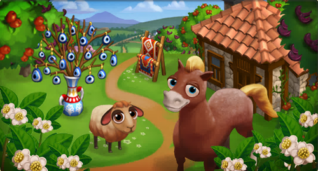
FarmVille 2! Add the adorable Anadolu Pony to your collection or the Red
Karaman Sheep! Check out the information below for more details about
our latest release.

New Limited items:

  • Turkish Peasant Hut – 32 Farm Bucks
  • Kilim Rug Display – 12 Farm Bucks
  • Nazar Vase – 10 Farm Bucks
  • Lamp of Barbarossa – 2 Farm Bucks
  • Sundial of Mustafa – 3,000 Farm Coins

New Limited Edition Trees:

  • Carob Tree – 12 Farm Bucks
  • Jujube Tree – 12 Farm Bucks

New Limited Edition Animals:

  • Anadolu Pony – 43 (30 Baby) Farm Bucks
  • Red Karaman Sheep – 34 (21 Baby) Farm Bucks

New Limited Edition Crops:

  • Fava Bean – 50 Farm Coins, matures in 6 hours

New Crafting Kitchen Recipes:

  • Fava Bean Dip
  • Kurabiye Cookie
  • Jujube Jam

From zFriends to Game Neighbors!!

16 February 2013 FarmMaster 0

By now, you’ve probably made a ton of zFriends on Zynga.com. Since you don’t have to be friends on Facebook or connected in any way, you simply play games together on Zynga.com and send each other needed items. No fuss, no muss. It’s pretty much a utopia!
But, maybe, in a few cases, you want more. You wonder, “What would it be like to take this to the next level? How do I add a zFriend as a Game Neighbor? Not the lazier ones who barely have time to unwither my crops, but the helpful ones.”
There are two ways you can turn zFriends into Game Neighbors, both as easy as A, B, C! No, wait, it’s so easy that there is no C!
    Method 1:

  1. When playing on Zynga.com, click the “Add Friends”/”Invite Friends,” “Add Neighbors”/”Invite Neighbors,” or “My Neighbors” tab in the menu bar that runs across the top of most gameboards. (See menu bar examples below.)
  2. CastleVille:CastleVille menu bar
    ChefVille:ChefVille menu bar
    CityVille:CityVille menu bar
    CoasterVille:CoasterVille menu bar
    FarmVille 2:FarmVille 2 menu bar
    Hidden Chronicles:Hidden Chronicles menu bar
    Ruby Blast:Ruby Blast menu bar
    Zynga Slingo:Zynga Slingo menu bar
    The Ville:The Ville menu bar

  3. Select your zFriends in the MFS (Multiple Friend Selector) that pops up, just like you would your Facebook friends while playing on Facebook, click the “Send” button, and you’re done! (See neighbor invite MFS example below.)


FarmVille 2 menu bar

    Method 2:

  1. Click on the empty neighbor slot that appears in either the neighbor bar that runs across the bottom of most gameboards or the leaderboards of certain games. (See empty neighbor slot examples below.)
  2. Zynga BingoCastleVilleChefVilleCityVilleCoasterVille
     empty neighbor slot on Zynga Bingo neighbor bar empty neighbor slot on CastleVille neighbor bar empty neighbor slot on ChefVille neighbor bar empty neighbor slot on CityVille neighbor bar empty neighbor slot on CoasterVille neighbor bar


    FarmVille 2Ruby Blast
    (leaderboards)
    Zynga Slingo
    (leaderboards)
    The Ville
     empty neighbor slot on FarmVille 2 neighbor bar empty neighbor slot on Ruby Blast neighbor bar empty neighbor slot on Zynga Slingo neighbor bar empty neighbor slot on The Ville neighbor bar


  3. Select your zFriends in the MFS (Multiple Friend Selector) that pops up, just like you would your Facebook friends while playing on Facebook, click the “Send” button, and you’re done! (See neighbor invite MFS example below.)


FarmVille 2 menu bar

See, it’s as easy as A + B to invite zFriends to become Game Neighbors. No C required!
Playfully,
The Zynga.com Crew
PS: zFriends are not displayed in game MFSes on Facebook, so game neighbor invitations must be sent to zFriends while you are playing on Zynga.com.
PPS: Neighbored zFriends only appear on your game neighbor bars while you are playing on Zynga.com. They will not appear on your game neighbor bars when you are playing on Facebook.

Build Fertilizer Tank!

15 February 2013 FarmMaster 0

FarmVille 2 Fertilizer Tank has arrived now you can build it and you
will be able to make and store fertilizer there to get the double output
from your crops.
As we have just explained to you very soon we are going
to build a fertilizer tank that we will never miss fertilizer can
fertilize our crops and have every time you reap the vessel a chance to
get 1 + rapid Grow Obviously this new build comes with a series of 8 new
missions we will give you full details.


Success fertile 1 of 8 – A dirty secret
I discovered a secret any beast animals produce fertilizer. Fantastic!

  • Place a fertilizer tank to recover this valuable resource
  • Tomato crop plots to return land
  • Draws water in your well water for your crops

Success fertile 2 of 8 – In the tank up to the neck
Despite the smell, I know you do not rechigneras task.

  • Retrieves pairs of gloves for the compost to avoid get dirty
  • Harvesting trees for wood
  • Factory rake fertilizer use your fertilizer tank

Success fertile 3 of 8 – Ready to collection
Use this fertilizer tank and double your production.

  • Completes the fertilizer tank
  • Feed your adult hens to begin filling the tank fertilizer
  • Uses the tank when it is full fertilizer

Success fertile 4 of 8 – The right tools
You’ll have to use special tools for fertilizer. Especially, clean them after each use.

  • Retrieves shovels compost for fertilizer
  • Feed your adult goats to fill your tank with fertilizer
  • Manufactures rakes fertilizer for fertilizer tank

Success fertile 5 of 8 – favorite beans
These beans will not stay here long, but fertilizer can double the production of each crop.

  • Fertilize 20 plots of beans to understand my advice
  • Harvest 20 plots of beans to get double resources
  • Prepares sauces appetizer bean

Success fertile 6 of 8 – On the application!
Do not release the pressure. The fertilizer requires compliance cycle. Feed your animals and their excrement recovers .

  • Own wood to make the rakes
  • Manufactures fertilizer rakes for spreading best
  • Uses the fertilizer tank and gets great rewards fragrant

Success fertile 7 of 8 – It’s your choice
The fertilizer suitable for all crops. If only we could double production animals easily.

  • Retrieves compost buckets for all the fertilizer
  • Fertilizes the crops of your choice
  • Feed your adult hens to fill your tank with fertilizer

Success fertile 8 of 8 – Again!

Make 4 Rakes With this Bonus!

15 February 2013 FarmMaster 0

Make 4 Rakes Fertilizer With this Bonus. As we know that mission for
this is not yet out but We  can make these rakes fertilizer for the new
tank in the shop. As its true the fertilizer tank will give us
unlimited fertilizerand rapidopousses FREE. Whenever you reap the tank
you will need a rake and with this bonus we can make in 4 of it.

Exclusive: How Ninjas Made it Snow in FarmVille 2

14 February 2013 FarmMaster 0

Hey Farmers,

Did
you know that the Snow feature was actually created by Ninjas? Ok, so
maybe these Ninjas don’t throw Shurikens, but they are very dedicated
members of the FarmVille 2 team!

Mashable
conducted an exclusive interview with some of these folk to talk about
how this feature came to life and why it was brought back after a short
hiatus.

While
the snow may seem like something that Zynga planned for the game all
along, the popular feature almost didn’t happen….Enthusiastic about
snow, a group of Zynga employees got together and decided to make their
white farm dreams come true off the clock.

It
was truly touching to have this opportunity to show all of our farmers
how important you are to us, and how big of an impact you make on the
team every day. We highly encourage everyone to visit Mashable’s website
to read the full article, and see how much we love our players!

You can read the article in its entirety here (and below) on Mashable’s website.

Florist Table – Progress Confusion

13 February 2013 FarmMaster 0

Hey Farmers!

It has come to our attention that some players are a bit
confused about the functionality of the Florist Table, so we wanted to clarify
some details for everyone.

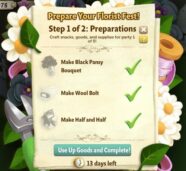
After you have built the Florist Table, you have to prepare
for your Florist Fest. This involves Crafting Black Pansies, Wool Bolts and
Half & Half.

Once you have crafted these items, you must keep them in your Inventory until the “Use Up Goods and
Complete!” button appears. Selling these items before clicking this button will
result in a loss of progress.


We understand that this may be a tad confusing, so we will
be updating the text in this menu to clarify the requirements a bit more. Thank
you for your continued support and we hope you are enjoying the Florist
Festival!