The End of Year Sale!

28 November 2013 FarmMaster 0
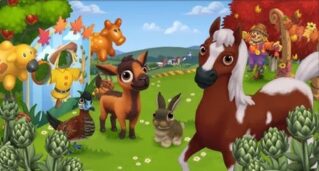
The End of Year Sale is here! For a very limited time, receive great discounts on Farm Buck packages, Exclusive Limited Time items, and Helper Packs to send to your Friends and Neighbors. Purchase the Farm Buck packages within 24-hours and the Exclusive Limited Time Items and the Helper Packs within seven days, and Cornelius will give you an exclusive baby Checat Falabella Horse!
Note: The Adult Checat Falabella Horse produces 5x Fertilizer and 5x Horseshoes! 
If you are level 5 or higher, you will see the following pop-up. Click on the “Go Shopping” button to get started.

Using the End of Year Sale Menus:
Click on the Bulletin Board (to the right of the Market Stand) to open the main menu. 
End of Year Sale - FarmVille 2
This menu shows the Daily Deals available for you to purchase during the End of Year Sale. 
A – If you want to purchase Farm Buck Packages during the 24-hour Farm Bucks Sale. Note: Once the Farm Bucks Sale expires, this option will turn grey and will no longer be available for purchase
B – If you want to purchase Exclusive Limited Time Items
C – If you want to send Helper Packs to Friends for the Holidays
Note: Purchase all three of these offers (Farm Bucks Package, Exclusive Limited Time Items, and Helper Packs) within the first 24-hours of the Sale, and Cornelius will give you an exclusive baby Checat Falabella Horse!
After the 24-hour Farm Bucks Sale has expired, you will see the following menu for the remainder of the End of Year Sale:
End of the Year Sale - FarmVille 2
 
Farm Bucks Sale (24-Hours Only):
For 24-hours, you can purchase packages of Farm Bucks at a great discounted rate! If you want see how much time you have left to purchase these packages, click on the bulletin board, and then view the countdown timer below the “Farm Buck Sale” sign. Note: Once the Farm Bucks Sale expires, this option in the main menu will turn grey and will no longer be available for purchase.
End of the Year Sale - FarmVille 2 
Exclusive Limited Time Items: 
Each day during the End of Year Sale (7 consecutive days from the date you first see the End of Year Sale pop-up), you will see a new Exclusive Limited Time Items set! Every set will include three special Limited Edition items, such as Trees, Consumables (Baby Bottles, Water, Feed, etc.), and/or Animals. If you want see how much time you have left to purchase a particular set, click on the bulletin board, and then view the countdown timer below the “Exclusive Deals Each Day” sign.
End of the Year Sale - FarmVille 2
 
  
Send Gifts to Friends for the Holidays:
Do you have a helpful Friend or Neighbor that you’d like to thank for their hard work this year? Say, “Thanks” by sending a Helper Pack! Every Pack will include four special items, such as Decorations, Consumables (Baby Bottles, Water, Power, etc.), and/or Farm Bucks.
Click on the “Select Others” button to select the Neighbors that you’d like to send Helper Packs to. Once you’ve completed your selection, click on the “Buy All” button to send the Helper Packs to Friends! Your Friends will be able to pick up their Helper Pack gifts via their Mailbox. In addition, they have the option to return the favor to you!
If you want see how much time you have left to purchase a particular Helper Pack, click on the bulletin board, and then view the countdown timer below the “Send Your Friends Gifts” sign.
End of the Year Sale - FarmVille 2
 
Note: Your Helper Pack recipients will see your gift once they log onto the game (first time after the Helper Pack is sent). If your Friends send you Helper Pack gifts, you can collect them from your mailbox (you will see an icon over it). And if you are feeling generous, send a gift back!
  
End of Year Sale - FarmVille 2
Additional Information:
  • You have 24-hours to purchase Farm Buck Packages. After that time, the Farm Bucks Sale will expire and the option will turn grey in the main menu to indicate that you will be unable to purchase additional Packages.
  • You have 7 days to participate in the End of Year Sale. After that time, the End of Year Sale items will disappear and you will be unable to purchase them.
  • Each day during the End of Year Sale (7 consecutive days from the date you first see the End of Year Sale pop-up), you will see two new offers (Exclusive Limited Time Items and Send Gifts to Friends for the Holidays)
  • If you want to see how much time you have left to participate in the End of Year Sale, hover your cursor over the Bulletin Board.
  • You are limited to one End of Year Sale per farm.
  • The Bulletin Board is unmovable.

The Appaloosa River Expansion Guide!

28 November 2013 FarmMaster 0


The rainy season has caused the waters of the Appaloosa River to rise. Luckily, this has created the perfect place to plant new and exciting crops!
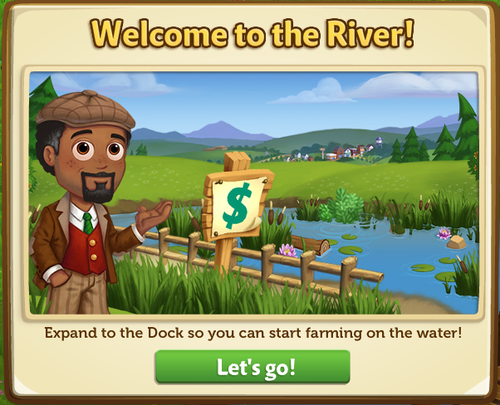
If you are level 15 or higher, you will see the following pop-up. Click on the “Let’s go” button to get started.


When you first arrive at the River, you’ll notice that things are a bit overgrown. Give yourself extra room to farm by clearing the riverbank and surrounding areas! Additional land will become available as you level up. 
Which Plots Can I Unlock?
You can unlock the bottom two expansions on the River, which are located on the right hand side of your game board.  To see what level you need to be in order to access land, hover your mouse over the plot. Eventually, you will be able to expand your farm to the entirety of the River bank.


River Expansion Check-off List:
Before you get your rubber boots on, you’ll need to check off a couple of things to ensure that you’re prepped for anything that the mighty River may offer:
  1. Level 15 or Higher – Farming on the River is no easy task, so our greener Farmers will need to improve their farming skills and prep before they get their feet wet.
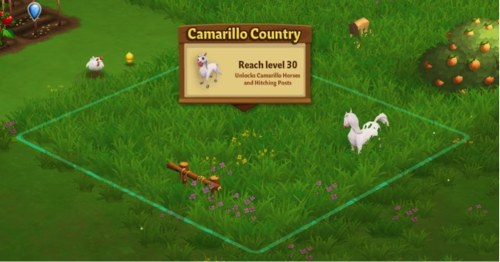
  1. Camarillo Country Expansion – Since it’s not safe (or fun) to cross through overgrown grass, you’ll need unlock the Camarillo Country Expansion to access the River. Not to worry though! Once you complete the Expansion tasks, the wild and friendly goats will help you clear the space!
If you are level 15 or higher and have the Camarillo Country Expansion, click on the plot to get started.

Expanding Your Farm to the River:
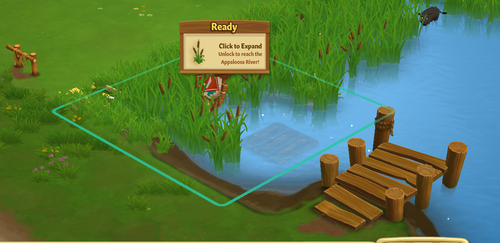
You can tell if a plot is available to expand on because you will see a sign pop up in the plot that looks like this:


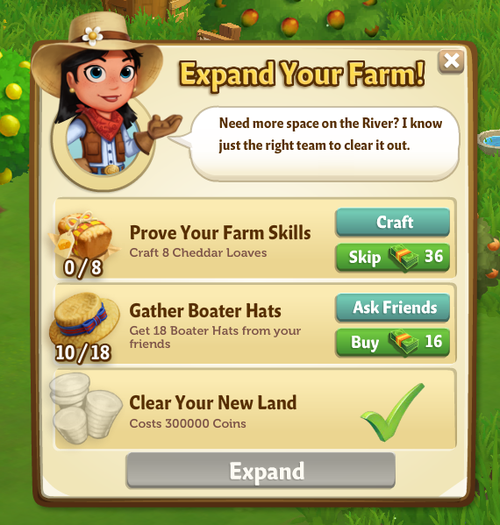
When you click on a plot to expand it, you will see a popup. In this popup, you will see a list of requirements you need to meet before you’re able to unlock a plot, like this:


Clearable Objects:
When you expand, there may be items on your new land that you do not want. Rocks and Debris need to be cleared away before you can use the space they are currently occupying.
How Do I Clear Something From a New Plot?
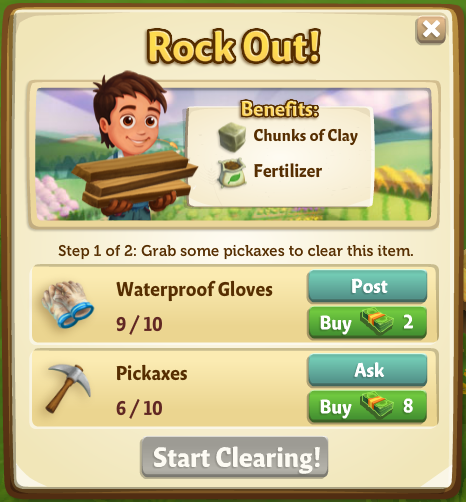
Clearing large objects isn’t easy—you’re going to need some help! To get started, click on the object you want to clear away. Once you do that, you will see a popup telling you what you need to do in order to clear the object:


This popup lets you know a few things: 
  • What you need to do to clear the object
  • How many tools or people you need to help you
  • What you will get once you clear the object away
In a hurry to clear an object and don’t want to wait for help from Neighbors? You can purchase the materials you need and hire help using Farm Bucks.

Clearing requires you to complete two steps: one to gather materials you’ll need to tackle the job, and another to hire the crew needed to complete the task.  
Gathering Materials
  • Gather the tools you need to clear debris away by asking your friends to send some your way.
  • You can do this by clicking the “Ask” button in the popup window. A message will be sent from you to your friends (you can choose which friends get this message), asking your friends to send you the tools that you need.
  • Don’t have time to wait? You can buy the tools you need with Farm Bucks.
Hiring a Crew 
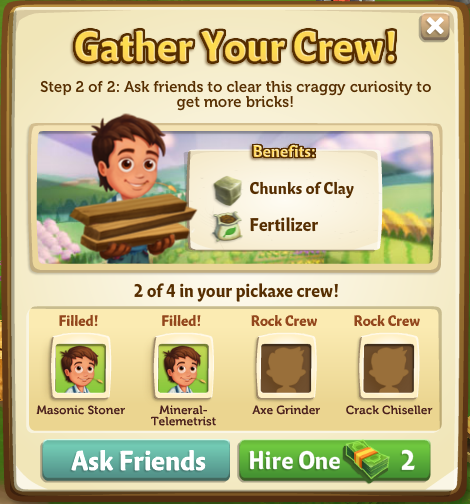
Once you have your Building Materials, you’ll get a second popup:


  • To complete this step, click the “Ask Friends” button to send a request to your friends for help.
  • If they accept your request, they will fill one of the open positions, and you will see their Facebook profile picture next to one of the positions you needed to fill.  
  • Don’t have time to wait on a crew of volunteers? You can also hire a crew by paying Farm Bucks for each position you need filled.
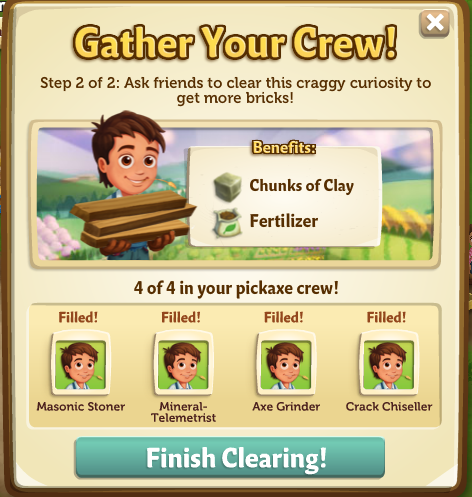
Once you have successfully filled all four spots, the “Finish Clearing” button in the popup will turn turquoise (see image below), meaning that you’re ready to go! Click on it to finish clearing the object away.


Rewards for Clearing an Object
As you clear objects from the River, you’ll receive great rewards! The rewards vary depending on what the object you’re clearing away is made of (for example, clearing a rock gets you Chunks of Clay and Fertilizer, while clearing a piece of wood debris gets you wood planks.) After your crew is finished clearing an object, you will see a nice pile of rewards where the object used to be. Hover your mouse over them to scoop them up and into your Inventory, or just wait and they will be collected for you automatically.
Expansion Requirements (Detailed): 
For each Expansion, there are a few requirements you need to meet in order to be able to uncover the land. Most Expansions require you to reach a certain level in the game and have a certain amount of coins and items in your Inventory in order to gain access. If you would like to view a list of the land Expansions that are available, check out our official guide: Expansion Guide.
20 – Appaloosa River – Unlocks when you expand Camarillo Country and reach level 15!
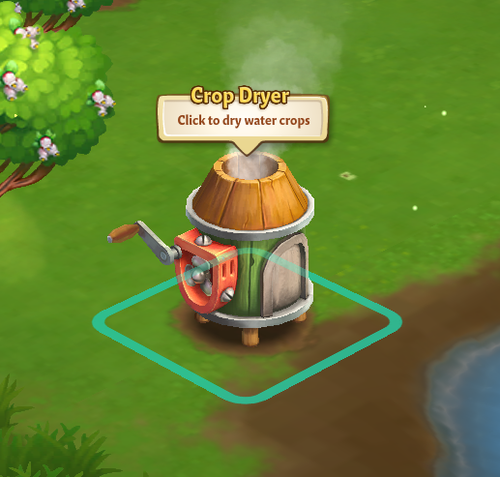
 Unlocks: Crop Dryer – If you would like a quick tutorial on how to use the Crop Dryer, check out the official feature guide:Crop Dryer.
21 – Buffalo Brook 
  • Reach Level 15
  • Expand to adjacent land
  • Prove Your Farm Skills: Craft 8 Cheddar Loaves
  • Gather Boater Hats: Get 18 Boater Hats from your friends
  • 750,000 Coins to Clear Land
Unlocks: Baby Black Water Buffalo 
22 – The Riverside 
  • Expansion Coming Soon!
23 – The Far Shore
  • Expansion Coming Soon!
*NOTE: Right now, the River is only available by purchasing Early Access with Farm Bucks. Sit tight, though—these plots will be available to earn for free soon!
Water Crops:
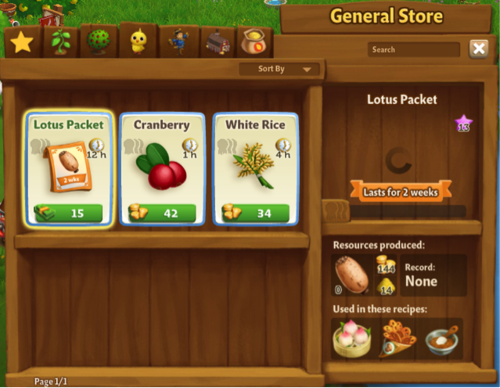
The River Expansions bring farming to the water! Once you have cleared your first River Expansion, you will find one Water Crop plot. Click it to check out the Water Crops available in the General Store:


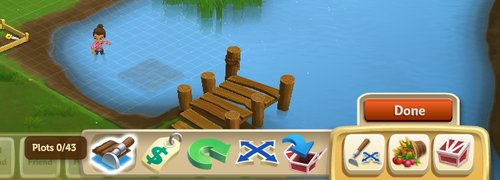
The great thing about Water Crops is that you don’t need to water them! Simply plant, Fertilize, and harvest your wet crops. Also, don’t forget to dry them in the Crop Dryer! If you would like to add additional empty Water plots to your farm, use the Water “Plots” button, located in the Tools Menu (see image below). Just click on the area where you would like a plot, and voila!


If you would like some practice with River Farming, be sure to check in with Gus for some tips. Click here for our official Dive Into River Farmving Guide. 
Note: You can add up to six Water plots per River Expansion.
Tip: Plant crops that fit your schedule. FarmVille 2 features a variety of Water Crops with varying harvest times. Planning ahead can save you the hassle of withered crops!
Crop Dryer:
Before you can sell or craft with your bountiful Water Crop harvests, you will need to build your Crop Dryer. For a quick tutorial on how to use the Crop Dryer, check out the official feature guide: Crop Dryer.


Additional Information: 
  • You are limited to six Crop plots per River Expansion.
  • You must dry your Water Crop harvests in the Crop Dryer prior to crafting in Recipes.
Now that you know how to expand to the River, the rest is up to you! Use the extra space to grow more Water Crops to earn Coins or just let the Water Buffaloes roam wild in the additional space!

The Fussy Teacup Pig!

26 November 2013 FarmMaster 0
Barbara is in search of a good home for the baby Teacup Pig, but she’s fussy and only eats Exotic Mushrooms! Help Barbara build a Pig Feasting Area, collect Exotic Mushrooms, and then you’ll earn some amazing prizes. Harvest your regular and Heirloom Trees for a chance to find Exotic Mushrooms, which you can redeem for all kinds of prizes, including the baby Teacup Pig!
If you are level 15 or higher, you will see the following pop-up. Click on the “Place” button to place the Feasting Area on your farm.
  The Fussy Teacup Pig - FarmVille 2
Building the Pig Feasting Area:
Your first step is building your Pig Feasting Area. You will need the following items to start construction:
  • Fancy Pig Pillows
  • Pig Treats
  • Pig Food Bowls
To collect Fancy Pig Pillows, click on the “Post” button to post to your Facebook wall; you will get the parts when your friends click on it, or when you click on a similar newsfeed post.
Click on the “Ask” button to send requests for Pig Treats and Pig Food Bowls to your Neighbors. If you do not wish to wait for your Friends, you can skip any of these tasks for Farm Bucks.
  The Fussy Teacup Pig - FarmVille 2
  
Once you have collected the required items, click on the “Start Building” button at the bottom of the construction menu.
Now that your Feasting Area is almost complete, you will need a little help from your Neighbors to finish the job. The Pig Feasting Area requires four additional helpers, so click on the “Ask Friends” button to send some crew requests to your Friends. When they accept, you will see the spots in the Building Menu begin to fill. If you do not wish to wait for your Friends, click on the “Hire One” button to purchase crew members with Farm Bucks. Once you have successfully filled all four spots, click on the “Finish and Share” button.
  The Fussy Teacup Pig - FarmVille 2
Using the Pig Feasting Area:
Click on the Pig Feasting Area to open the main menu. 
The Fussy Teacup Pig - FarmVille 2
 
  
This menu shows how many Exotic Mushrooms you have collected and what prizes you are currently eligible to redeem. 

A – The total amount of Exotic Mushrooms you have collected. As you redeem prizes, this number decreases.
B – If you want to send requests to your Friends for Small Mushroom Terrariums, which are used for Crafting Exotic Mushrooms. Note: You can have a maximum of 12 Small Mushroom Terrariums at any given time.
C – If you want to ask your Friends for Large Mushroom Terrariums, which are used for Crafting Exotic Mushrooms, press this button and a feed will be automatically posted to your wall. Note: You can have a maximum of 12 Large Mushroom Terrariums at any given time.
D – If you want to purchase Exotic Mushrooms for Farm Bucks.
E – The button to use when you want to collect Exotic Mushrooms by crafting in the Workshop. 
F – The button to use when you want to redeem a prize. Once you have enough Exotic Mushrooms, this button will turn turquoise.
G – The number of Farm Bucks required to purchase the prize.
Collecting Exotic Mushrooms: 
Harvesting Regular and Heirloom Trees: You can find Exotic Mushrooms by harvesting your regular and Heirloom Trees. If you find some, they will appear on your farm in a similar fashion to Prize Goods.
The Fussy Teacup Pig - FarmVille 2
 
Note: Harvest Heirloom Trees to increase your chances of finding Exotic Mushrooms!
  
When an Exotic Mushroom appears on your farm after harvesting, click on it and you will see the following pop-up:
The Fussy Teacup Pig - FarmVille 2
 
  
Click on the turquoise “Share” button to post a feed to your wall. Your Friends will be able click on this feed to claim some free Exotic Mushrooms for themselves too! Once you have clicked on the Mushroom, it will be automatically added to your Pig Feasting Area. 
Crafting: You can craft your very own Exotic Mushrooms via the Crafting Workshop. From the Pig Feasting Area menu, click on the “Craft” button to open the Workshop. The two Recipes for Exotic Mushrooms are as follows:
  
  • Grow 2 Mushrooms: To craft Grow 2 Mushrooms, you will need Small Mushroom Terrariums and Mud. Click on the “Ask” button to send requests for Small Mushroom Terrariums to your Friends. If you do not wish to wait for your Friends, you can skip any of these tasks for Farm Bucks. Note: To get Mud, feed your Adult Pigs (feeding Prized Pigs will not count).
The Fussy Teacup Pig - FarmVille 2
 
  
  • Grow 3 Mushrooms: To craft Grow 3 Mushrooms, you will need Large Mushroom Terrariums and Wheat. To collect Large Mushroom Terrariums, click on the “Post” button to post to your Facebook wall – you will get the parts when your friends click on it, or when you click on a similar newsfeed post.
Note: Individual Exotic Mushrooms can also be purchased with Farm Bucks from the Pig Feasting Area menu.
Redeeming Exotic Mushrooms for Prizes: 
Once you have collected enough Exotic Mushrooms, you can redeem them for some beautiful prizes. Click on your Pig Feasting Area to open up your progress menu. 

At the bottom of this menu, there are a total of four prizes that you can redeem for Exotic Mushrooms: 

  • 2x Mushroom Lights (22 Exotic Mushrooms)
  • Reward Bundle (44 Exotic Mushrooms) Note: You have a chance of earning Salt, Sugar, Speed-Feed, and/or Fertilizer
  • Mushroom Topiary (66 Exotic Mushrooms)
  • Mushroom Fountain (88 Exotic Mushrooms)
All four of these prizes can be redeemed as many times as you like, as long as you have enough Exotic Mushrooms (220 Exotic Mushrooms total). Once you have collected all four of the above prizes, you will earn the baby Teacup Pig!
The Fussy Teacup Pig - FarmVille 2
 
 
Note: The baby Teacup Pig can be redeemed for Exotic Mushrooms or Farm Bucks more than once.
It looks like the baby Teacup Pig has warmed up to you! Click on the “Share Exotic Mushrooms” button to post a reward feed for your Friends. Make sure to feed your little piggy Baby Bottles so she will grow into an Adult Teacup Pig that you can harvest for Mud and 3x Fertilizer! Note: Mud is an Ingredient used in exclusive Crafting Workshop and Crafting Kiln Recipes.
Additional Information:
  • You have 21 days to collect the Pig Feasting Area prizes. If you do not collect them all, the prizes will disappear and you will be unable to claim them.
  • If you do not wish to use the Pig Feasting Area feature, it can be sold or stored in your Inventory.
  • You can only get Exotic Mushrooms when harvesting regular and Heirloom Trees on your own farm. You will not get Exotic Mushrooms from Neighbor visits.
  • If you want to see how much time you have left to claim the Pig Feasting Area prizes, hover your cursor over the Feasting Area.
  • You are limited to one Pig Feasting Area per farm.

New Late Fall Festival Limited Edition Items!

25 November 2013 FarmMaster 0

The autumn celebration continues with new Late Fall Festival limited edition items! Enjoy delightful new Crafting Kitchen Recipes, the Purple Majesty Potato Crop + more! Check below for details on our latest release and be sure to share what your favorite new addition is by commenting below this post!
New Limited Edition Decorations (Level 3): 
  • Carnival Snack Stand – 10 Farm Bucks
  • Poured Gourd Hoard – 8 Farm Bucks
  • The Pumpkin Palace – 25 Farm Bucks
  • Hay Bale Folk Sculpture – 12,300 Coins
  • Pumpkin Portal – 12 Farm Bucks
New Limited Edition Trees (Level 7):
  • Barbados Cherry Tree – 13 Farm Bucks, used in Recipes
  • Olympic Asian Pear Tree – 13 Farm Bucks, used in Recipes
  • European Rowan Tree – 13 Farm Bucks, used in Recipes
New Limited Edition Animals (Level 6):
  • Blue Roan Mini Horse – (Baby 30) 43 Farm Bucks
  • Brahman Cow – (Baby 30) 43 Farm Bucks
  • Brown Serama Chicken – (Baby 18) 35 Farm Bucks
  • Pietrain Pig – (Baby 28) 41 Farm Bucks
New Limited Edition Crop (Level 7):
  • Purple Majesty Potato – 50 Coins, matures in 8 hours, used in Recipes
Crafting Kitchen Recipes (Level 7):
  • Purple Majesty Potato Chips – Purple Majesty Potato & Salt, sells for 2,520 Coins  
  • Purple Majesty Potato Gnocchi – Purple Majesty Potato & Flour, sells for 2,790 Coins 
  • Purple Majesty Potato Salad – Purple Majesty Potato & Egg, sells for 2,450 Coins 
  • Asian Pear Lemonade – Olympic Asian Pear & Lemonade, sells for 3,710 Coins 
  • Asian Pear Cake – Olympic Asian Pear & Batter, sells for 3,560 Coins
  • Asian Pear Turnover – Olympic Asian Pear & Flour, sells for 3,580 Coins
  • Barbados Cherry Cupcake – Barbados Cherry & Flour, sells for 3,920 Coins 
  • Barbados Cherry Milkshake – Barbados Cherry & Milk, sells for 3,360 Coins 
  • Barbados Cherry Sauce – Barbados Cherry & European Rowan Berry, sells for 3,400 Coins 


The Fall Bonfire!

20 November 2013 FarmMaster 0

The Fall Bonfire is here! Craft goods for Bonfire Parties with Friends and receive great gifts after each party. Complete all five of the Bonfire Parties and you will also earn a Red Bell Pepper Crop Packet!
If you are level 12 or higher, you will see the following pop-up. Click on the green “Place Fire Pit” button to place the Pit on your farm. 
Fall Bonfire - FarmVille 2
 
Before you can host a Bonfire Party, you will need to build your Fire Pit. Your first step is collecting Building Materials. You will need the following items to start building your Pit:
  • Kindling Piles
  • Limestone Bricks
  • Stone Hammers
To collect Kindling Piles, click on the “Post” button to post to your Facebook wall; you will get the parts when your friends click on it, or when you click on a similar newsfeed post.
Click on the “Ask” button to send requests for Limestone Bricks and Stone Hammers to your Neighbors. If you do not wish to wait for your Friends, you can skip any of these tasks for Farm Bucks.
Fall Bonfire - FarmVille 2
 
Note: You can send a request for materials to your Friends every 18 hours.
Once you have collected the required items, click on the “Start Building” button at the bottom of the construction Menu. 
Now that your Pit is almost complete, you will need to hire Friends to help you finish the job. The Fire Pit requires four additional helpers, so click on the “Ask Friends” button to send some crew requests to your Friends. When they accept, you will see the spots in the Building Menu begin to fill. If you do not wish to wait for your friends, click on the “Hire One” button to purchase crew members with Farm Bucks. Once you have successfully filled all four spots, click on the “Finish Building” button. 
Fall Bonfire - FarmVille 2
 
Bonfire Parties:
The Red Bell Pepper Crop Packet can be earned after a total of five stages. In order to earn it, you will need to host 5 Bonfire Parties for Friends. To prepare for a Bonfire Party, click on your Fire Pit.
Fall Bonfire - FarmVille 2
 
No Bonfire Party is complete without s’mores and snacks, so it’s time to start whipping up some delicious treats, goods, and supplies for your parties! From the Quest menu, click on the “Craft” button for the recipe you wish to Craft and you will be sent to your Kitchen and/or Workshop.
Note: Hosting a Bonfire Party uses up the goods you have crafted.
Stage One: 
  • Have Olive Oil
  • Have Lumber
  • Have Tinder
  Fall Bonfire - FarmVille 2
  
Stage Two: 
  • Have Pumpkin Pie
  • Have Tomato Soup
  • Have Vegetable Kabobs
Fall Bonfire - FarmVille 2
 
Stage Three: 
  • Have Milk Chocolate Bars
  • Have Marshmallow Candy
  • Have Graham Crackers
Fall Bonfire - FarmVille 2
Stage Four: 
  • Have Leather Journal
  • Have Votive Candle
  • Have Vintage Flashlight
  Fall Bonfire - FarmVille 2
Stage Five:
  • Have Feather Charm
  • Have Bonfire Banjos
  • Have Outdoor Pillows
Fall Bonfire - FarmVille 2
 
The Fall Bonfire requires four guests to be present before your party can begin, so click on the “Ask Friends” button to send some requests to your Friends. When they accept, you will see the spots in the Guest Menu begin to fill.
   Fall Bonfire - FarmVille 2
If you do not wish to wait for your Friends, click on the “Hire One” button to purchase guests with Farm Bucks. Once you have successfully filled all four spots, click on the “Kindle the Fire Now” button to kickoff the party!
Fall Bonfire - FarmVille 2
  
Once your Bonfire Party is complete, your guests will run off and you will see the following pop-up. Click on “Share Rewards” button to post a feed to your wall that your Friends can click to collect rewards, too!
Fall Bonfire - FarmVille 2
 
Earning Rewards with the Fall Bonfire:
You will earn rewards each time you host a Bonfire Party. The more Bonfire Parties you host, the more rewards you will receive at the end of each party. Below is a list of items you have a chance of earning: 
  • Power
  • Fertilizer
  • Speed-Feed
  • Speed-Grow
  • Baby Bottle
  • Piece of Wood
Fall Bonfire - FarmVille 2
 
 
Night Time Bonus:
In addition to these awesome rewards, you will receive a +1 Crop bonus for a limited time after each Bonfire Party! A small crescent moon icon above your Neighbor Bar will indicate the Bonus is active. Hover over this icon if you’d like to see how much time you have remaining until it expires (see image below):
Fall Bonfire - FarmVille 2

The Fall Bonfire reward icons at the bottom of the Guest Menu indicate how many parties you have hosted. As you host parties, you will see the Fall Bonfire reward icons will be replaced by green check marks.
  Fall Bonfire - FarmVille 2
  
You can host up to a total of five Bonfire Parties per Fire Pit and once you have finished your final party, you will earn a Red Bell Pepper Crop Packet! Click on the  “Place and Share” button to purchase your Crop Packet in the General Store for Coins.
Fall Bonfire - FarmVille 2
 
Additional Information: 
  • Once the Fire Pit is placed on your Farm, you have 20 days to finish the quests and host your Bonfire Parties with Friends.
  • You can have up to five Fire Pits on your farm (including frames).
  • If you delete the first Fire Pit, you will only be able to have a total of four. The second, third, fourth, and fifth Pits can be deleted or stored in your Inventory.
  • Once you have hosted your Bonfire Parties, you will be unable to use and/or sell any of the goods.
  • Once you have finished hosting all of your parties, the Fire Pits are yours to keep as decorations!

Harvest More Power!

20 November 2013 FarmMaster 0
Great news, Farmers!
You can now harvest your Furnace for Power every FOUR HOURS! What do you think of this new update? Leave us a comment below to share your thoughts with the FarmVille 2 Team.

The Crafting Drive Stage 2!

19 November 2013 FarmMaster 0
  
The Crafting Drive Booth Feature is broken up into three consecutive stages that unlock over time. Click the links below to find out more information about each stage.
Stage 1
Stage 2
Stage 3: Coming Soon!
The Crafting Drive Booth is here! Crafting in the Booth will earn you Points, which you can redeem for great rewards and the adorable baby Lionhead Rabbit!
Note: Animal Hospital Charity and the Crafting Drive Booth are fictional parts of the storyline in FarmVille 2, and are not actually affiliated with any real-world business or charity.
If you are level 12 or higher, you will see the following pop-up. Click on the “I’ll Help” button to get started.
  Crafting Drive - FarmVille 2
  
Before you can start crafting, you will need to build your Crafting Drive Booth. Your first step is collecting Building Materials. You will need the following items to start building your Booth:
  • Animal Balloons
  • Bunting Cloths
  • Bunny Posters
To collect Animal Balloons, click on the “Post” button to post to your Facebook wall – you will get the parts when your Friends click on it, or when you click on a similar newsfeed post.
  
Click on the “Ask” button to send requests for Bunting Cloths and Bunny Posters to your Neighbors. If you do not wish to wait for your Friends, you can skip any of these tasks for Farm Bucks.
Crafting Drive - FarmVille 2
  
Note: You can send a request for materials to your Friends every 18 hours.

Once you have collected the required items, click on the “Start Building” button at the bottom of the construction Menu. 

Now that the Crafting Drive Booth is almost complete, you will need a little help from your Neighbors to finish the job. The Crafting Drive Booth requires four additional helpers, so click on the “Ask Friends” button to send some crew requests to your Friends. When they accept, you will see the spots in the Build Menu begin to fill. If you do not wish to wait for your Friends, click on the “Hire One” button to purchase crew members with Farm Bucks.
Crafting Drive - FarmVille 2
Using the Crafting Drive Booth: 
Click on the Crafting Drive Booth to open the main menu.
  Crafting Drive - FarmVille 2
This menu shows how many Points you have earned in the current week, what rewards you have redeemed and what rewards you are currently working towards. It also shows your cumulative points that go towards earning the baby Lionhead Rabbit (Final Reward).
A – The Points Total (cumulative amount of Points you have earned during the Crafting Drive). You earn Points by crafting the Crafting Drive Recipes. Note: This number keeps counting up, and does not get reset every week (see “the Baby Lionhead” section below for more details).
B – If you want to ask your Friends for Points, click on this button and a request will post to your feed. 
C – The button to use when you want to purchase Points for Farm Bucks.
D – Use these arrow buttons to scroll through the Crafting Drive Recipes.
E – The button to use when you want to craft the Crafting Drive Recipes (earn Points).
F – The Crafting Drive Booth bar, which tracks your progress towards Milestone Goals and earning the babyLionhead Rabbit. Note: This bar will reset each week when the next Stage becomes available.
How to Get Points in the Crafting Drive:
There are multiple ways to get Points in the Crafting Drive:
  1. Crafting Recipes:
    1. The first Stage (Week 1) has 2 different Recipes, and then 2 new Recipes that are worth higher Points unlock the following Stages (Week 2 & 3).
    2. When new Recipes unlock, you can craft those, as well as the previously unlocked Recipes, which means you can craft up to 4 Recipes in parallel during Week 2, and up to6 Recipes during Week 3!
    3. Ask your Friends for Donation Points by posting a feed to your wall (See B. in the “Using the Crafting Drive Booth” section above).
    4. Use your Farm Helpers! Each Farm Helper will drop a Donation Package after they’ve completed a Neighbor Visit task.
    5. Purchase Points for Farm Bucks (See C. in the “Using the Crafting Drive Booth” section above).
Crafting Drive Recipes:
In order to earn Points, you must craft the Crafting Drive Recipes. From the Crafting Drive Booth menu, click on the “Craft Recipe” button to open the Recipe menu.
Stage 1
The two Recipes for the Week 1 are as follows:
  • Pet Collar: The required Ingredients are Wool and Rhinestone. You will receive a total of two Points per Pet Collar crafted. Note: To get Wool, feed your Adult Sheep and Adult Rabbits (feeding your Prized Sheep and Prized Rabbits do not count).
  Crafting Drive - FarmVille 2
  • Animal Blanket: The required Ingredients are Fur and Blueberries. You will receive a total of one Point per Animal Blanket crafted. Note: To get Fur, feed your Adult Buffalo and Adult Deer (feeding your Prized Buffalo and Prized Deer do not count).
Crafting Drive - FarmVille 2
Stage 2
The two Recipes for the Week 2 are as follows:
  • Pooper Scooper: The required Ingredients are Pieces of Wood and Copper Poop Scoop. You will receive a total of five Points per Pooper Scooper crafted. Note: To get Pieces of Wood, harvest your Pine Trees and White Willow Trees. 
   Crafting Drive - FarmVille 2
  • Porcelain Treat Bowl: The required Ingredients are Mud and Strawberries. You will receive a total of three Points per Porcelain Treat Bowl crafted. Note: To get Mud, feed your Adult Pigs (feeding your Prized Pigs do not count).
  Crafting Drive - FarmVille 2
  • Week 3 Recipes: Coming Soon!
    • Note: These Recipes will be worth SEVEN and TEN Points!
Farmhand Donation Packages:
In addition to Crafting, you can earn Points from your Farmhands. As you use your Farmhands, they will donate a Package to you for the Animal Hospital, which gives you Points in the Crafting Drive. These Packages linger on your farm and appear as a small blue box. Once you have found a Package, click on it and you will receive the following message:
Crafting Drive - FarmVille 2
Click on the “Open Booth and Share” button to share some Points with Friends!
Earning Rewards:
In order to earn the Crafting Drive rewards, you will need to accrue enough Points to hit your Milestone Goal. Once you have collected enough Points for your current Milestone Goal, they will be automatically redeemed for some great rewards. After you redeem each reward, a green check mark will appear to indicate what Milestone Goal has been reached. Click on your Crafting Drive Booth to open up your progress menu. 
Stage 1
The Milestone Goals and respective rewards for Week 1 are as follows: 
  • Milestone 1:  +6 Speed-Grow
  • Milestone 2:  +10 Speed-Grow
  • Milestone 3:  +20 Speed-Grow
  • Milestone 4:  +34 Speed-Grow
Stage 2
The Milestone Goals and respective rewards for Week 2 are as follows: 
  • Milestone 1:  +10 Fertilizer
  • Milestone 2:  +16 Fertilizer
  • Milestone 3:  +30 Fertilizer
  • Milestone 4:  +64 Fertilizer
Stage 3 – Coming Soon!
The Baby Lionhead Rabbit:
The final reward for the Crafting Drive Booth is the baby Lionhead Rabbit. In order to earn this adorable Rabbit, you will need to earn enough Points (Points Total) towards the Crafting Drive Goal. The Crafting Drive Goal is based on the cumulative Points you get over the 3-week period, and can be redeemed for the baby Lionhead Rabbit as soon as the Goal has been reached.
  Crafting Drive - FarmVille 2
 If you do not want to wait to get the baby Lionhead Rabbit, you can use Farm Bucks to get enough Points and unlock the Rabbit right away! 
Additional Information:
  • Every week, the Crafting Drive Booth bar is reset and you will now work towards a new set of rewards. Note: Your Points Total (number below the baby Lionhead Rabbit) will not be reset.
  • You have 21 days to collect the rewards. If you do not collect them all, the rewards will disappear and you will be unable to claim them.
  • If you want to see how much time you have left to claim the Crafting Drive Booth rewards, click on the 
    Booth and look at the timer below the “Get a Bunny.”
  • You are limited to one Crafting Drive Booth per farm.
  • The Crafting Drive Booth is unmovable.

New Fall Carnival Time Limited Edition Items!

18 November 2013 FarmMaster 0
One of the amazing things about this time of year is all of the home cooked meals. To celebrate in FarmVille 2, we’ve added some of our new Recipe favorites for fall, such as the Quince Tart and the Baked Artichoke –yum!
Check below for details on our latest limited edition “Fall Carnival Time” items and be sure to share what your favorite new Recipe is by commenting below the post!
New Limited Edition Decorations (Level 3): 
  • “Fumbles” the Tragic Scarecrow – 15 Farm Bucks
  • Fall Leaf Garland – 12,300 Coins
  • Bovinae Parade Balloon – 8 Farm Bucks
  • Caprinae Parade Balloon – 8 Farm Bucks 
  • Meleagrididae Parade Balloon – 8 Farm Bucks 
  • Oh Canada! Faux-Taux Booth – 10 Farm Bucks
  • Fall Paradise Party Table – 12 Farm Bucks
New Limited Edition Trees (Level 7):
  • Chinese Quince Tree – 13 Farm Bucks, used in Recipes
  • Cactus Pear Tree – 13 Farm Bucks, used in Recipes
  • Li Jujube Tree – 13 Farm Bucks, used in Recipes
New Limited Edition Animals (Level 6): 
  • Ruddy Duck – (Baby 28) 41 Farm Bucks
  • Brown British Giant Rabbit – (Baby 17) 34 Farm Bucks
  • Tobiano Arabian Horse – (Baby 30) 43 Farm Bucks
  • Oberhasli Goat – (Baby 21) 38 Farm Bucks
New Limited Edition Crop (Level 7):
  •  Artichoke – 42 Coins, matures in 8 hours, used in Recipes
Crafting Kitchen Recipes (Level 7):
  • Apple-Quince Chutney – Quince & Apple, sells for 3,560 Coins 
  • Quince Tart – Quince & Pie Crust, sells for 4,100 Coins  
  • Candied Li Jujube – Li Jujube & Sugar, sells for 3,030 Coins  
  • Li Jujube and Egg Tea – Li Jujube & Egg, sells for 3,970 Coins  
  • Cactus Pear Sorbet – Cactus Pear & Lemon Water, sells for 3,680 Coins  
  • Cactus Pear Smoothie – Cactus Pear & Orange, sells for 3,580 Coins  
  • Baked Artichoke – Artichoke & Cheddar Cheese, sells for 2,540 Coins  
  • Artichoke Dip – Artichoke & Cheddar Cheese, sells for 2,590 Coins 
  • Artichoke Soup – Artichoke & Broth, sells for 2,510 Coins  

Support Typhoon Haiyan Relief Efforts!

15 November 2013 FarmMaster 0
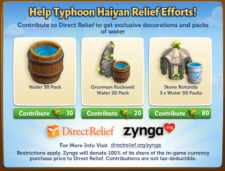
Direct Relief is partnering with Zynga to support relief efforts following Typhoon Haiyan in the Philippines. Show your support by contributing to Direct Relief, and get exclusive decorations & packs of Water. 
Restrictions apply. Zynga will donate 100% of its share of the in-game currency purchase price to Direct Relief. Contributions are not tax-deductible. For more information, visit: http://www.directrelief.org/zynga

The Pasture & Fuel Pump!

14 November 2013 FarmMaster 0

This feature is currently only available to players who have purchased Early Access. For more information about this, please see our official guide: Early Access to the Pasture is here!

Introducing, the Pasture! Use the Pasture to store an unlimited number of your Prized Animals, and then harvest it to fill your Fuel Pump!
If you are level 15 or higher, you will see the following pop-up. Click on the “See your Pasture” button to get started.


The next step is to place your Fuel Pump on your farm (not the Pasture). Now, the best part is that the Pump is already built for you! (See the “Fuel Pump” section below for more details). After you’ve placed the Pump on your farm, Walter will pay you a special visit.
The Pasture - FarmVille 2
 
The third step is to click on the bouncing yellow arrow, which will then bring up the Pasture menu. From this menu, click on the “Add Prized Animals” button to automatically add all of your Prized Animals from the farm to the Pasture!
Note: This will only add the Prized Animals on your farm. It will not automatically add the Prized Animals in storage buildings or your Inventory.
  The Pasture - FarmVille 2
  
Inside the Pasture:
Click on the Pasture to open the main menu.
The Pasture - FarmVille 2
 
This menu shows you all of the Prized Animals that are inside the Pasture, your current population, and how many Prized Animals you will need to upgrade your Fuel Pump. 

A – The total number of Prized Animals in the Pasture

B – Use these tabs when you want to sort through your Prized Animals by category
C – Use these arrow buttons to scroll through all of your Prized Animals in the Pasture
D – Minus Symbol: Use this button when you want to remove a Prized Animal from the Pasture (Note: This button is only available when you hover over a placement card from this menu)
E – Use this button when you want to store a Prized Animal (wandering on your farm) in the Pasture (Note: This button will grey out when there are no Prized Animals available)
F – Use this button when you want to upgrade your Fuel Pump (Note: This button will disappear where there are no upgrades available)
G – Your current Fuel Pump Capacity
H – Use this checkbox when you want to store all of your Prized Animals (wandering on your farm) with one click in the Pasture
  
Using the Pasture:
We’ve made it even easier to store your Prized Animals in the Pasture from the farm! Once you’ve Prized an Animal, you will see the following pop-up if the respective storage building is full. Click on the “Send to Pasture” button to automatically send your Prized Animal to the Pasture. Note: If a Fuel Pump upgrade is available, you will see a “Pasture and Upgrade” button on the pop-up. Click on this button to bring up the “Upgrade your Fuel Pump” pop-up and begin collecting the building parts for the upgrade.
  Pasture - Send to Pasture
The Fuel Pump
One of the many benefits of storing Prized Animals in the Pasture is they keep the grass trimmed down, which results in the production of resources for the Fuel Pump!
The Pasture - FarmVille 2
 
Using the Fuel Pump:
The first time you click on your Fuel Pump, you will receive some FREE Fuel! Afterwards, there will be an 18-hour cooldown period. Overtime all of your Prized Animals in the Pasture will produce the resources that are required to fill the Fuel Pump. To get Fuel, all you have to do is store Prized Animals in the Pasture, and then harvest the Fuel Pump after the cooldown of 18-hours.
The Pasture - FarmVille 2
 
Helpful Tip: The more Prized Animals in your Pasture and the greater the Fuel Pump Capacity, the more Fuel you get from your Pump!
Upgrading the Fuel Pump:
In order to get the most Fuel out of your Pump, you will need to upgrade it relative to the number of Prized Animals in your Pasture. Currently, you can upgrade your Fuel Pump to a maximum of 45 Capacity. Each upgrade will differ slightly in appearance from the previous Pump. Note: You will only get the extra Fuel from your additional Prized Animals if you upgrade the Fuel Pump.
Once you unlock a new upgrade for your Fuel Pump, you will see the message, “Click to upgrade” after harvesting your Pump:
The Pasture - FarmVille 2
In addition to this, the green “Upgrade” button on the Pasture menu will be visible (see the “Inside the Pasture (F.)” section above).
Each upgrade will require different parts. Below is a list of the different items you may need to collect in order to upgrade:
  • Propellers
  • Gear Differentials
  • Aluminum Metal Plates
  • Bolt Cutters
  • Hatch Doors
  • Rubber Hoses
Below is an example of the “Upgrade your Fuel Pump” pop-up:
The Pasture - FarmVille 2
 
From the “Upgrade your Fuel Pump” pop-up, click on the “Post” button to post a request to your Facebook wall – you will get the parts when your Friends click on it, or when you click on a similar newsfeed post.
Click on the “Ask” button to send requests for parts to your Neighbors. If you do not wish to wait for your Friends, you can skip any of these tasks for Farm Bucks.
Note: You can send a request for materials to your Friends every 18 hours.

Once you have collected the required items, click on the “Start Building” button at the bottom of the construction Menu. 

Once you have collected the building parts, you will need a little help from your Neighbors to finish the job. The Fuel Pump upgrades require four additional helpers, so click on the “Ask Friends” button to send some crew requests to your Friends. When they accept, you will see the spots in the Build Menu begin to fill. If you do not wish to wait for your Friends, click on the “Hire One” button to purchase crew members with Farm Bucks.
Below is an example of the “Hire Upgrade Crew” pop-up:
  The Pasture - FarmVille 2
Once you have filled all four spots, click on the “Finish and Share” button to complete the Fuel Pump upgrade and start regenerating extra Fuel!
Fuel-Dependent Buildings:
Fuel is an important resource, as it’s required to use the Fertilizer Plane and the Crop Dryer. In order to maximize your Fuel Pump to get the most Fuel, be sure to store all of your Prized Animals in the Pasture and upgrade whenever available!
In a hurry to get Fuel? You can purchase packs of Fuel from the General Store or you can send requests for Fuel to your Friends.
The Pasture - FarmVille 2
 
Note: Some players may not have access to all of the features listed above. To ensure that FarmVille 2 remains an enjoyable experience for as many players as possible, we are slowly releasing content over the coming months. We are very excited to get these features out to all of you as soon as possible, and we appreciate your continued patience. 
Additional Information:
  • You are limited to one Fuel Pump per farm. 
  • You are limited to one Pasture per farm.
  • If you want to see how much time you have remaining until you can harvest the Fuel Pump, hover your cursor over the Pump.
  • If you want to see how many more Prized Animals are required until you can upgrade your Fuel Pump, hover your cursor over the Pasture.
No Image

Early Access for the Pasture is here!

14 November 2013 FarmMaster 0

Early Access for the Pasture is here! Get a head start on your Fuel Pump and be the first of your friends to experience the new Pasture. All players who purchase an Early Access pass will get to store an unlimited number of their Prized Animals right away and will also receive the exclusive baby Watusi Cow! 

If you are level 15 or higher, you will see the following pop-up. Click on the “See your Pasture” button to get started:
  Pasture - FarmVille 2
Early Pasture Rewards:
All players who get early access to the Pasture will receive the amazing items listed below:
  • Early access to the Pasture (store an unlimited number of your Prized Animals right away!)
  • Early access to the Fuel Pump (get Fuel for the Crop Dryer and the Fertilizer Plane right away!)
  • The exclusive baby Watusi Cow (the baby Cow will be automatically added to your Inventory)   
Note: If you do not wish to expand early, no problem – we’ll be rolling this feature out to all players over the upcoming months.

The Fertilizer Plane!

14 November 2013 FarmMaster 0

Note: Some players may not have access to all of the features listed below. To ensure that FarmVille 2 remains an enjoyable experience for as many players as possible, we are slowly releasing content over the coming months. We are very excited to get these features out to all of you as soon as possible, and we appreciate your continued patience. 

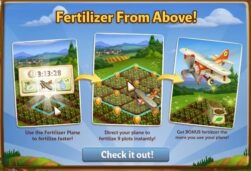
Oh no, the Fertilizer Plane is broken! Luckily, Walter is fairly handy with mechanical issues, but he’ll need a little time to collect the parts for the repairs. That’s where you come in. Help Walter collect the repair parts and use the Fertilizer Plane right away!
If you are level 15 or higher, you will see the following pop-up. Click on the “Check it out” button to get started.


Building the Fertilizer Plane:

Your first step is collecting construction parts. You will need the following items to start building your Fertilizer Plane: 

  • Propellers
  • Gear Differentials
  • Aluminum Metal Plates
To collect Propellers, click on the “Post” button to post to your Facebook wall – you will get the parts when your Friends click on it, or when you click on a similar newsfeed post.
Click on the “Ask” button to send requests for Gear Differentials and Aluminum Metal Plates to your Neighbors. If you do not wish to wait for your Friends, you can skip any of these tasks for Farm Bucks.
Fertilizer Plane - FarmVille 2
 
  
Note: You can send a request for materials to your Friends every 18 hours.

Once you have collected the required items, click on the “Start Building” button at the bottom of the construction Menu. 

Now that the Fertilizer Plane is almost complete, you will need a little help from your Neighbors to finish the job. The Fertilizer Plane requires four additional helpers, so click on the “Ask Friends” button to send some crew requests to your Friends. When they accept, you will see the spots in the Build Menu begin to fill. If you do not wish to wait for your Friends, click on the “Hire One” button to purchase crew members with Farm Bucks.
Fertilizer Plane - FarmVille 2
 
  
Once you’ve filled all four of the helper spots, click on the “Finish and Share” button to share some rewards with Friends!
Using the Fertilizer Plane:
Once the Fertilizer Plane has been repaired, you will receive the following message. Click on the “Okay” button to get started.
Fertilizer Plane - FarmVille 2
 
 
The first time the Fertilizer Plane starts up after it’s been repaired, it’ll fly over your farm and drop some Fertilizer for you, which will be added to your HUD. After this time, the Plane will disappear until you activate it.
  
Fertilize faster with the Fertilizer Plane! The Fertilizer Plane can be used to fertilize watered Crops (land and Water), watered Trees (regular, Heirloom, Elder, and Mastered), and watered Groves (regular, Heirloom, Elder, and Mastered) with a single click. The Fertilizer Plane runs on Fuel, which you can obtain from your Pasture. 
To activate the Fertilizer Plane, click on a watered Crop, Tree, or Grove, and then click on the Fertilizer Plane icon on the tooltip (see image below). Note: The number on the Plane icon indicates how many Fertilizer Planes are available for you to use, based on the total amount of Fuel you have in reserve.
Fertilizer Plane - FarmVille 2
 
 
After this step, you will be in Fertilizer mode, which is a 3 x 3 square plot (see image below). Once you have highlighted the area, click your mouse and then watch the Plane go flying by! Note: You do not have to wait for each Plane to Fertilize. Simply, click as fast as you want to call in a bunch of Planes at one time!
Fertilizer Plane - FarmVille 2
 
Note: You can view your current Fuel reserves while you’re in Fertilizer Mode:
  Fertilizer Plane - FarmVille 2
To exit Fertilizer Mode, simply click on the “Cancel” button at the bottom of the game page:
Fertilizer Plane - FarmVille 2
 
Fuel:
The Fertilizer Plane shares your Fuel reserves with the Crop Dryer. Keep this in mind when you need to use both the Plane and the Dryer. 
Out of Fuel? There are a few different ways to get more: 
  • Ask your friends to send you Fuel
  • Purchase Fuel Packs for Farm Bucks
  • Upgrade your Fuel Pump in the Pasture.
  • Give it some time— Fuel for your Fertilizer Plane gradually replenishes itself over time
  
Fertilizer: 
The Fertilizer Plane will only use the Fertilizer from HUD. If you have less than 9 Fertilizer left in your HUD, you will use whatever amount is remaining per plot. Keep in mind that you have a chance of earning FREE Fertilizer every time you use your Plane!
  Fertilizer Plane - FarmVille 2
  
Helpful Tip: The more Crop plots and Trees you fertilize, the higher the chance of finding Fertilizer! Once the Plane drops the Fertilizer, just scoop it up with your mouse to collect into your HUD.
  
Additional Information:
  • You are limited to one Fertilizer Plane per farm.
  • Fertilizer Plane only uses the Fertilizer from HUD.
  • The Fertilizer Plane does not have a cooldown, however in a single session, you can only use the Plane relative to the amount of Fuel and Fertilizer you have in your HUD.
  • If you have less than 9 Fertilizer left in your HUD, you will use whatever amount is remaining per plot.
No Image

The Crafting Drive!

13 November 2013 FarmMaster 0
  
  
The Crafting Drive Booth Feature is broken up into three consecutive stages that unlock over time. Click the links below to find out more information about each stage.
Stage 1: Link
Stage 2: Coming Soon!
Stage 3: Coming Soon!
The Crafting Drive Booth is here! Crafting in the Booth will earn you Points, which you can redeem for great rewards and the adorable baby Lionhead Rabbit!
Note: Animal Hospital Charity and the Crafting Drive Booth are fictional parts of the storyline in FarmVille 2, and are not actually affiliated with any real-world business or charity.
If you are level 12 or higher, you will see the following pop-up. Click on the “I’ll Help” button to get started.
  Crafting Drive - FarmVille 2
  
Before you can start crafting, you will need to build your Crafting Drive Booth. Your first step is collecting Building Materials. You will need the following items to start building your Booth:
  • Animal Balloons
  • Bunting Cloths
  • Bunny Posters
To collect Animal Balloons, click on the “Post” button to post to your Facebook wall – you will get the parts when your Friends click on it, or when you click on a similar newsfeed post.
  
Click on the “Ask” button to send requests for Bunting Cloths and Bunny Posters to your Neighbors. If you do not wish to wait for your Friends, you can skip any of these tasks for Farm Bucks.
Crafting Drive - FarmVille 2
  
Note: You can send a request for materials to your Friends every 18 hours.

Once you have collected the required items, click on the “Start Building” button at the bottom of the construction Menu. 

Now that the Crafting Drive Booth is almost complete, you will need a little help from your Neighbors to finish the job. The Crafting Drive Booth requires four additional helpers, so click on the “Ask Friends” button to send some crew requests to your Friends. When they accept, you will see the spots in the Build Menu begin to fill. If you do not wish to wait for your Friends, click on the “Hire One” button to purchase crew members with Farm Bucks.
Crafting Drive - FarmVille 2
Using the Crafting Drive Booth: 
Click on the Crafting Drive Booth to open the main menu.
  Crafting Drive - FarmVille 2
This menu shows how many Points you have earned in the current week, what rewards you have redeemed and what rewards you are currently working towards. It also shows your cumulative points that go towards earning the baby Lionhead Rabbit (Final Reward).
A – The Points Total (cumulative amount of Points you have earned during the Crafting Drive). You earn Points by crafting the Crafting Drive Recipes. Note: This number keeps counting up, and does not get reset every week (see “the Baby Lionhead” section below for more details).
B – If you want to ask your Friends for Points, click on this button and a request will post to your feed. 
C – The button to use when you want to purchase Points for Farm Bucks.
D – Use these arrow buttons to scroll through the Crafting Drive Recipes.
E – The button to use when you want to craft the Crafting Drive Recipes (earn Points).
F – The Crafting Drive Booth bar, which tracks your progress towards Milestone Goals and earning the babyLionhead Rabbit. Note: This bar will reset each week when the next Stage becomes available.
How to Get Points in the Crafting Drive:
There are multiple ways to get Points in the Crafting Drive:
  1. Crafting Recipes:
    1. The first Stage (Week 1) has 2 different Recipes, and then 2 new Recipes that are worth higher Points unlock the following Stages (Week 2 & 3).
    2. When new Recipes unlock, you can craft those, as well as the previously unlocked Recipes, which means you can craft up to 4 Recipes in parallel during Week 2, and up to6 Recipes during Week 3!
    3. Ask your Friends for Donation Points by posting a feed to your wall (See B. in the “Using the Crafting Drive Booth” section above).
    4. Use your Farm Helpers! Each Farm Helper will drop a Donation Package after they’ve completed a Neighbor Visit task.
    5. Purchase Points for Farm Bucks (See C. in the “Using the Crafting Drive Booth” section above).
Crafting Drive Recipes:
In order to earn Points, you must craft the Crafting Drive Recipes. From the Crafting Drive Booth menu, click on the “Craft Recipe” button to open the Recipe menu.
Stage 1
The two Recipes for the Week 1 are as follows:
  • Pet Collar: The required Ingredients are Wool and Rhinestone. You will receive a total of two Points per Pet Collar crafted. Note: To get Wool, feed your Adult Sheep and Adult Rabbits (feeding your Prized Sheep and Prized Rabbits do not count).
  Crafting Drive - FarmVille 2
  • Animal Blanket: The required Ingredients are Fur and Blueberries. You will receive a total of one Point per Animal Blanket crafted. Note: To get Fur, feed your Adult Buffalo and Adult Deer (feeding your Prized Buffalo and Prized Deer do not count).
Crafting Drive - FarmVille 2
  • Week 2 Recipes: Coming Soon!
    • Note: These Recipes will be worth THREE and FIVE Points!
  • Week 3 Recipes: Coming Soon!
    • Note: These Recipes will be worth SEVEN and TEN Points!
Farmhand Donation Packages:
In addition to Crafting, you can earn Points from your Farmhands. As you use your Farmhands, they will donate a Package to you for the Animal Hospital, which gives you Points in the Crafting Drive. These Packages linger on your farm and appear as a small blue box. Once you have found a Package, click on it and you will receive the following message:
Crafting Drive - FarmVille 2
Click on the “Open Booth and Share” button to share some Points with Friends!
Earning Rewards:
In order to earn the Crafting Drive rewards, you will need to accrue enough Points to hit your Milestone Goal. Once you have collected enough Points for your current Milestone Goal, they will be automatically redeemed for some great rewards. After you redeem each reward, a green check mark will appear to indicate what Milestone Goal has been reached. Click on your Crafting Drive Booth to open up your progress menu. 
Stage 1
The Milestone Goals and respective rewards for Week 1 are as follows: 
  • Milestone 1:  +6 Speed-Grow
  • Milestone 2:  +10 Speed-Grow
  • Milestone 3:  +20 Speed-Grow
  • Milestone 4:  +34 Speed-Grow
Stage 2 – Coming Soon!
Stage 3 – Coming Soon!
The Baby Lionhead Rabbit:
The final reward for the Crafting Drive Booth is the baby Lionhead Rabbit. In order to earn this adorable Rabbit, you will need to earn enough Points (Points Total) towards the Crafting Drive Goal. The Crafting Drive Goal is based on the cumulative Points you get over the 3-week period, and can be redeemed for the baby Lionhead Rabbit as soon as the Goal has been reached.
  Crafting Drive - FarmVille 2
 If you do not want to wait to get the baby Lionhead Rabbit, you can use Farm Bucks to get enough Points and unlock the Rabbit right away! 
Additional Information:
  • Every week, the Crafting Drive Booth bar is reset and you will now work towards a new set of rewards. Note: Your Points Total (number below the baby Lionhead Rabbit) will not be reset.
  • You have 21 days to collect the rewards. If you do not collect them all, the rewards will disappear and you will be unable to claim them.
  • If you want to see how much time you have left to claim the Crafting Drive Booth rewards, click on the 
    Booth and look at the timer below the “Get a Bunny.”
  • You are limited to one Crafting Drive Booth per farm.
  • The Crafting Drive Booth is unmovable.

New Fall Family Feast Limited Edition Items!

11 November 2013 FarmMaster 0

Thanksgiving is right around the corner which means it’s time to start looking forward to delicious dinners and fantastic family get togethers. Celebrate this wonderful time of the year with our new “Fall Family Feast” Limited Edition Items, Crops and Recipes. 
New Limited Edition Decos (Level 3)
  • Fall Feast Spread – 10 Farm Bucks
  • Cider Buggy – 10 Farm Bucks
  • Turkey Garden Light – 3 Farm Bucks
  • Stuart Era Toy Ship – 6 Farm Bucks
  • Turkey Spool – 12,300 Coins
New Limited Edition Trees (Level 7)
  • Autumn-olive Tree – 13 Farm Bucks, used in Recipes
  • Brown Turkey Fig Tree – 13 Farm Bucks, used in Recipes
  • Purple Giant Filbert Tree – 12 Farm Bucks, used in Recipes
New Limited Edition Animals (Level 6)
  • Spanish Goat – (Baby 21) 38 Farm Bucks
  • Blue Plymouth Rock Chicken – (Baby 18) 35 Farm Bucks
  • Ouessant Sheep – (Baby 21) 34 Farm Bucks
  • Narragansett Turkey – (Baby 20) 33 Farm Bucks
New Limited Edition Crop (Level 7)
  •  Waltham Butternut Squash – 48 Coins, matures in 4 hours, used in Recipes
Crafting Kitchen Recipes (Level 7)
  • Caramelized Butternut Squash – Waltham Butternut Squash  & Brown Sugar, Sells for 2490 Coins 
  • Butternut Squash Latkes – Waltham Butternut Squash  & Batter, Sells for 2640 Coins  
  • Autumn-Olive Jam – Autumn-olive & Lemon Water, Sells for 4200 Coins  
  • Filbert Pie – Purple Giant Filbert & Pie Crust, Sells for 4170 Coins   
  • Pickled Figs – Brown Turkey Fig & Pickling Spices, Sells for 3510 Coins   
  • Filbert Pinwheel Cookies – Purple Giant Filbert & Batter, Sells for 4080 Coins   

County Fair Guide!

8 November 2013 FarmMaster 0

Note: Prize Fruit at the County Fair is a complex part of the feature, which touches many elements of the game. We are slowing rolling this out to all players over the upcoming months, so please be aware that you may not have this part of the County Fair right away. We are very excited to get this out to all of our players as soon as possible, and we appreciate your patience.  


Howdy, Farmers! 
Get your Seeds and Fertilizer ready, because the County Fair has come to town! Now, everybody knows that a little healthy competition with your Friends and Neighbors is all in good fun. Grow Prize Crops & Prize Fruit to win medals and other great rewards and compete with Friends and Neighbors in weekly events.
If you are level 20 or higher, you will see the following pop-up. Click on the green “Check it out” button to get started:
County Fair - FarmVille 2
Walter will pay you a special visit in a shiny new truck with a wagon hitched to the back.
County Fair - FarmVille 2
Click the green “I Will” button and then go harvest some Crops (land or Water).
Prize Goods (Crops):
You can find Prize Crops after harvesting both land and Water Crops. Prize Crops linger on your farm and appear to be larger than your regular harvested Crops. Once you have found your first Prize Crop, click on it to view its size and weight.
County Fair - FarmVille 2
Stunning! Your Prize Crop is perfect for the County Fair. Click the “View Progress” button to check out the County Fair Board for the first time.
   County Fair - FarmVille 2
Prize Goods (Fruit):
Prune your Trees to make them Heirloom, and then harvest them for Heirloom Fruit, which will give you even more points at the County Fair. Prize Fruit will linger on your farm and appear to be larger than your regular harvested Fruit. Once you have found your first Prize Fruit, click on it to view its size and weight. Note: You can only earn Prize Fruit from harvesting Heirloom Trees. Harvesting regular Trees will not produce Prize Fruit. 
Trees Guide - FarmVille 2
Rewards:
You will receive Coins, Medal points, and XP each time you find a Prize Good (Prize Crop and Prize Fruit). If you are the first to find a Prize Crop or a Prize Fruit of a certain type, you will receive extra “bonus points.” If you are the  “Top Producer” of a certain Crop or Fruit, you will also receive extra “bonus points.” In addition to this, you will earn even more Coins once you attend the County Fair Awards Ceremony at the end of the week! (See the “First-Grower Bonus” and “Bonus Hints” sections below for further details).
County Fair Board:
The County Fair Board will keep track of your progress for Prize Goods (Crops & Fruit), Points, and Medals. In addition, you can view Bonus Hints (tips & tricks), the County Fair countdown timer, rules, and the Prize Shovel. The image below provides a high level description of each individual feature and click the corresponding link to view further details.
   County Fair - FarmVille 2
a)     Medal Meter: Displays your total points, Medal status, and how many points needed to reach your next Medal goal.
b)     My Friends: The “Leaderboard” that shows how your score compares with your Friends.
c)     My Prize Goods: Displays all of the Prize Goods (Crops & Fruit) you have collected and the points for each.
d)     Rules: Displays the game rules, and tips & tricks for how to get bigger Prized Goods.
e)     Bonus Hints: This Section suggests Crops (land and Water) and Trees to plant, water, and harvest to get special point bonuses.
f)      Prize Shovel: The special Prize Shovel, which gets you twice the Prize Good points for a day when purchased.
g)     County Fair Timer: This countdown timer indicates how much time remains until the next County Fair event.
Medal Meter:
This meter displays your Medal status, total points, and how many points needed to reach your next Medal goal. See section “Earning Points & Medals” to learn more about how to earn points and Medals. 
County Fair - FarmVille 2


My Friends:
The “My Friends” tab is the Leaderboard that shows how your score compares with your Friends’ scores. Here you can view how many points each Friend has and who is behind and in front of you. Hover over your Friends to view their best Prize Goods and which Prized Goods they have earned them the Most Points. Click on the “Congratulate” and “Brag” buttons to share Fertilizer with Friends so they can grow Prized Goods, too!
  
County Fair - FarmVille 2
Note: The Prize Goods points will reset every week after the County Fair Awards Ceremony.
My Prize Goods:
This tab displays all of the Prize Goods you have collected and your total points for each one. It also shows if you are the 1st, 2nd, or 3rd “Top Producer” among your Friends for that Prize Good (if you earned the most points per that Prize Crop or Prize Fruit).
Top Producer:
Players who get the most points for a certain Prize Good out of their Friends receive special “Top Producer” bonus points. You will see your place for each crop on the “My Prize Goods” tab. Be 1st at the end of the week to earn bonus points at the County Fair! (See the “First-Grower Bonus” and “Bonus Hints” sections below for further details).
  County Fair - FarmVille 2
Note: The “Top Producer” ranks and Prize Good points will reset every week after you take your Prize Crops and Fruit to the County Fair Awards Ceremony.
Rules:
This tab displays the game rules, and tips & tricks for how to get bigger Prize Goods. See the “Bonus Hints” section to view even more Prize Good hints and special tricks.
   County Fair - Rules NEW
Bonus Hints:
This section suggests Crops and Trees to plant that help you earn special bonus points. Use the yellow triangle tabs to view additional tips. See the “Rules” section to view even more tips & tricks about how to maximize your Prize Goods.
County Fair - FarmVille 2
You can easily tend to the “Bonus Hints” Crops and Trees. Simply, hover over the image to the left of the tip & trick and click the following option:
County Fair - FarmVille 2
Note: You are only able to Plant, Water, Fertilize, Speed-Grow, and Harvest Crops from this menu. 
  1. Plant: Plant the Crop in an open plot.
  2. Water: Water the planted Crop.
  3. Fertilize: Fertilize the watered Crop.
  4. Speed-Grow (not shown above): Use Speed-Grow on the planted, watered, and Fertilized Crop, then harvest it right away.
First-Grower Bonus:
If you want to earn even more points for the County Fair, be the first person among your Friends to find a Prize Crop or Prize Fruit of a particular Crop and/or Heirloom Tree. This reward is the “First-Grower Bonus,” which earns you up to 250 BONUS points at a time.
Note: From the County Fair Board menu, a small clock icon to the left will indicate which Crops and Trees you have earned the First-Grower Bonus.
When you are the first person (among your Friends) to find a Prize Crop and/or Prize Fruit, you will receive the following message:
County Fair - FarmVille 2

 Click on the “Share Fertilizer & View Progress” to share some Fertilizer with your Friends!
  
Earning Points & Medals:
You earn points for every Prize Good you grow, which will unlock special Medals: Bronze, Silver, Gold, and Platinum. Prize Goods that weigh more will earn you more points. In addition, Mastered Crops and Trees will produce bigger Prize Goods that are also worth more points. Note: Only Fertilized Crops and harvesting Heirloom Trees will earn you Prize Goods.
Helpful Tips: Use Fertilizer on your watered Heirloom Trees for a better chance of finding Prize Fruit after harvests! In addition, using Speed-Grow on Crops and Heirloom Trees will increase your chances of finding a bigger Prize Good.
County Fair - FarmVille 2
Medals:
There are four different types of Medals: Bronze, Silver, Gold, and Platinum. Each Medal is complete with a tiered series of levels. As you accrue points, you move up through each level (per your total amount of points) each week.
  • Bronze: 1 – 3 Levels
  • Silver: 1 – 6 Levels
  • Gold: 1 – 9 Levels
  • Platinum: 1 – 15 Levels
The diagram below illustrates the four different Medals (Bronze, Silver, Gold, and Platinum) and each level specific to that Medal (33 levels total):
County Fair - FarmVille 2
Each week you can move up one Medal. For example, if you have Bronze Medal 1, you are working towards Bronze Medal 2; if you have Bronze Medal 3, you are working towards Silver Medal 1.
If you do not reach your next Medal goal in time for the County Fair Awards Ceremony, you will go back to the base of your previous Medal level. For example, if you have Silver Medal 3, you will go back to Silver Medal 1; if you have Gold Medal 1, you will go back to Silver Medal 6; if you have Gold Medal 5, you will go back to Gold Medal 1, and so forth. Note: Bronze Medals are excluded from this rule.
Fertilize and grow Prize Goods to maintain and boost your Medal level status! Check the “Bonus Hints” on the County Fair Board for tips & tricks on how to maximize your chances of finding a Prize Crop or Fruit, and leveling up your Medals.
   County Fair - FarmVille 2
Jumbo Time: 
Once you have filled your Medal Meter to the top, you will earn even bigger Prize Goods that are worth even more points for the remainder of the week (regardless of your Medal and Medal level).
County Fair - FarmVille 2
While in Jumbo Time, click your Wagon to view your Medal Meter and progress:
County Fair - FarmVille 2
Note: The Jumbo Time status will reset every week after the County Fair Awards Ceremony.
Prize Shovel:
The special Prize Shovel gets you twice the Prize Good points when using it to harvest Crops and Heirloom Trees. After purchase, it is yours to use for 24 hours. You can view the cooldown timer on the County Fair Board.
   County Fair - FarmVille 2
To use the Shovel, simply harvest your fertilized Crops and Heirloom Trees!
County Fair - FarmVille 2
After the cooldown timer runs out, you can purchase more from the County Fair Board or from your Medal status in the Neighbor Bar. See section “Fame” to learn more about this feature.
County Fair - FarmVille 2
Rewards for Medals – More Visit Actions and More Visitors:
Having a Medal means you will be more helpful to your friends! If you have a Medal, you will get more Visit Actions when visiting your friends. Your friends will appreciate the extra actions, and you’ll have more chances to get rewards!
  • Bronze: 6 Visit Actions
  • Silver: 7 Visit Actions
  • Gold: 8 Visit Actions
  • Platinum: 9 Visit Actions
County Fair - FarmVille 2
Also, if you have a Medal, your friends will get special Rewards for visiting your farm (Water, Fertilizer, Prize Crops, and Prize Fruit). Better Medals mean that your friends will get more Rewards. If you have a Medal you will be sorted to the front of your friends’ Neighbor Bar, so better Medals means more helpful visitors to your farm. Get more and more visitors to make your farm famous! You also have a chance of finding Prize Fruit when harvesting Heirloom Trees during Neighbor Visits. Depending on your Neighbor’s current County Fair Medal, you can find up to four of them!
  • Bronze: Visitors to your farm will get 1 Water, 1 Fertilizer, and 1 Prize Crop or Prize Fruit
  • Silver: Visitors to your farm will get 2 Water, 2 Fertilizer, and 2 Prize Crops or Prize Fruit
  • Gold: Visitors to your farm will get 3 Water, 3 Fertilizer, and 3 Prize Crops or Prize Fruit
  • Platinum: Visitors to your farm will get 4 Water, 4 Fertilizer, and 4 Prize Crops or Prize Fruit
To view a Friend’s Medal level and Neighbor Visit rewards, hover over your cursor over their avatar in the Neighbor Bar:
County Fair - FarmVille 2
Note: Neighbor Visit bonuses only depend on the Medal, not Medal level. For example, players with Bronze Medal 1, 2, and 3 will all receive the same amount of Visit Actions, and their visiting Friends will receive the same rewards. However, players with Silver Medal 1 will receive more visit actions and their visiting friends will receive more rewards than players with a Bronze Medal. You can tell the Medal level by looking at the ribbon above the Medal (see image below).
County Fair - FarmVille 2
After visiting Neighbors and completing your Visit Actions, share some rewards with your Friends! Click on “Share Rewards” to post a feed to your wall that your Neighbors can click to collect rewards, too!
   County Fair - FarmVille 2
You can only visit a Neighbor once every 18-hours. Once you have completed all Neighbor Visit Actions, your Friend’s avatar will grey out until the 18-hour cooldown has expired (see image below).
  County Fair - FarmVille 2
Visit your Neighbors with Medals to maximize your bonus rewards and help level up your Medals faster. If you want to be an extra helpful Friend, Fertilizer your Neighbors’ Crops or Heirloom Trees and maybe they will return the favor!
Fame:
More Visitors makes your farm more famous. Winning Medals at the County Fair will bring you more helpful Visitors. You will receive one Fame point from each player who visits your farm. To view your Fame, hover over your name in the Neighbor Bar. You can also view your current Medal and points total.
County Fair - FarmVille 2
County Fair Timer:
This countdown timer indicates how much time remains until the next County Fair Awards Ceremony event.
   County Fair - FarmVille 2
Awards Ceremony:
County Fair - FarmVille 2
Every Thursday, you will go to the County Fair Awards Ceremony to collect amazing rewards and see how you performed among your Friends and Neighbors. A purple icon will hover over your Wagon to let you know that the Ceremony is about to begin. Click your Wagon to head on over with your Prize Crops.
County Fair - FarmVille 2
Once you arrive at the County Fair, you will see how many points you earned for that week and which special bonuses you’ve earned. 
  County Fair - FarmVille 2
Afterwards, you will then see what Medal you earned for all of your hard work that week, and your new goal for next week. Click “Get Rewards & Share” to share some with Friends and view the rest of your rewards:
County Fair - FarmVille 2

Such as, many Coins!
  County Fair - FarmVille 2
Last but not least, you can see which Friends you beat and whom you are close to passing for next week. In addition, you can see which of your Friends got first place! 
   County Fair - FarmVille 2
Click on the “Go Back to Farm” button to return home and start planting your Crops and Heirloom Trees for this week’s County Fair event!
Additional Information:
  • You must be at a minimum of level 20 to participate in the County Fair feature.
  • You can only receive Prize Crops from harvesting Fertilized Crops. You will not receive Prize Crops from harvesting Trees, tending to Animals or Buildings.
  • You can only receive Prize Fruit from harvesting Heirloom Trees. Harvesting regular Trees will notproduce Prize Fruit.
  • All players must go and can only go to County Fair once a week (Thursdays).
  • Your Medal status will decrease each week you do not attend the County Fair. Note: Bronze Medals do not apply to this rule.
  • The County Fair Wagon is unmovable.
  • If you want to see how much time remains until the County Fair, hover your cursor over the wagon.

The Trees Guide!

8 November 2013 FarmMaster 0
Some players may not have access to all of the features listed below. To ensure that FarmVille 2 remains an enjoyable experience for as many players as possible, we are slowly releasing content over the coming months. We are very excited to get these features out to all of you as soon as possible, and we appreciate your continued patience. 
What would a farm be without Trees? In FarmVille 2, Trees are more than just beautiful foliage to decorate with. To really get the most out of your farming experience, you will need to learn how to use these items to their full potential. To get you started, this guide will walk you through the basics of Trees, Heirloom Trees, Tree Mastery, and Prize Fruit at the County Fair.
Outline:

The links below offer detailed information about the different stages of Trees. Click on the links to learn more about how a particular stage works: 

1. Introduction to Trees
2. Heirloom Trees
2.1. Introduction to Heirloom Trees
2.2. Toolshed
2.3. Using Pruning Shears
2.4. Harvesting Pruned Trees
2.5. Crafting with Heirloom Fruit
2.6. Earning Coins
2.7. Heirloom Trees – Additional Information
3. Elder Trees
3.1. Introduction to Elder Trees
3.2. Elder Trees – Additional Information
4. Tree Mastery
4.1. Master Faster with Speed-Grow
4.2. Tree Mastery – Additional Information
5. Prize Fruit at the County Fair
5.1. Prize Fruit at the County Fair – Additional Information
1. Introduction to Trees
When you reach Level 3, you can expand your farm to unlock a new and important part of the game: Trees! Ingredients obtained from your Trees can be used to create Crafted Goods in the Crafting Kitchen, Workshop, and Kiln, which you can sell for Coins in your Market Stand.
Trees - FarmVille 2
Like most things in FarmVille 2, Trees require Water to grow. When you first purchase a Tree, it will appear as a sapling on your farm. Water it and it will grow into a full-sized Tree that can be harvested for Ingredients or Wood.
Trees - FarmVille 2
Once your Tree is fully grown, it will need to be periodically watered in order for it to produce. Similar to crops, Trees take a certain amount of time to grow (after being watered) before they will yield Ingredients. If you are curious how long you have to wait for your Tree to mature, look at the countdown timer that appears when placing your cursor over the Tree.
Trees - FarmVille 2


When a Tree is ready to be harvested, it will undergo a visual change and say “Ready” when you hover your cursor over it. 
Trees - FarmVille 2
Clicking on a mature tree will harvest it for Ingredients. These goods will be automatically added to your Inventory and your Tree will be ready for water again.
  
  Trees - FarmVille 2
2. Heirloom Trees
2.1. Introduction to Heirloom Trees:
Now that you have learned the basics, are you interested in earning twice the amount of Coins and XP for crafted goods? If so, then Heirloom Trees are for you! Prune your Trees to make them Heirloom, and then harvest them for Heirloom Fruit, which you can use in high Coin and XP crafting Recipes! If that wasn’t enough, Heirloom Trees will also produce Prize Fruit, which will give you more points at the County Fair.
Heirloom Trees have the added benefit of needing less Water and once your Heirloom Tree becomes Elder, it can also be stored in your Inventory! 
If you are level 14 or higher, you will see the following pop-up. Click on the “Place Free Toolshed” button to get started.
Trees - FarmVille 2
2.2. Toolshed:
Before you can start to Prune your Trees, you’ll need a Toolshed to store your Shears. Click on your Toolshed to open the main menu.
   Trees - FarmVille 2
This menu shows how many Pruning Shears you have collected.
A – The total amount of Pruning Shears you have. As you Prune Trees, this number decreases.
B – The button to use when you want to collect Pruning Shears from Friends.
C – The button to use when you want to use Pruning Shears on Trees.
D – The number of Farm Bucks required to purchase Pruning Shears.
2.3. Using the Pruning Shears: 
You can Prune Trees individually (inside or outside of a Grove), or an entire Grove. To use the Pruning Shears, click the “Use” button from the Toolshed menu (see C. above) or hover over a watered Tree and/or Grove, and then click the Pruning Shears icon (see image below).
Note: To Prune an individual Tree inside of a Grove, highlight the Tree that you would like to Prune.
Trees - FarmVille 2
Note: You can use Pruning Shears on any Tree that has not already been Pruned. If you do not have enough Shears to Prune an entire Grove, you will only Prune as many Trees as possible with the number of Shears you have in your Toolshed. If you want to Prune a particular Tree inside of a Grove, simply highlight it in the Grove, and then click to Prune.
2.4. Harvesting Pruned Trees:
Before you can craft Heirloom Recipes, you will need Heirloom Fruit. Heirloom Trees will take the same amount of time as before they were Pruned to mature.
  
Once you harvest your first Pruned Tree, you’ll receive the following message:
  Trees - FarmVille 2
Click on the “Post for more Shears” button to ask your Friends for more Shears and also share some Pruning Shears with Friends!

In addition to Heirloom Fruit, you also have a chance of receiving Prize Fruit when harvesting an Heirloom Tree. For more information about Prize Fruit, please see the “Prize Fruit at the County Fair” section of this guide.
2.5. Crafting with Heirloom Fruit: 
As you harvest Pruned Trees, you will receive Heirloom Fruit, which you can then use in high Coin and XP Recipes! To craft Heirloom Recipes, click on your Crafting Kitchen, and then click on the “Heirloom” tab.
  Trees - FarmVille 2
Note: Heirloom Trees and Heirloom Fruit will count towards any quest that requires you to harvest a Tree or craft a Recipe with Fruit Ingredients. Harvesting Trees: For example, harvesting an Heirloom Apple Tree will count towards a quest that asks you to harvest an Apple Tree. Crafting Recipes: For example, crafting Heirloom Apple Pie will count towards a quest that asks you to craft an Apple Pie Recipe.
2.6. Earning Coins:
Once you’re finished Crafting, it’s time to earn some money! Your Finished Products can be sold in your Market Stand for Coins. The more difficult the Recipe, the higher the Coin yield will be.
 2.7.  Heirloom Trees – Additional Information:
  • You are limited to one Toolshed at any given time.
  • If you want to see how many harvests you have left until an Heirloom Tree becomes Elder, hover over your cursor over it.
  • You can only craft Heirloom Recipes using Heirloom Fruit.
  • Heirloom Trees and Heirloom Fruit will count towards any quest that requires you to harvest a Tree or craft a Recipe with Fruit Ingredients. Harvesting Trees: For example, harvesting an Heirloom Apple Tree will count towards a quest that asks you to harvest an Apple Tree. Crafting Recipes: For example, crafting Heirloom Apple Pie will count towards a quest that asks you to craft an Apple Pie Recipe. 
  • You can only earn Prize Fruit from harvesting Heirloom Trees. Harvesting regular Trees will notproduce Prize Fruit.
3.  Elder Trees
3.1. Introduction to Elder Trees:
As you Prune your Trees, they’ll mature and eventually become “Elder.” Once a Tree becomes Elder, it will resume production of its original resource (e.g. an Heirloom Lemon Tree that reaches Elder status will produce regular Lemons once again). 
The best thing about Elder Trees is that they can be stored in your Inventory or sold for free Pruning Shears! You can store as many Elder Trees as you wish, at any given time.
If you want to see how many harvests you have left until an Heirloom Tree becomes Elder, hover over your cursor over it (see image below).
  Trees - FarmVille 2
Once your Tree becomes an Elder, you will receive the following messaging. Click on the “Store Elder Tree” button to store it in your Inventory or click on the “Sell for Shear” button to get a Pruning Shear for free. If you wish to keep the Tree on your farm, click the little “x” in the top right corner of the pop-up.
  Trees - FarmVille 2
Note: Once an Heirloom Tree becomes an Elder, harvesting it will count towards Tree Mastery, but it will no longer produce Prize Fruit (only Heirloom Trees produce Prize Fruit).
 3.2.  Elder Trees – Additional Information: 
  • You are limited to one Toolshed at any given time.
  • If you want to see how many harvests you have left until an Heirloom Tree becomes Elder, hover over your cursor over it.
  • You can only craft Heirloom Recipes using Heirloom Fruit.
  • Heirloom Trees and Heirloom Fruit will count towards any quest that requires you to harvest a Tree or craft a Recipe with Fruit Ingredients. Harvesting Trees: For example, harvesting an Heirloom Apple Tree will count towards a quest that asks you to harvest an Apple Tree. Crafting Recipes: For example, crafting Heirloom Apple Pie will count towards a quest that asks you to craft an Apple Pie Recipe. 
  • You can only earn mastery points from harvesting Heirloom Trees. Harvesting regular Trees will notproduce Prize Fruit.
4.  Tree Mastery 
Note: Please keep in mind that this feature is designed to be completed over time; do not feel pressured to master all of your Trees right away. 
Similar to Crop Mastery, when you harvest a Tree (regular or Heirloom) you earn Mastery Points. With enough Mastery Points, you will earn a Ribbon for that particular Tree. This is called “Tree Mastery.” There are three levels of Tree Mastery you can achieve: Yellow Ribbon, Red Ribbon, and Blue Ribbon. 
Trees - FarmVille 2
When you have earned a Ribbon, you will see a pop-up like the one below. 
Trees - FarmVille 2
Each time you earn a Mastery Ribbon, you will be able to place a sign on your farm that indicates what level of mastery you have reached. This sign is for decoration purposes only… but placing it will let everyone know what you have achieved!
  Trees - FarmVille 2
The number of harvests required to achieve Blue Ribbon mastery differs from Tree to Tree. Just keep harvesting Trees and your Ribbons will show up eventually! If you are in a hurry to earn your Blue Ribbon status, harvest Heirloom Trees and/or use Speed-Grow on your Trees. Harvesting Heirloom Trees will help you master that particular Tree 3X faster than harvesting regular Trees. In addition, using Speed-Grow earns twice the Mastery Points than regular harvests! 
4.1.  Master Faster with Speed-Grow!
Are you in a hurry to master your Trees? Master faster by Pruning your Trees into Heirloom or with Speed-Grow! Use Speed-Grow to earn twice the Mastery, even if the Tree is not ready to be harvested.

To use Speed-Grow, hover your cursor over a Tree until you see a pop-up with a blue bottle icon (see image below). This icon indicates how much Speed-Grow you have in your Inventory. Click on the blue bottle icon to instantly grow your Tree.

  Trees - FarmVille 2
Mastering Trees may seem like hard work, but with each level of Mastery you achieve, the more resources your Tree will produce.
Trees - FarmVille 2
4.2.  Tree Mastery – Additional Information:
  • Hover over the Tree Mastery Sign to view progress towards your next Ribbon.

  • Speed-Grow will only work on Trees that are watered.
  • The more Heirloom Trees of the same type you harvest, the faster you’ll master that particular Tree.
  • Once an Heirloom Tree becomes an Elder, harvesting it will count towards Tree Mastery.
5.  Prize Fruit at the County Fair:
Are you looking to get first place at the County Fair? Tired of your Neighbors beating you by only a few points? Prize Fruit may be the edge you need to secure your victory! Prize Fruit can be obtained by harvesting Heirloom Trees and they are worth a lot of points at the County Fair.
If you are level 20 or higher, you will see the following pop-up. Click on the “Okay” button to get started.
Trees - FarmVille 2
The next step is to Prune your Trees to make them Heirloom, and then harvest them for Prize Fruit.
Prize Fruit lingers on your farm and will appear larger than regular Heirloom Fruit. Once you have found your first Prize Fruit, click on it to view its size and weight.
  Trees - FarmVille 2
You will receive bigger Prize Fruit depending on the Mastery level (Yellow, Red, or Blue Ribbon). Helpful Tip: Use Fertilizer on your watered Heirloom Trees for a better chance of finding Prize Fruit after harvests, and use Speed-Grow for the best chance!
  Trees - FarmVille 2
You also have a chance of finding Prize Fruit when harvesting Heirloom Trees during Neighbor Visits. Depending on your Neighbor’s current County Fair Medal, you can find up to four of them! 

5.1.  Prize Fruit at the County Fair – Additional Information:
  • Hover over the Tree Mastery Sign to view progress towards your next Ribbon.
  • Speed-Grow will only work on Trees that are watered.
  • The more Heirloom Trees of the same type you harvest, the faster you’ll master that particular Tree.
  • Once an Heirloom Tree becomes an Elder, harvesting it will count towards Tree Mastery, but it will no longer produce Prize Fruit.