New Limited Edition “Flower Garden” Items Are Available!

31 March 2014 FarmMaster 0
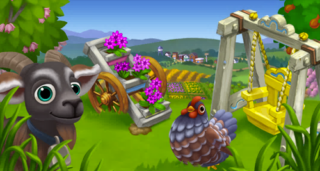
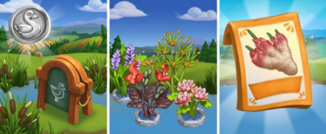
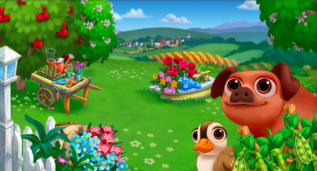
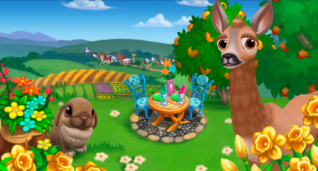
New “Flower Garden” limited edition items are available in the General Store! Check out the details below.
New Limited Edition Decorations (Unlocks – Level 3):
  • Art Nouveau Decorative Egg – 1000 coin
  • Class Spring Decorative Egg – 1000 coin
  • Pink Decorative Egg – 1000 Coin
  • Wild Mushroom Garden Basket  – 6 Farm Bucks
  • Spring Brunch Patio – 12 Farm Bucks
  • Flower Fountain – 10 Farm Bucks
  • Wild Mushroom Garden Basket – 6 Farm Bucks
  • Overgrown Tree Stump – 10 Farm Bucks
  • Blue Egg Paver (reissue) 4 Farm Bucks
  • Pink Egg Paver (reissue) 4 Farm Bucks
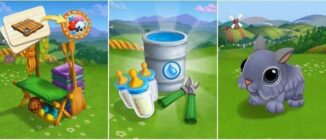
  • Garden Bunny (reissue) – 2200 coin
  • Spring Ballon (reissue) 23 Farm Bucks
  • Spring Basket (reissue) 8 Farm Bucks
  • Spring Brunch Table (reissue) 12 Farm Bucks


New Limited Edition Trees (Unlocks – Level 7):
  • Royal Rainier Cherry Tree – 13 Farm Bucks; Heirloom 22 Farm Bucks
  • Royal Rosa Apricot Tree – 13 Farm Bucks; Heirloom 22 Farm Bucks
  • Western Redbud Tree – 12 Farm Bucks; Heirloom 21 Farm Bucks
New Limited Edition Animals (Unlocks – Level 6):
  • Baby Black Torte Holland Lop Rabbit – 19 Farm Bucks; Adult 36 Farm Bucks
  • Baby Grey Anatolian Cow – 30 Farm Bucks; Adult 43 Farm Bucks
  • Baby Red Roe Deer – 27 Farm Bucks; Adult 40 Farm Bucks
  • Sumatra Chicken Reissue) – 22 Farm Bucks; Adult 39 Farm Bucks
New Limited Edition Crops:
  • Cameo Jewel Daffodil – 46 coin
New Limited Edition Recipes:
  • Royal Rosa Apricot Parfait – Royal Rosa Apricots + Yogurt- 3250 Coin
  • Honey Pickled Cherries – Royal Rainier Cherries +Honey – 3240 Coin
  • Apricot Cherry Jam – Royal Rainier Cherries + Royal Rosa Apricots  – 2900 coin

Crush in the Brush, Quest Preview!

31 March 2014 FarmMaster 0

Marie is impress with Gus effort in Farmville 2 Crush in the Brush Quests. She is asking us a favor if we could help her make excuses so that she could see Gus. And we will help her in this Farmville 2 Quests which is set to be released this Tuesday, April 1. There will be 8 stage to complete and it will also include building the Rabbit Rescue Station. We listed on this post the information you will need regarding this release.


Rabbit Rescue Station Build Information:


pre-relesse Info subject to change.

Quest 1: Animal Lovers

  • Harvest 15 Corn
  • Harvest 2 Wells
  • Perform 2 actions on neighbor’s farms 

Quest 2: These Boots are made for Gawking

  • Collect 5 Bolt Cutters
  • Receive 15 Fur
  • Make 2 Rubber Boots

Quest 3: Bubbles On The Double

  • Receive 10 Pieces of Wood
  • Feed 5 Adult Goats
  • Make 1 Plain Soap

Quest 4: Fire and Belly

  • Collect 5 Firewood
  • Harvest Your Furnace 2 times
  • Make 3 Pecan Muffins

Quest 5: Real Men Eat Quiche

  • Tend the Chicken Coop @ times
  • Harvest 4 Orange Trees
  • Make 2 Crustless Egg White Quiche


Quest 6: Throwing in the Towel

  • Speed Feed 2 Adult Horses
  • Make 2 Vintage Umbrella’s 
  • Make 2 Drying Towels

Quest7: A Little Book by the Brook

  • Collect 5 Safari Hats
  • Speed Feed 5 Adult Chickens
  • Make 3 Leather Journals

Quest 8: The Rope Joke Trope

  • Harvest 18 Sunflowers
  • Tend the Spinning Wheel 2 times
  • Make 3 Soft Ropes

Big Harvest Official Guide!

26 March 2014 FarmMaster 0
Big Harvest is only available to players who have unlocked Early Access. Unlocking Early Access means you not only get to play before everyone else, but you will also receive a FREE Field, an Exclusive version of the new Market Stall, and two weeks of access to the Pineberry Packet! General Access to Big Harvest will be Available on 3/28. 
Big Harvest Is Here!
Now that you have restored your family farm to its former glory, it’s time to take it to new heights of productivity! Inspired by your accomplishments, Cornelius has decided to start a new business that will supply accomplished farmers like yourself with upgrades that you can use to make your farm more bountiful than ever.

Cornelius believes you are ready to deal directly with the local townsfolk, so he’s giving you a new Order Board that you can use to earn Favors. Trade these Favors into Cornelius and unlock exciting new upgrades that will allow you to increase production and save space. Explore the limits of your farming creativity with the latest release from FarmVille 2, Big Harvest! 

If you are level 25 or higher, you will see the following pop-up. Click on the “Get Started!” button to get started.
Bigharvest1
After clicking the button, Cornelius will drop by to upgrade your Market Stand.
New Market Stand & Order Board
Cornelius’s upgrades will completely change the appearance of your Stand. In addition to aesthetic upgrades, you may notice the new Order Board on the left-hand side of your Market Stand. The Order Board gives you the opportunity to earn Farm Favors and Coins by completing Orders for the local Townsfolk. 
Bigharvest2
Click on the new Market Stand to check out your brand new Order Board Menu. The “Order Board” Tab displays what orders you currently have available to complete and the “Sell Goods” Tab will allow you to sell your Goods as you normally would with the old Market Stand. 
Bigharvest3
Completing Orders will earn you Farm Favors that you can use to upgrade your farm. The number of Favors you receive per Order is indicated by the blue thumb on top of an Order Card. 
As you can see by the green check marks in the image above, Cornelius already helped you out with your first two Orders. Click on the first one to open the following menu:
Bigharvest4
The Order shown above will give you 3,900 Coins and 1 Farm Favor for crafting 3 Apple Pies. Since Corny has already provided the pies, Click on the “Complete” button to submit the order and get the rewards. 
Return to the main Order Board menu and click on the second Order that Cornelius has assisted you with. This order will give you 590 Coins and 1 Favor. Click on the “Complete” button to submit the order. In addition to your prizes, you will see a pop-up congratulating you on beating your weekly goal. 
Bigharvest5
Click on the “Collect” button to claim your 100 Farm Favors. After clicking the button, your Order board will reset. We will cover more information about Weekly Goals later in the guide, but for now, let’s take a closer look at your Order Board Menu. 
Using The Order Board – Main Menu
As shown in the tutorial, you must craft items and/or collect goods for the Townsfolk to complete Orders. The menu below shows all of your available Orders (Order Cards). 
Order Menu
A – The Order requirements. You must complete these tasks to finish the Order. 
B – The number of Coins you will earn for completing the Order. 
C – The number of Favors you will earn for completing the Order.
D – How long you have left to complete your Weekly Goal. 
E – This bar tracks your progress towards your Weekly Goal. As you complete Orders, the bar will fill. Read on for more information about Weekly Goals. 
F – If you don’t like the requirements of an Order, you simply can click on the red “X” button in the top-right corner of an Order Card to replace it with a new Order. Once you click the button, a pop-up will appear. After confirming the dismissal of the order, you have to wait the number of hours listed for another order to appear.
Bigharvest6
G – If you want to speed up the timer for a new order, you can post Fliers to your wall. When you’ve collected enough Fliers, a new order will appear and you can skip the wait.
H – If you don’t feel like waiting or posting Fliers, you can get a new Order immediately by spending Farm Bucks. 
Note: Once you complete an Order, a new Order will appear on your board for you to complete.
Using The Order Board – Order Cards
Click on Order Cards in the Order Board menu to see more details about the Order requirements. 
Order Card
A – The Order requirements. You must complete these tasks to finish the Order. 
B –  If you don’t like the requirements of an Order, you simply can click on the red “Discard” button to replace it with a new Order. Once you click the button, the following pop-up will appear. After confirming the dismissal of the order, you have to wait the number of hours listed for another order to appear.
Bigharvest6


C – Click this button to return to the main Order Board menu. 
D – The number of Coins you will earn for completing the Order. 
E – The number of Favors you will earn for completing the Order. 
F – The number of Farm Bucks required to complete an Order Requirement. This is an optional choice for players who wish to skip the task.
G – Once you have fufilled the Order Requirements, click this button to complete your order and claim your prizes. 
H. This bar tracks your progress towards your Weekly Goal. As you complete Orders, the bar will fill. Read on for more information about Weekly Goals. 
Weekly Goals
Each week you will be asked to complete a certain amount of Orders. If you beat this goal, you will be rewarded with additional Favors, as shown in the image above. The bar on the right-hand side of your Order Board menu indicates how you are progressing towards your weekly goal, and the timer at the bottom of the Order Board menu indicates how long you have left to complete your weekly challenge. Once this timer expires, you will receive new orders and a new weekly goal. If you do not hit your weekly goal by the time the timer expires, you will not receive additional Favors as a prize. 
If you complete all 15 orders before the time runs out, you will get special orders, which brings you more Farm Favors and Coins than usual orders.
Bigharvest11
Farm Favors
After collecting your first Farm Favors, you may be wondering what they are for. Trade Favors into Cornelius to unlock exciting new upgrades that will allow you to increase production and save space. Currently, you can use Favors to upgrade your Groves and Plots, but we have more exciting upgrades planned in the near future. 
Double Favors often appear after completing orders, so keep you eye out for them to get bonus favors and share them with friends! As their name implies, a Double Favor will grant you two Favors instead of just one. They will appear on your farm in a similar fashion to Prize Goods.
If you find a Double Favor, you will see the following pop-up:
Bigharvest12
Upgrading your Farm
To upgrade your farm, click on the new upgrade button. It’s located on the bottom right-hand side of your screen, next to the Inventory button. 
Bigharvest9
The Upgrade Menu shows all of the upgrades that are currently available and the requirements needed to unlock them. 
Note: Not all upgrades are currently accessible. Some upgrades require a certain level or other upgrades to advance. Click on any upgrade to see what requirements you need to fulfill in order to unlock it. 
Upgrade menu
A – The list of upgrades and the level required to unlock them. 
B – Use this bar to scroll though all of the available upgrades. Click on “Upgrade View” button to see what items on your farm are upgradable.
C – A list of the perks an upgrade will provide you. In the image above, you can see that upgrading to a Field will provide more crops, faster mastery and more Prize Crops. 
D – The number of Coins and Favors required to unlock an upgrade. 
E – Use this button to purchase your upgrade once you have completed all of the requirements. 
Fields
Big Harvest is all about allowing you to explore the endless potential of your Farming creativity. In order to really unlock your full farming potential, we recognize that many of you need more space. Our answer to this problem is Fields. Fields will allow you to plant more crops, master your crops faster, get more prized crops, and save space! One Field is the equivalent of 5 plots, but it only takes up the space of 4. 
Before you can use a Field, you have to build one. If you reached Level 25 or above, you can select Level 1 Fields from the Upgrade menu. Once you have selected the field, place the construction frame on your farm.
Note: If you place your construction frame on existing plots, we’ll harvest these plots for you and refund any water, fertilizer and coins you have spent.
Place confirmation
After placing the construction frame on your farm, you have to wait for the Townsfolk to help you finish building it. If you want to see how long you have to wait until the construction is finished, you can click on the construction frame.
Bigharvest14
Note: If you don’t feel like waiting, you can skip ahead with Farm Bucks. 
Once the timer is done, click on the “Finish Now!” button to let the Townsfolk complete the construction.
Before you can use your new Field, you have to put 5 normal plots into the field construction. Click on the “Tools” button in the bottom right-hand side of your screen, and move 5 plots into your field. Now, your new field is ready to be used!
Note: When you unlock Fields for the first time, you can purchase up to 5 of them for your Farm. You have to purchase each of these Fields individually (you will not recieve 5 level 1 Fields in a single purchase). 
The Duck Nursery!

25 March 2014 FarmMaster 0

The Duck Nursery Feature is broken up into three consecutive development stages (quest sets) that you can complete at your own pace.

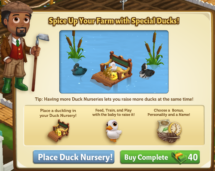
The Duck Nursery is here, which means you can now raise Ducklings! Use this building to develop the personalities of your Ducklings and train them to produce extra resources! If you are level 12 or higher, you will see the following pop up. Clicking on “Place Duck Nursery” will give you the ability to place the Nursery Frame on your Farm.
Before you can start raising your Ducklings, you will need to build your Nursery. Your first step is collecting Building Materials. You will need the following items to start building your Duck Nursery:
  • Chalk Boards
  • Duck Feed
  • Duck Nestings
To Collect Chalk Boards, click on the “post” button to post to your Facebook wall; you will get the parts when your friends click on it, or when you click on a similar newsfeed post. Click on the “Ask” button to send requests for Duck Feed and Duck Nestings to your Neighbors. If you do not wish to wait for your friends, you can skip any of these tasks for Farm Bucks.
Duck2
Once you have collected the required items, click on the “start building” button at the bottom of the construction menu.
Duck3
Now that the Nursery is almost complete, you will need a little help from your Neighbors to finish the job. The Duck Nursery requires four additional helpers, so click on the “Ask Friends” button to send some crew requests to your Friends. When they accept, you will see the spots in the Build Menu begin to fill. If you do not wish to wait for your friends, click the “Hire One” button to purchase helpers with Farm Bucks.
Duck4
Using your Duck Nursery (Development Quests)
Raising a Duckling requires love, affection, and special attention. That’s why the Duck Nursery is here to help you! The Nursery is broken up into three developmental stages (quest sets): Choose a Bonus, Choose a Personality, and Name your Duckling. Each development stage (quest set) has three tasks that have to be completed. As you complete each development stage, you will unlock the next stage. Once your Nursery is up, you will need to place one baby duck inside.
Note: You can raise any baby duck in the Nursery, including ducks available for Coins. Click on the Duck Nursery to open the Quest Menu.
Duck5
Development Quests – Choose a Bonus
The first step is to Choose a Bonus. You can choose between a Fertilizer Bonus, a Feather Bonus and an Appetite Bonus (you will receive two extra Fertilizer or Feathers every time you feed the Adult duck).
Note: You can only choose one Specialty per Duckling.
Duck6
Once you have selected a Bonus, click the green “Confirm” button to turn the page to the next set of development quests. Click on the “Make it” button for the recipe you wish to Craft and you will be sent to your Kitchen and/or Workshop. If you would like a quick tutorial on how to Craft, please visit our Official Guides: Crafting Kitchen and Crafting Workshop
The first development stage is as follows:
Duck7
As you have collected the required items, click on the blue “Use” buttons to watch your avatar train your baby duck! Once you have performed all three of the tasks, click the turquoise “Complete & Share” button.
Duck8
Development Quests – Choose a Personality
The next step is to pick a Personality for your baby duck. You can choose between Posh, Sporty, and Scary. The Personality you pick will determine how your Duckling will behave once it is an adult (i.e. animate).

Note: You can only choose one Personality per Duckling.


 Duck9
Once you have selected a Personality, click the green “Confirm” button to turn the page to the next set of development quests. Click on the “Make it” button for the recipe you wish to Craft and you will be sent to your Kitchen and/or Workshop.
The second development stage is as follows:
Duck10
Once you have collected the required items, click on the blue “Use” buttons to watch your avatar train your baby duck! Once you have performed all three of the tasks, click the turquoise “Complete & Share” button.
Duck11
Development Quests – Name your Duckling
The last step is to name your Duckling. You can use up to 14 characters (with spaces):
Duck12
Once you have typed in a name, click the green “Confirm” button, then the page will turn, and the next page will be your last set of development quests. Click on the “Make it” button for the recipe you wish to Craft and you will be sent to your Kitchen and/or Workshop.
Duck13
As you have collected the required items, click on the blue “Use” buttons to watch your avatar train your baby duck! Once you have performed all three of the tasks, click the turquoise “Complete & Share” button.
Duck14
Congratulations! You have raised your Duckling into an Adult that will produce an extra resource! Click your duck to move and place it on your farm:
Duck15
Crop Packets
For a limited time only, you can earn special Baby Ginger Crop Packets! In order to earn these Packets, you must earn Duck Medallions. As you raise Ducklings, you will earn Duck Medallions. If you unlocked a water plant, you will see a green button “Redeem Prize”. Click on the button to open the menu of the Duck Medallion board:
Duck16
Once you have earned all 4 water plants, you will unlock the Baby Ginger Crop Packet! You will be able to use this Crop for 14 days. Click the turquoise “Share and Go to Market” button to share some rewards with friends!
Duck17
Note: You have limited time to earn the Baby Ginger Crop Packet. If you do not earn enough Duck Medallions within theallotted time, the Crop Packet will disappear and you will be unable to claim it.
Additional Information:
  • You can only use ducklings with the Nursery.
  • You can re-use the Nursery to raise as many ducks as you’d like.
  • If you do not wish to use the Duck Nursery feature, it can be sold (frame only) or stored in your Inventory.
  • You are limited to three Duck Nurseries per Farm. You can purchase up to two more Duck Nurseries from the General Store for Coins and Farm Bucks.

New Limited Edition “Spring is Still Here” Items!

25 March 2014 FarmMaster 0
New “Spring is Still Here” limited edition items are available in the General Store! Check out the details below.
New Limited Edition Decorations (Unlocks – Level 3):
  • Fount of Flower – 12 Farm Bucks
  • Garden in the Round – 8 Farm Bucks
  • Spring Swing – 16 Farm Bucks
  • Teeter Planter – 10 Farm Bucks
  • Waiting Potter – 15, 000 Coin
New Limited Edition Trees (Unlocks – Level 7):
  • Pink Carolina Silverbell Tree – 13 Farm Bucks; Heirloom 22 Farm Bucks
  • Sweet Birch Tree – 13 Farm Bucks; Heirloom 22 Farm Bucks
  • Snow Angel White Peach Tree – 13 Farm Bucks ; Heirloom 22 Farm Bucks
New Limited Edition Animals (Unlocks – Level 6):
  • Black and White Ancona Duck (reissue) – 34 Farm Bucks: Adult 47 Farm Bucks
  • Blue Double-Laced Barnevelder Chicken – 19 Farm Bucks; Adult 36 Farm Bucks
  • Brown Pryrenean Goat – 21 Farm Bucks; Adult 38 Farm Bucks
  • Choctaw Hog  (Reissue) – 31 Farm Bucks; Adult 44 Farm Bucks
  • Rouge du Roussillon Sheep – 22 Farm Bucks; Adult 35 Farm Bucks
  • Ruddy Duck (Reissue) – 31 Farm Bucks; Adult 44 Farm Bucks
  • White Arabian Horse (Reissue) – 33 Farm Bucks; Adult 46 Farm Bucks


New Limited Edition Crops:
  • Spring Onion – 44 Coin
New Limited Edition Recipes:
  • Lemon Yogurt – Lemons + Yogurt – 2470 coin
  • Spring Onion Soup – Spring Onions + Broth – 2500 coin
  • Spring Onion Frittata – Spring Onion + Crate of Eggs – 2680 Coin
  • Pickled Spring Onion – Spring Onion + Pickling Spice – 2920 Coin
  • Sweet Birch Nectar – Sweet Birch + Lemon Water – 3650 coin
  • Snow Angel White Peach Cupcake – Snow Angel White Peaches + Angel Food Cake – 4290 Coin
  • Pink Carolina Silverbell Bouquet – Pink Carolina Silverbells + Thread – 3420 Coin
  • Pink Carolina Silverbell Bookmark – Pink Carolina Silverbells + Wool Bolt – 3630 Coin
  • Pink Carolina Silverbell Scarf- Pink Carolina Silverbells + Yarn – 2960 Coin

Be All You Can Duck, Quest Preview!

22 March 2014 FarmMaster 0
pre-release info subject to change.

Quest 1: Nursery Times
  • Have 1 Duck Nursery On you farm
  • Water 10 Spring Onions
  • Feed 1 Adult Pig

Quest 2: A Duckling’s Tale
  • Collect 5 Water Bird Guides
  • Harvest 10 Spring onions
  • Make 1  Spring Onion Frittata 
Quest 3: Duck Scents
  • Feed 2 Adult Cows
  • Harvest 10 Pumpkins 
  • Make 1 Pumpkin Pie
Quest 4: Motivating Ewe
  • Collect 5 Baby Books
  • Tend Cow Shed 2 times
  • Make 2 Pickled Spring Onion


Quest 5: Grumpy Goats
  • Tend the Goat Shelter 2 times
  • Harvest 4 Fig Trees or Heirloom Fig Trees
  • Make 2 Glass Good Luck Charms
Quest 6: Huffy Horses
  • Tend the Horse Stable 2 times
  • Harvest 4 Olive Trees or Heirloom Olive Trees
  • Make 2 Olive Oils
Quest 7: Ewe Win!
  • Collect 5 Duck Silhouettes
  • Gather 20 Wool from rabbits or sheep
  • Make 2 White Dream Catchers
Quest 8: Education Bills
  • Speed Feed a nursery-raised duck 10 times
  • Harvest 12 Spring Onions
  • Make 2 Pickled Spring Onion
No Image

Maries’s Birthday Surprise, Quest Preview!

21 March 2014 FarmMaster 0

Pre-release information subject to change prior to release on March 27, 2014*


Quest 1: Party Preparation
  • Water 25 Potatoes
  • Craft 3 Potato Salad
  • Craft 1 Sugared Cranberry

Quest 2: Picnic Packing
  1. Collect 5 Picnic Baskets
  2. Prune 1 Nutmeg Tree
  3. Craft 2 Sunflower Cookies

Quest 3: Easy as Pie
  • Harvest 15 Banana Trees
  • Craft 3 Tuscan Decorative Plates
  • Craft 3 Banana Cream Pies
    **Regular Recipe uses Regular Bananas**
    Quest 4: Fire Away
    • Collect 5 Fire Pokers
    • Craft 8 Fancy Feathered Fans
    • Craft 8 Black Swan Masks


    Quest 5: Hot Music
    • Dry 16 Wild Rice
    • 2 Good Fortune Charms
    • Craft 3 Heirloom Blue Acoustic Guitars

    Quest 6: Present Predicament
    • Craft 5 Heirloom Fertilizer Rakes
    • Craft 10 Wagon Wheels
    • Craft 3 Riding Boots
    Quest 7:  Heat up the Party
    • Collect 5 Books of matches
    • Harvest 20 Pieces of Heirloom Wood
    • Craft 15 Heirloom Lumber

    Quest 8: Pink Perfection
    • Get Yellow Mastery on Pink Perfection Camellia
    • Speed-Feed 4 Pigs
    • Craft 2 Ceramic Piggy Banks

    “Spring Fling” Quest Guide!

    19 March 2014 FarmMaster 0
    Walter needs help on this week Farmville 2 Spring Fling, the latest Farmville 2 Quests for the month of March 2014. 
    He is planning to ask Barbara out on this weeks pig race and he needs some suggestion on how to approach this kind of situation. 
    There will be a total of 8 stage on this mission. We will also gonna build the Starting Gate on this quest. We listed here the information you will need regarding this release which is expected to go live this Tuesday.
    “Kiln Me Softly”: Quest 1-8
    Quest Tasks:
    1. Feed 4 Adult Pig
    2. Harvest 1 Pig Pen
    3. Make 5 Pottery Slips
    Crafting Pottery Slip:
    “Thunder Pork”: Quest 2-8
    Quest Tasks:
    1. Colelct 5 Pig Racing
    2. Make 4 Split Pea Soup
    3. Have 1 Completed Pig Racing Started Gate
    Crafting Split Pea Soup:

    Pig Racing Starting Gate Base:
    Pig Racing Starting Gate Materials Needed:
    Pig Racing Staring Gate Completed:
    “Visualize Whirled Peas”: Quest 3-8
    Quest Tasks:
    1. Harvest 20 Green Peas
    2. Make 5 Springtime Pea Salads
    3. Make 4 Cheese Quiche
    Crafting Springtime Pea Salad:
    Crafting Cheese Quiche:
    “Gifts from the Heart”: Quest 4-8
    Quest Tasks:
    1. Tend Pig Pen 2 times
    2. Make 3 Sheep Salt & Pepper Shakers
    3. Make 1 Piggy Cookie Jar
    Crafting Sheep Salt & Pepper Shakers:
    Crafting Piggy Cookie Jar:
    “Setting the Mood”: Quest 5-8
    Quest Tasks:  
    1. Collect 5 Pig Gamboling SFX Records
    2. Make 2 Key Chains
    3. Make 4 Cow Creamers


    Crafting Key Chain:
    Crafting Cow Creamer:
    “Hot Date”: Quest 6-8
    Quest Tasks:
    1. Receive 20 Pieces of Wood
    2. Make 3 Hand Mirrors
    3. Make 2 Green Peacots

    Getting Woods:
    Crafting Hand Mirror:
    Crafting Green Peacoat:
    “The Truffle Kerfuffle”: Quest 7-8
    Quest Tasks:
    1. Collect 5 Checkered Racing Flags
    2. Make 4 Truffle Oils
    3. Make 4 Rustic Truffle Oil Bread

    Crafting Truffle Oil:
    Crafting Rustic Truffle Oil Bread:
    “Walter’s Masterpiece”: Quest 8-8
    Quest Tasks:
    1. Make 5 Leather Jewerly Boxes
    2. Make 3 “Peace in a Pod” Necklace
    3. Have 1 Hungarian Grey Cow by completing the Pig Race

    Crafting Leather Jewerly Box:
    Crafting “Peas in a Pod” Necklace:
    The Pig Racing:
    You will receive the Baby Hungarian Grey Cow after completing 5 Races!

    Happy Farm!

    New Limited Edition “Spring is Here” Items Are Available!

    17 March 2014 FarmMaster 0
    New “Spring is Here” limited edition items are available in the General Store! Check out the details below.
    New Limited Edition Decorations (Unlocks – Level 3):
    • Corner White Picket Fence with Lantern (left and right) – 12 Farm Bucks
    • Spring Planting 10 Farm Bucks
    • White Lantern 12,500 coin
    • Spring Overflowing Flower Pot 8 Farm Bucks
    • Spring Garden Boat 9 Farm Bucks
    • (reissue) Spring Picket Fence 3 Farm Bucks
    • (reissue) White Wood Gate   6 Farm Bucks
    • (reissue) Spring Cabana  26 Farm Bucks
    • (reissue) Footbridge  27,000 coin 
    • (reissue) Spring Hanging Plant Post 12 Farm Bucks


    New Limited Edition Trees (Unlocks – Level 7):
    • Panama Berry Tree – 13 Farm Bucks; Heirloom 22 Farm Bucks
    • Magnolia Tree – 12 Farm Bucks; Heirloom 21 Farm Bucks
    • Pinkerton Avocado Tree – 13 Farm Bucks: Heirloom 22 Farm Bucks
    New Limited Edition Animals (Unlocks – Level 6):
    • Red Iberian Pig – 28 Farm Bucks; Adult 41 Farm Bucks
    • Amorican Cow – 30 Farm Bucks; Adult 43 Farm Bucks
    • Swedish Yellow Duck – 28 Farm Bucks; Adult 41 Farm Bucks
    • (reissue) Babydoll Sheep  – 24 Farm Bucks; Adult 37 Farm Bucks
    • (reissue) Gloucestershire Old Spots Pig  – 31 Farm Bucks; Adult 44 Farm Bucks
    New Limited Edition Crop:
    • Green Peas – 46 Coins

    High Tea for Walter, Quest Preview!

    17 March 2014 FarmMaster 0

    *Pre-release information subject to change prior to release which is expected on March 20, 2014*
    Quest 1:
    1. Buy 1 Sprinkler
    2. Fertilize 30 Spinach
    3. Harvest 6 Wells
    Quest 2:
    1. Collect 5 Jerry Cans (Post to Game Feed)
    2. Harvest your Fuel Pump
    3. Craft 6 Spinach Pinwheels (Craft in the Kitchen-recipe on page 43)
    Quest 3:
    1. Receive 20 Mud by feeding Adult Pigs
    2. Craft 3 Floral Teacups (Craft in the Crafting Kiln)
    3. Craft 5  Teapots (Craft in the Crafting Kiln)
    Quest 4: 
    1. Collect 5 Kettles (Post to Game Feed)
    2. Craft 5 Heirloom Plum Pies (Craft in the Kitchen-recipe on page 41)
    3. Complete the building of the Sprinkler purchased in Quest #1


    Quest 5:
    1. Receive 40 Cheddar Cheese by feeding your Adult Dairy Producing Animals
    2. Craft 4 Heirloom Cheese Boards (Craft in the Workshop-recipe on Page 30)
    3. Use 6 Sprinklers
    Quest 6:
    1. Collect 5 Pitchers (Post to Game Feed)
    2. Fertilize 6 Heirloom Cherry Trees
    3. Craft 4 Heirloom Cherry Limeades (Craft in the Kitchen-recipe on page 

    Quest 7:
    1. Harvest you Furnace 4 times
    2. Craft 5 Watercress Soups (Craft in the Kitchen-recipe on page 41)
    3. Craft 4 Goat Cheese Sandwiches (Craft in the Kitchen-recipe on page 44)
    Quest 8:
    1. Use 8 Sprinklers
    2. Craft 6 Heirloom Utah Soaps (Craft in the Workshop-recipe on page 31)
    3. Use 16 Farmhands

    No Image

    Big Harvest Sneak Peek – The Order Board!

    17 March 2014 FarmMaster 0

    Big Harvest introduces an exciting new game mechanic: Favors. In previous posts, we’ve mentioned that you earn Favors by helping the local Townsfolk, but we know many of you have been itching for more information. Today, we are excited to answer some of your questions with a sneak peek at one of the great new features you can expect to see when Big Harvest releases on 3/28…The Order Board!

    Cornelius has decided that he wants to start a new business that will supply accomplished farmers with the upgrades they need to take their farms to the next level. That means it’s time to do away with the Village Grocer sign and replace it with the new and improved Order Board (and Market Stand)! The Order Board will connect farmers directly with the Townsfolk, allowing you to fulfill their requests which will earn you Coins and Favors. Trade these Favors into Cornelius to unlock exciting new upgrades for your Farm. 
    We had another opportunity to sit down with Alex, Big Harvest’s Senior Producer, to discuss the creative process behind The Order Board. 
    The Creation of The Order Board
    “We went through many, many concept iterations for the new Order Board and Market Stand before we arrived at our final version. We actually started with the idea of not changing the original Market Stand and instead adding a separate object that would host the new Order Board, but we soon realized that they should be joined together. Conceptually they were just too similar and we loved the idea of upgrading the look of the Market Stand for everyone.”
    Below are some early Order Board explorations. Concept images like this are an important part of the creative process, as they help the team identify what direction they want to take a feature. 
    Concept 1
    “Our next challenge was to figure out how to incorporate the Order Board into a new and improved Market Stand. We also needed to address how to communicate progress on the new Stand. We really wanted to make it so the player would not have to open up the Order Board menu to see their progress for the week, but instead could just glace at their Market Stand to get a sense of where they were at. We explored different ideas around meters, flags, and scales before we arrived at the chalk board.”
    Some early ideations of the new Order Board and Market Stand.


    “Finally, we wanted to make a special edition version of the new Market Stand that is only available to players who unlock Early Access to Big Harvest. Luckily, we already explored the idea of adding stained glass to the farm, so we incorporated that look to the new Stand.”
    The Special Edition Market Stand (only available if you unlock Early Access on 3/21)
    Concept 3
    What do you think of the new Order Board? Are you excited for the release of Big Harvest? How do you feel about the new Market Stand? Leave us a comment with your feedback and you’ll be automatically entered into the running to win a FREE Hampshire Pig on 3/17!

    Spring Fling, Quest Preview!

    16 March 2014 FarmMaster 0


    Mission 1:

    • Feed 4 Adult Pigs
    • Harvest your Pig Pen
    • Make 5 Pottery Slips

    Mission 2:

    • Collect 5 Pig Racing Guides
    • Make 4 Split Pea Soup
    • Completed your Starting Gate

    Mission 3:

    • Harvest 20 Green Peas
    • Craft 5 Springtime Pea Salads
    • Craft 4 Cheese Quiche

    Mission 4:

    • Harvest 2 Pig Pens
    • Craft 3 Sheep Salt & Pepper Shakers
    • Craft 1 Piggy Cookie Jar

    Mission 5:

    • Collect 5 Pig Gambling Records
    • Craft 2 Key Chains
    • Craft 4 Cow Creamers


    Mission 6:

    • Receive 20 Piece of Woods from wood bearing trees
    • Craft 3 Hand Mirrors
    • Craft 2 Green Pea coats

    Mission 7:

    • Collect 5 Checkered Racing Flags
    • Craft 4 Truffle Oil
    • Craft 4 Rustic Truffle Oil Breads

    Mission 8:

    • Craft 5 Leather Jewelry Boxes
    • Craft 3 Peas in a Pod Necklaces
    • Have an Adult Hungarian Grey Cow by completing the Pig Race

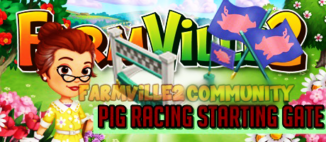
    Pig Racing Starting Gate Guide!

    16 March 2014 FarmMaster 0

    Coming this Tuesday! Farmville 2 Pig Racing Starting Gate, a new feature for the month of March 2014 and it will be released as part of a quest and this one looks promising. 


    We will be building a Starting Gate and then we gonna race pig. The race it self is fun to watch because it will actually show the race. If you choose the right pig you’ll win the 100,000 coins prize. 


    There will be five races to complete and from the look of this feature you’ll only need 5 pigs.


    Place the Pig Racing Starting Gate:

    Collect the necessary parts and start building:

    A completed Pig Starting Gate:

    Click on the Pig Starting Gate and you will have the following options:


    As we can see from the picture we will need 5 Pigs, Feed 10 Pigs and 6 friends to start the race. Then after completing all we can now start the race.


    Pick the Pig who you think will win and start the race:


    Once the race commence it will have cool view of the race:


    If you pick the correct pig, you will the grand prize of 100,000 coins:

    You’ll also receive a Racing Flag beside the prize:


    Building Removal!

    16 March 2014 FarmMaster 0

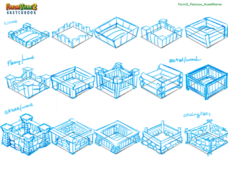
    Only pictures of various building extensions have surfaced. We will earn points to be able to use them for an extension of a building. Here are the first pictures of the new theme.


    Big Harvest Sneak Peek – Fields!

    16 March 2014 FarmMaster 0

    We know everyone is anxious for more information about our upcoming release, Big Harvest. Today, we are excited to show you a sneak peek of one of the great new features you can expect to see when Big Harvest releases on 3/28…Fields!

    Big Harvest is all about allowing you to explore the limitations of your Farming creativity. In order to really unlock your full farming potential, we recognize that many of you need more space. Our answer to this problem is Fields. Fields will allow you to plant more crops, master your crops faster, get more prized crops, and save space!
    This week, we had the opportunity to sit down with Alex, Big Harvest’s Senior Producer, to discuss the creative process behind Fields. 
    The Creation of Fields
    “Originally, Fields were inspired by the desire to make farms even more bountiful. We wanted to make “Super Plots” that were the same size as a regular plot, only better. Unfortunately, we strugged with how to differentiate a Super Plot from a regular plot, until we were inspired to try making them larger. Once we did this, we realized that the crops in a Field should also look more impressive, since Fields produce more than regular plots. Naming them Fields was the next natural step after that.”
    Below are various early concepts for Fields when they were the size of one plot. 
    Below is a screenshot of  some initial tests that were done when determining the appearance of Fields.
     Field Concept 2
    “Big Harvest is all about upgrades, so naturally, you will be able to upgrade your Fields. Once we had decided how our Fields would function, we spent a lot of time exploring different borders to put on Fields to communicate their levels.”
    Below are various early concepts for Field borders. 
    Field Concept 3


    “We really wanted to convey a sense of progress from Field 1 to 2 to 3, etc., and felt that we were making good progress towards that goal. Unfortunately, when we put the new Field art in the game, we realized we had a problem; with both having wooden borders, Level 2 Fields didn’t feel aspiration-ally better than Level 1 fields. So it was literally back to the drawing board until someone on the team visited a real farm and spotted a rope border around a field. Once we saw that, we realized that we finally had our perfect Level one Field.”
     The final version of Big Harvest’s new Fields. 
    Field Concept 4
    What do you think of the new Fields? Are you excited for the release of Big Harvest? What other upgrades would you like to see? Leave us a comment with your feedback and you’ll be automatically entered into the running to win a FREE Hampshire Pig on 3/17!