French Gardens Items!

1 April 2013 FarmMaster 0

Greetings, Farmers! New ‘French Garden’ items are now
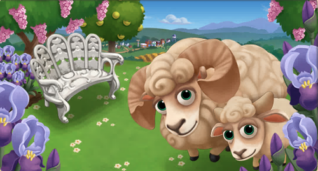
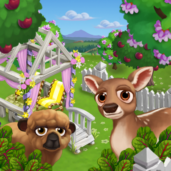
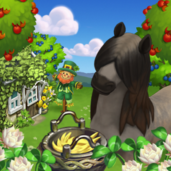
available in the General Store for a limited time! Ouessant Sheep are one of the
smallest breeds of sheep in the world, but what they lack in size they make up
for in cuteness. Check out the information below for more details about our
latest release and be sure to let us know what your favorite new addition is!

New Limited items:

  • Spectacle Jardin Fountain – 25 Farm Bucks
  • French Gazebo – 18 Farm Bucks
  • Curvilinear French Bench – 6 Farm Bucks
  • L’autre Banc Garden Bench – 6 Farm Bucks
  • Brick Wall – 3 Farm Bucks
  • French Garden Urn – 3,500 Farm Coins

New Limited Edition Trees:

  • Plane Tree – 14 Farm Bucks
  • Lilac Tree – 12 Farm Bucks
  • Uncle Wright’s Bountiful Lemon Tree – 12 Farm Bucks

New Limited Edition Animals:

  • White Arabian Horse – 43 (30 Baby) Farm Bucks
  • Corsican Goat – 38 (21 Baby) Farm Bucks
  • Blanc de Hoto Rabbit – 35 (18 Baby) Farm Bucks
  • White Ouessant Sheep – 34 (21 Baby) Farm Bucks

New Limited Edition Crops (Level 7):

  • Crimean Iris – matures in 2 hours
  • Daisy – matures in 2 hours (reissue!)

New Crafting Kitchen Recipes:

  • Custard Crème Brûlée
  • Apple Tarte Tartin
  • Lemon Madeleine

New Crafting Workshop Recipes:

  • Crimean Iris Corsage
  • Crimean Iris Bouquet
  • Crimean Iris Wreath

Shroom Shed Guide, Stage 4

27 March 2013 FarmMaster 0

The
Shroom Shed Feature is broken up into four consecutive stages that
unlock over time. Click the links below to find out more information
about each stage.


Stage 1 Guide: View
Stage 2 Guide: View
Stage 3 Guide: View
Stage 4 Guide: Below

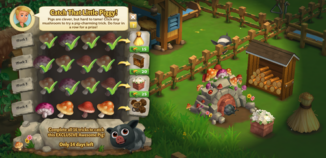
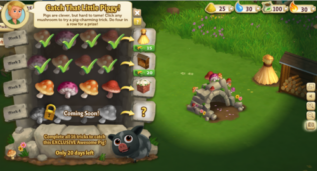
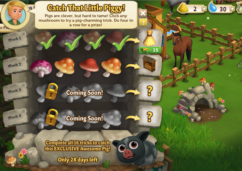
Pigs have been spotted in FarmVille 2!
Now,
Gus knows a thing or two about pig taming and he needs your help. Once
you have put up your Shroom Shed, you can earn beautiful decorations and
exclusive prizes by assisting Gus with his tasks. Complete all of the
Shroom Shed tasks to unlock an exclusive Wild Piggy!

Completing your Shroom Shed (Stage 4 Decoration Quests)
Once
your Shroom Shed is up, you may notice that it looks a little bare. In
order to earn some beautiful new decorations, you will need to complete
the Stage 4 Decoration Quests. Click on the Shroom Shed to open the
Quest Menu.

Each
Decoration Quest has 4 parts that have to be completed. As you complete
a part of a quest line, you will earn a decoration for your Shed. If
you complete all 4 parts of a Decoration Quest, you will win an
exclusive prize for your farm!


Shroom Shed - FarmVille 2

Click ANY gift
in the Shroom Shed Menu to start working on your Stage 4 Decoration
Quest. As you finish parts of your quest, a green check mark will appear
to indicate what parts of the quest have been completed. The Shed
decorations you earn will be automatically added to your Shroom Shed. 

Shroom Shed - FarmVille 2

As
mentioned earlier in the guide, once you complete the entire Stage 4
Decoration Quest, you will win a special reward! To redeem your special
prize, simply click the turquoise “Redeem” button.

Shroom Shed - FarmVille 2

Note: Additional decorations (prizes) are available for purchase with Farm Bucks once you’ve redeemed the reward.


Shroom Shed - FarmVille 2

Additional Information:

  • If you do not wish to use the Shroom Shed feature, it can be sold (frame only) or stored in your Inventory.
  • You are limited to one Shroom Shed per Farm. 

Mud Wallow Guide!

27 March 2013 FarmMaster 0

Greetings, Farmers,

Introducing, the Mud Wallow! Feed
Adult Pigs to fill your Wallow, then harvest for Clay and a chance at finding special
Antique Coins. Collect all of the Antique Coins to earn the exclusive Spotted Hog!

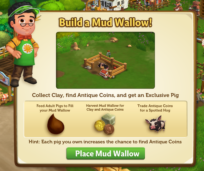
If you are level 10 or higher, you will see the following
pop-up. Click on “Place Mud Wallow” to get started.


Building the Mud Wallow


Your first step is collecting construction parts. You will need the
following items to start building your Mud Wallow:

  • Faucet Piping
  • Red Balls
  • Pig Fence Posts

To collect Faucet Piping, click on the “Post” button to post
to your Facebook wall – you will get the parts when your friends click on it,
or when you click on a similar newsfeed post.

Click on the “Ask” button to send requests for Red Balls and
Pig Fence Posts to your Neighbors. If you do not wish to wait for your friends,
you can skip any of these tasks for Farm Bucks.

You can also purchase any of these items above for Farm
Bucks if you do not wish to wait for your friends to respond to your requests
or newsfeed posts.

Mud Wallow - FarmVille 2

Note: You can post and send requests for materials to
your Friends every 18 hours. 


Once you have collected the required items, click on the “Start
Building!” button at the bottom of the construction Menu. 

 
Mud Wallow - FarmVille 2

Now that the Mud Wallow is almost complete, you will need a
little help from your Neighbors to finish the job. The Mud Wallow requires 4
additional mechanics, so click on the “Ask Friends” button to send some crew
requests to your Friends. When they accept, you will see the spots in the Build
Menu begin to fill. If you do not wish to wait for your friends, click the
“Hire One” button to purchase crew members with Farm Bucks.

Once you have successfully filled all 4 spots, click on the
“Finish & Share” button.

 
Mud Wallow - FarmVille 2

Using the Mud Wallow

You must have at
least four Adult Pigs on your farm that are not Prized for the Wallow to
be functional. When you feed your Pigs, they will drop Mud, which is a new type
of Mud that can only be used with this feature.

Collected Mud will
be automatically added to your Mud Wallow Meter. Once your Meter is full, you
can harvest the Wallow for Clay.

To see your Meter, click on the Mud Wallow to open the main
menu. Your Meter is located on the left-hand side of this screen. The number at
the bottom of the Meter indicates how much Mud you need to collect and your
current progress towards this goal.

 
Mud Wallow - FarmVille 2

Additionally, you can also see your progress by hovering
your mouse over the Wallow to display the green progress bar.

 
Mud Wallow - FarmVille 2

Once you have
collected the necessary amount of Mud, you will be able to harvest your Wallow
by clicking on it. When you harvest your Wallow, you will always produce Clay,
which can be used in exclusive Crafting Kiln Recipes.

Note: Any Clay
you produce will be automatically added to the “All” section of your Inventory.

Antique Coins

To earn the Spotted Hog, you will need to collect special
types of Antique Coins. To find these Special Coins, all you need to do is keep
harvesting your Mud Wallow! In addition to the Clay you earn every time you
harvest the Wallow, you also have a chance of earning Special Coins (referred to as “Antique Coins” in game).

There are three
types of Special Coins you can receive:

  1. Copper
    (requires 6)
  2. Silver
    (requires 4)
  3. Gold
    (requires 2)

These Coins are not used for Crafting like the Clay.
Instead, they are automatically added to your Coin Collection. To earn the Spotted Hog, you will need to have 6 Copper,
4 Silver and 2 Gold (12 total) Coins in your Collection. Once you have collected these, you can trade them in for the Spotted
Hog
!

Special Coins linger on your farm similar to Prized Crops.
Just click on the Coin and it will be added to your Collection.

Mud Wallow - FarmVille 2

Antique Coin Probability

Inside
of the Mud Wallow, there is a Pig Chart that tracks your probability of
finding Coins (see image below). Use this chart to view your current
total and keep in mind that the more Adult Pigs you have on your Farm,
the better your
chances are of receiving Antique Coins! 


Mud Wallow - FarmVille 2

Helpful Tip: Animals that give
more Mud fill the station more quickly. For example, a Pig that produces 5 Mud contributes
5 Mud to the Mud Meter, where as a Pig that produces 1 Mud only contributes 1 Mud.

In addition to Coins, harvesting the Wallow will give you
additional XP points to help you level!

Mud Wallow - FarmVille 2

If you do not want to wait to collect the Antique Coins, you
can use Farm Bucks to skip these steps and get the new baby Spotted Hog right
away!

 
Mud Wallow - FarmVille 2

Your new Spotted Hog needs baby bottles to reach adulthood,
just like your other animals. Once it has matured, it will produce Shale Mud, which can be used in
exclusive Crafting Kiln Recipes.

Additional Information:

  • Minimum of four Adult Pigs on any given farm is
    required to use the Mud Wallow.
  • If you do not wish to use
    the Mud Wallow feature, it can be sold (frame only) or stored in your
    Inventory.
  • If you want to see how much
    Mud is needed to harvest, hover your cursor over the Wallow.
  • Limited to one Mud Wallow
    per farm.
  • Feeding Cows, Goats,
    Sheep, and Horses does not count towards the Mud Wallow. Only
    feeding Adult Pigs will earn you Mud (non-Prized).
  • If you lack any requirements (such as not having enough Pigs, or
    needing to wait a bit longer before harvesting), the game will tell you
    what you are missing.
  • Rotate the Wallow to view
    a different angle!
  • Customize your Mud Wallow with special Mud Fences (available in the
    General Store on the “Decorations” tab).

New French Country Items!

25 March 2013 FarmMaster 0


Greetings,
Farmers! New ‘French Country’ items are now available in the General Store
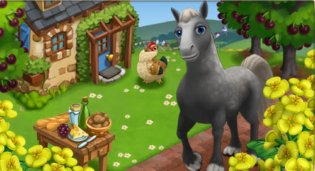
for a limited time! Percheron horses are renowned for their intelligence and
willingness to work, so this particular equine is handy to have around the farm.
Check out the information below for more details about our
latest release and be sure to let us know what your favorite new addition is!

New Limited
items
:


French
Farmhouse – 45 Farm Bucks


Goddess
of Abundance – 14 Farm Bucks


Shaded
Chaise Lounge – 10 Farm Bucks


Brick
De Riguer – 3 Farm Bucks


French
Farm Table – 2,200 Farm Coins


New
Limited Edition Trees
:


Umbrella
Pine – 12 Farm Bucks


Black
Cherry Tree – 14 Farm Bucks


New
Limited Edition Animals
:


Hampshire
Pig – 44 (27 Baby) Farm Bucks


Percheron
Horse – 43 (30 Baby) Farm Bucks


French
Simmental Cow – 43 (30 Baby) Farm Bucks


Hereford
Pig – 41 (28 Baby) Farm Bucks


Faverolles
Chicken – 36 (19 Baby) Farm Bucks


Red
Ardennes Turkey – 33 (20 Baby) Farm Bucks


New
Limited Edition Crops (Level 7)
:


Rapaseed
– matures in 7 hours


New
Crafting Kitchen Recipes
:


Rapaseed
Oil


Cake
Flour


Crepe
Cake


Black
Cherry Savarin Cake


Black
Cherry Clafoutis Pie


Pignon
Croissant

New Crafting
Workshop Recipes
:


Feather
Duster


Rooster
Weathervane


Glass
Votive Candle

Shroom Shed Guide, Stage 3!

21 March 2013 FarmMaster 0

The
Shroom Shed Feature is broken up into four consecutive stages that
unlock over time. Click the links below to find out more information
about each stage.

ن

Stage 1 Guide: View
Stage 2 Guide: View
Stage 3 Guide: Below
Stage 4 Guide: Coming Soon!

Pigs have been spotted in FarmVille 2!
Now,
Gus knows a thing or two about pig taming and he needs your help. Once
you have put up your Shroom Shed, you can earn beautiful decorations and
exclusive prizes by assisting Gus with his tasks. Complete all of the
Shroom Shed tasks to unlock an exclusive Wild Piggy!


Completing your Shroom Shed (Stage 3 Decoration Quests)
Once
your Shroom Shed is up, you may notice that it looks a little bare. In
order to earn some beautiful new decorations, you will need to complete
the Stage 3 Decoration Quests. Currently, only the first, second and
third sets of quests are available. The other stage of this feature will
unlock in the coming weeks. Click on the Shroom Shed to open the Quest
Menu.

Shroom Shed - FarmVille 2

Each
Decoration Quest has 4 parts that have to be completed. As you complete
a part of a quest line, you will earn a decoration for your Shed. If
you complete all 4 parts of a Decoration Quest, you will win an
exclusive prize for your farm!


Shroom Shed - FarmVille 2

Click ANY gift
in the Shroom Shed Menu to start working on your Stage 3 Decoration
Quest. As you finish parts of your quest, a green check mark will appear
to indicate what parts of the quest have been completed. The Shed
decorations you earn will be automatically added to your Shroom Shed. 

Note: You may see the Wild Piggy again!

Shroom Shed - FarmVille 2

As
mentioned earlier in the guide, once you complete the entire Stage 3
Decoration Quest, you will win a special reward! To redeem your special
prize, simply click the turquoise “Redeem” button.

Shroom Shed - FarmVille 2

Note: Additional decorations (prizes) are available for purchase with Farm Bucks once you’ve redeemed the reward.

Additional Information:

  • If you do not wish to use the Shroom Shed feature, it can be sold (frame only) or stored in your Inventory.
  • You are limited to one Shroom Shed per Farm. 

Crafting Kiln Guide!

20 March 2013 FarmMaster 0

Hey Farmers!


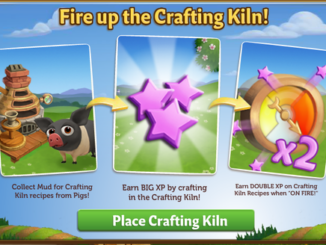
Introducing the Crafting Kiln! Use Mud and other new
Ingredients to craft Recipes to earn BIG
XP
and sell your goods for Coins! Upon
entering FarmVille 2, you will see the following pop up. Click on the green “Place
Crafting Kiln” button to get started. 

Building the Crafting Kiln


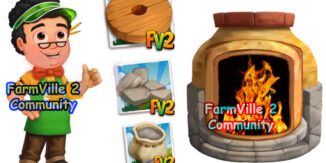
Your first step is collecting construction
parts. You will need the following items to start building your Crafting Kiln:

  • Wheel Sections
  • Bag of Clay Powders
  • Cut Stones

To collect Wheel Sections, click on the “Post” button to
post to your Facebook wall – you will get the parts when your friends click on
it, or when you click on a similar newsfeed post.

Click on the “Ask” button to send requests for Bag of Clay
Powders and Cut Stones to your Neighbors. If you do not wish to wait for your
friends, you can skip any of these tasks for Farm Bucks.

Kiln - FarmVille 2

Note: You can send a request for materials to
your Friends every 18 hours.

Once you have collected the required items, click on the
“Start Building!” button at the bottom of the construction Menu. 

Kiln - FarmVille 2

Now that the Crafting Kiln is almost completed, you will need
some help from your Neighbors to finish the job. The Crafting Kiln requires 4
additional crewmembers, so click on the “Ask Friends” button to send some crew
requests to your Friends. When they accept, you will see the spots in the Build
Menu begin to fill. If you do not wish to wait for your friends, click the
“Hire One” button to purchase crew members with Farm Bucks. Once you have
successfully filled all 4 spots, click on the “Finish & Share” button.

Kiln - FarmVille 2

Inside the Crafting Kiln

Once you have finished building your Crafting Kiln, you can
begin crafting items, which will earn you Coins and XP.
In addition to this, as you craft Recipes, you will fill the Kiln Meter
with points – fill it to On Fire mode and earn double XP! (See below for “Kiln
Meter & Reward” section). After you open the Crafting Kiln, you will see which items
you are able to craft. The items available to you depend on a couple of things: 


  • What level you are: Recipes in the Crafting Kiln have level requirements.
    This means you have to keep leveling up to unlock new Crafting items. The
    more advanced you are in the game, the more complicated your Recipes will
    be — but they will sell for more coins, too!
  • What Ingredients you have available:
    As you harvest Crops & Trees, and collect from your Animals, you can
    use these items to craft items.

Crafting

Crafting Kiln Recipes require new Resources and Ingredients.
Here’s what they are and how to get them:


Ingredients: Raw ingredients come from your farm or
Neighbors. Get them by harvesting Crops and Trees, feeding your Animals and
visiting your Neighbors. Some Ingredients can only be obtained from your
friends, so be sure to ask nicely!


  • Crops: Produce Ingredients like Blueberries, etc.
  • Trees: Produce tree fruit like Lemons, etc.
  • Animals: Produce Ingredients like Mud, Horseshoes and Wool
    after you feed them.
  • Glass: This is an Ingredient you will need to get from your
    Neighbors.

Are you in a hurry to craft, but don’t have the Ingredients
you need? You can purchase Ingredients with Farm Bucks from the Recipe Card
(see below).

Kiln - FarmVille 2

Crafted
Goods
:
These are Recipes that you make in your Crafting Kiln from raw Ingredients. Use
them to complete Final Recipes (see description below), which can then be sold
in your Market Stand.

Finished
Products (Final Recipes)
: These are Recipes that you can sell for coins in your
Market Stand. These Recipes require Crafted Goods to complete. They are marked
with a star symbol.


The Crafting Kiln Menu displays all of the Recipes you currently have
available. To access this menu, simply click on the Kiln. 

Kiln - FarmVille 2

The
Recipe thumbnails have symbols on them to indicate different things:

Star:

These are Recipes that you can sell for coins in your Market Stand.
These Recipes require Crafted Goods to complete.

Kiln - FarmVille 2

Padlock:

This symbol is used to indicate a Recipe that has a Level Requirement higher
than your current level. To find out which level you need to be on to unlock a
certain recipe, simply hover over the Recipe Card. 

Kiln - FarmVille 2

Recipe
Card Organization
:

Recipe
card thumbnails are arranged in a column. These columns are referred to as
Recipe Chains. Recipe Chains are designed to show you the natural progression
of a Final Recipe, so you are able to create the Finished Product easier. For
example:

Metal
Frame
:
Requires Horseshoes to complete

Terracotta:
Requires 3 Muds and 4 Wools to complete

Floral
Trivet
:
Requires 1 Metal Frame and 1 Terracotta to complete

The
Floral Trivet is the Final Recipe in this Chain. It requires the first two
Crafted Goods (Metal Frame + Terracotta) in this Chain to complete.


Kiln - FarmVille 2

Note: Clicking the
green “Go Home” button in the corner of a recipe card will take you back to the
Recipe thumbnail screen in your Kiln.

Some Recipes require a Crafted Goods instead of Ingredients.
If you come across a Recipe like this, you may feel a bit confused. But no need
to worry, making the required Crafted Good is simple! Just click on the “Craft”
button located under the Good you need to make. This will open up the
applicable Recipe Card. 

Kiln - FarmVille 2

Once you have all the ingredients that you need to finish
your Recipe, click the “Make 1” button on the Recipe Card. It should turn green
to let you know that you’re ready to go.


After you click “Make It,” your recipe should craft instantly. Once it’s made,
it will pop out of the station and dance merrily around your Kiln before
placing itself into your Inventory. Do not worry if you are not able to mouse
over and scoop it up fast enough —it will go there automatically!

Powering Your Kiln

Creating all of those great products isn’t easy. To stay in
business, the Crafting Kiln requires Power (Crafting Energy). Every time you use your Kiln to make a Recipe, it
will deduct from your power reserves. The amount of power you have left can be
found at the bottom of the Crafting Menu.

Note: The Crafting Kiln, Crafting Workshop and the Crafting
Kitchen all use Power.

Out of Power? There are a few different ways to get more:

  • Harvest your Furnace. Click here for more
    info on the Furnace Guide.
  • Purchase Power Packs for Farm Bucks
  • Give it some time — Power for your Crafting
    Kiln gradually replenishes itself after 1 hour.
  • Ask your friends to send you Power. Mouse
    over your Power bar and click on the turquoise “Ask” button to post to your
    Facebook wall – you will get Power when your friends click on it, or when you
    click on a similar newsfeed post.

Kiln - FarmVille 2

Kiln Meter & Earning Rewards!

As you craft Recipes, you’ll collect points to fill the Kiln
Meter. There are three different modes inside the Meter that you can reach with
these crafting points, which also earn you special rewards. Your points will
increase as you craft Recipes and will only
decrease after the On Fire countdown timer has expired. 

Note: The Crafting Kiln is designed to play
overtime, so do not feel that you have to rush to fill up the Meter in one game
session. Instead, play at your own pace and enjoy crafting Kiln Recipes!

Low (yellow): You will earn additional XP, Power, and
Glass when crafting in the Kiln. These Ingredients are used to craft Kiln
Recipes.

In order to reach Low mode, you will need 100 XP. Once you
reach this target, you will receive XP, Power, and Glass (see image below).

 
Kiln - FarmVille 2

Medium (orange): You will earn additional XP, Power,
Glass, and Pigment when crafting in the Kiln.

In order to reach Medium mode, you will need 1,000 XP. Once
you reach this target, you will receive more XP, Power, Glass, and Pigment (see
image below).

 
Kiln - FarmVille 2

On Fire (red): You will earn Double XP + Power, Glass, and Pigment when crafting in the Kiln! These
Ingredients are used to craft Kiln Recipes.

You will need 3,000 XP in order to reach On Fire mode. Once you
reach this target, Crafting Kiln Recipes are worth Double XP until the timer runs out (see image below).

 
Kiln - FarmVille 2

Earning Coins!

Once you’re finished Crafting, it’s time to earn some money!
Your Finished Products can be sold in your Market Stand for Coin. The more
difficult the Recipe, the higher the Coin yield will be.

Additional Information:

  • Limited to one Crafting Kiln per farm.
  • Rotate the Kiln to view a different angle!
  • A message, “About to Level Up!” will popup in the upper
    right hand corner of the game screen to notify you when you are close to
    leveling up. We don’t want you to miss your level up bonus!

Kiln - FarmVille 2

Spring Into Country Living!

18 March 2013 FarmMaster 0


Hey Farmers,


Spring into Country Living
with new Limited Edition items! The Pink Landrace Pig is known for it’s
adorable floppy ears and elongated body, but did you know that it’s also
available in the General Store for COINS?
Check out the information below for more details about our latest release and
be sure to let us know which addition is your favorite!


New Limited Edition
items
:


Spring Cabana – 26 Farm
Bucks


Spring Hanging Plant Post
– 12 Farm Bucks


White Wood Gate – 6 Farm
Bucks


Post Capped Picket Fence –
3 Farm Bucks


White Wood Bridge – 6,300
Coins


New Limited Edition
Trees
:


Flavorosa Pluot Tree – 12
Farm Bucks


Empress Tree – 12 Farm
Bucks


New Limited Edition
Animals
:


Baby Doll Sheep – 34 (Baby
21) Farm Bucks


Nigerian Dwarf Goat – 40
(Baby 23) Farm Bucks


Thorold’s Deer – 40 (Baby
27) Farm Bucks


Dales Pony – 63 (Baby 35)
Farm Bucks (reissue!)


Spotted Appaloosa horse –
43 (Baby 33) Farm Bucks (reissue!)


Pink Landrace Pig – (Baby
12,000 Coins) 27 Farm Bucks (permanent addition!)


New Limited Edition
Crops
:


Swiss Chard – 30 Coins,
matures in 1 hour


New Crafting Kitchen
Recipes (level 7)
:


Flavorosa Crumble Bar


Pluot Lemonade


Tart Swiss Chard


New Crafting Workshop
Recipes (level 7)
:


Empress Flower Bouquet


Scented Empress Floral Bag


Pluot Wreath


Discover the Oven Craft!

18 March 2013 FarmMaster 0

This weekend we showed you a sneak preview of a variety of new objects, pretty amazing in terms of income xp and coins! These objects will have to be in the oven make crafts. We do not know yet how much energy will be needed to make these new objects, but it would make sense that these objects requires more energy when they fabriquation.


The oven will be to build an object. As usual, it will take 4 neighbors to complete the construction of four crafts. For materials together, you should apply the batch of hewn stone, powder clay, pottery wheel.


Heat beloved

  1. Fed adult Pigs for mud you need
  2. Harvest plots of strawberries
  3. Prepares a strawberry lemonade to withstand the heat of the oven craft

In table!

  1. Retrieves ancient pottery to give you ideas
  2. Take care of both of your stove in case you need more heat
  3. Fed adult sheeps to show them that you are always thinking of them

Pottery Tour

  1. Fed adult Pigs for mud oven for crafts
  2. Harvest Swiss chard plots as they become available
  3. Manufactures terracotta blocks to the ideal flat

Scrutiny

  1. Retrieves magnifiers to identify imperfections on your pottery 
  2. Drawing water from wells to cool the atmosphere in the furnace craft
  3. Manufactures under-the-flat to protect your pretty floral table

A walk in the mud

  1. Fed adult Pigs for mud and use it in the oven craft
  2. Retrieves échardons Swiss pies
  3. Swiss manufacture échardons

You make boxes

  1. Retrieves packing boxes to protect your fragile items  
  2. Harvest onion plots to return the soil for mud quality
  3. Manufactures porcelain cups to prove your mastery

Heat absorption

  1. Take care of adult pigs for increasing mud oven for your craft
  2. Drawing water from wells to cool the atmosphere increasing
  3. Manufactures under-the-flat for floral style to your table
Just the right price prixLe
  1. Retrieves labels to sell your items  
  2. Harvesting wheat plots to feed your hungry pigs
  3. Produces lots of slip to deal with all eventualities

Discover a preview of the next Easter decorations!

16 March 2013 FarmMaster 0


Easter arrive after St. Patrick and his green and yellow colors, it is time to place more colorful decoration! :) 
These decorations will soon be available to all players. 


In the meantime you can try to cook a recipe for max offer you this small cabin to relax after harvest!


Discover 3 New Animals Coming For Easter!

16 March 2013 FarmMaster 0


And yes, every week, a series of novelty is discovered in FarmVille, luckily you’re a fan of FarmVille 2 Community, for an exclusive preview of the next upcoming features.


Which one of these animals should be to win the forthcoming missions? Write your review as a comment! 


Shroom Shed Guide, Stage 2

13 March 2013 FarmMaster 0

The
Shroom Shed Feature is broken up into four consecutive stages that
unlock over time. Click the links below to find out more information
about each stage.


Stage 1 Guide: View
Stage 2 Guide: View
Stage 3 Guide: Coming Soon!
Stage 4 Guide: Coming Soon!

Pigs have been spotted in FarmVille 2!
Now,
Gus knows a thing or two about pig taming and he needs your help. Once
you have put up your Shroom Shed, you can earn beautiful decorations and
exclusive prizes by assisting Gus with his tasks. Complete all of the
Shroom Shed tasks to unlock an exclusive Wild Piggy!

Completing your Shroom Shed (Stage 2 Decoration Quests)
Once
your Shroom Shed is up, you may notice that it looks a little bare. In
order to earn some beautiful new decorations, you will need to complete
the Stage 2 Decoration Quests. Currently, only the first and second sets
of quests are available. The other two stages of this feature will
unlock in the coming weeks. Click on the Shroom Shed to open the Quest
Menu.

Each
Decoration Quest has 4 parts that have to be completed. As you complete
a part of a quest line, you will earn a decoration for your Shed. If
you complete all 4 parts of a Decoration Quest, you will win an
exclusive prize for your farm!


Shroom Shed - Stage 2 - FarmVille 2

Click ANY gift
in the Shroom Shed Menu to start working on your Stage 2 Decoration
Quest. As you finish parts of your quest, a green check mark will appear
to indicate what parts of the quest have been completed. The Shed
decorations you earn will be automatically added to your Shroom Shed. 

Note: You may see the Wild Piggy again!

Shroom Shed - Stage 2 - FarmVille 2

As
mentioned earlier in the guide, once you complete the entire Stage 2
Decoration Quest, you will win a special reward! To redeem your special
prize, simply click the turquoise “Redeem” button.

Shroom Shed - Stage 2 - FarmVille 2

Note: Additional decorations (prizes) are available for purchase with Farm Bucks once you’ve redeemed the reward.

Additional Information:

  • If you do not wish to use the Shroom Shed feature, it can be sold (frame only) or stored in your Inventory.
  • You are limited to one Shroom Shed per Farm. 

The Little Startled Piglet!

13 March 2013 FarmMaster 0

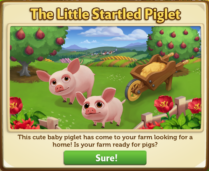
Hey Farmers,

Marie
wants to give you a cute baby piglet, but her Wheelbarrow to carry him
has broken! Can you help her fix the Wheelbarrow so she can bring this
little piggy to your Farm?


If you are level 8 or higher, you will see the following pop-up. Click on the green “Sure!” button to get started.

After
clicking, you will see the Yorkshire Pig Quest Menu. It shows you all
of the tasks you have to complete to get the baby Yorkshire Pig.

Yorkshire Pig - FarmVille 2

Note:
If you close this menu and need to access it later to see your
progress, just click on the baby Yorkshire Pig wandering around your
farm or the Wheelbarrow.

The Yorkshire Pig Quests

The
Yorkshire Pig tasks require you to place and build a Wheelbarrow,
collect Pig Treats by completing 3 Quests for Barbara, and craft Apple
Scones for a welcome basket. Click on the “Build It!” button to get
started.

Building the Wheelbarrow

To set up your Wheelbarrow, you’ll need to collect the following items:

  • Wheel Axles
  • Lug Nuts
  • Wood Planks

To
collect Wheel Axles, click on the “Post” button to post to your
Facebook wall – you will get the parts when your friends click on it, or
when you click on a similar newsfeed post.

Click
on the “Ask” button to send requests for Lug Nuts and Wood Planks to your
Neighbors. If you do not wish to wait for your friends, you can skip any of
these tasks for Farm Bucks.

 
Yorkshire Pig - FarmVille 2

 Note: You can send requests for materials to your Friends every 18 hours.

Once you have collected the required items, click on the “Start Building!” button at the bottom of the construction Menu. 

Yorkshire Pig - FarmVille 2

Once
you have built your Wheelbarrow, you will need to hire Friends to help
you finish the job! The Wheelbarrow requires four crewmembers, so click
on the “Ask Friends” button to send some crew requests to your Friends.
When they accept, you will see the spots in the Builder Menu begin to
fill. If you do not want to wait for your friends, click the “Hire One”
button to purchase crew members with Farm Bucks. Once you have
successfully filled all 4 spots, click on the “Finish Building” button.

Yorkshire Pig - FarmVille 2

The
next step in this quest is to collect Pig Treats by completing 3 Quests
for Barbara! Click on the blue “Go To Quest” button to complete the
first three of Barbara’s ‘This Little Piggy‘ Quests (Childhood Friend, Pig in the City and Wooly Situation). If you do not wish to complete any of these quests, you can skip this step for Farm Bucks.

Yorkshire Pig - Pig Treats - FarmVille 2

Click on the turquoise “Share” button to share some of your rewards with Friends!

Yorkshire Pig - FarmVille 2

The
final step in the quest is to craft Apple Scones as a welcome basket
for Marie! To craft Apple Scones, you will need the following
Ingredients: Apples, Wheat and Eggs. Click on the blue “Make It!” button to head into the Crafting Kitchen to get started.

Yorkshire Pig - FarmVille 2

Note: If you do not wish to complete these tasks, you can skip this step for Farm Bucks.

After completing all of the requirements in the Yorkshire Pig Quests, you will see the following pop-up.

Yorkshire Pig - FarmVille 2

It
looks like the baby Yorkshire Pig has warmed up to you! Click on the
“Share” button to post a reward feed for your friends. Make sure to feed
your little piglet Baby Bottles so it will grow into an adult Yorkshire
Pig that you can harvest for Mud!

Additional Information:

  • You
    have 18 days to complete the Yorkshire Pig Tasks. If you do not
    complete them, the Pig will disappear and you will be unable to claim
    it!
  • If you want to see how much time you have left to claim the Yorkshire Pig, hover your cursor over him.
  • You can only rescue the Yorkshire Pig once.
  • You do need to complete the first three of Barbara’s ‘This Little Piggy‘ Quests (Childhood Friend, Pig in the City and Wooly Situation).

Spring is here!

13 March 2013 FarmMaster 0


Greetings, Farmers!

Spring
has arrived in FarmVille 2, along with new Limited Edition items!
The Ossabaw Island Hog is known to be small, but what it lacks in size
it makes up for in cuteness, just like the one pictured above. Check out
the information below for more details about our latest release and be
sure to let us know which addition is your favorite! 

New Limited Edition items:

  • Spring Balloon – 23 Farm Bucks (animates!)
  • Spring Brunch Table – 12 Farm Bucks
  • Spring Basket – 8 Farm Bucks
  • Blue Egg Paver – 4 Farm Bucks
  • Pink Egg Paver – 4 Farm Bucks
  • Garden Bunny Sculpture – 2,200 Coins

New Limited Edition Trees:

  • April Glo Nectarine Tree – 12 Farm Bucks
  • Eastern Cottonwood Tree – 12 Farm Bucks

New Limited Edition Animals:

  • Dwarf Lop Rabbit – 36 (Baby 19) Farm Bucks
  • Easter Egger Chicken – 35 (Baby 18) Farm Bucks
  • Ossabaw Island Hog – 41 (Baby 28) Farm Bucks

New Limited Edition Crops:

  • Easter Lily – 30 Coins, matures in 2 hours

New Crafting Kitchen Recipes:

  • Spring Egg Basket – Level 7
  • Challah Bread – Level 7
  • April Glo Galette – Level 7

Shroom Shed Guide, Stage 1

7 March 2013 FarmMaster 0

Shroom Shed Guide, Stage 1

The Shroom Shed
Feature is broken up into four consecutive stages that unlock over time. Click
the links below to find out more information about each stage.

Stage 1 Guide: Below

Stage 2 Guide: Coming Soon!

Stage 3 Guide: Coming Soon!

Stage 4 Guide: Coming Soon!

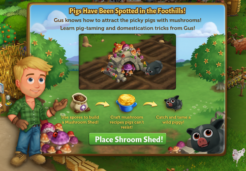
Pigs
have been spotted in FarmVille 2!

Now,
Gus
knows a thing or two about pig taming and he needs your help. Once you
have put up your Shroom Shed, you can
earn beautiful decorations and exclusive prizes by assisting Gus with
his tasks. Complete all of the Shroom Shed tasks to unlock an exclusive
Wild Piggy!

If
you’re level 10 or higher, you’ll see the following pop up. Clicking on “Place Shroom
Shed” will give you the ability to place the Shroom Shed Frame on your Farm. If
you do not wish to use the Shroom Shed or would like to save it for later,
simply click the “Cancel” button and the frame will automatically be sent to
your inventory. 

Building

To
set up your Shroom Shed, you’ll need to collect the following
items:

  • Spore Bags
  • Natural Stones
  • Shovels

To
collect Spore Bags, click on the “Post” button to post to your Facebook wall –
you will get the parts when your friends click on it, or when you click on a
similar newsfeed post.

Click
on the “Ask” button to send requests for Natural Stones and Shovels to your
Neighbors. If you do not wish to wait for your friends, you can skip any of
these tasks for Farm Bucks.

 
Shroom Shed - FarmVille 2
 

Note: You
can send a request for materials to your Friends every 18 hours.

Once you have collected the required items, click on the
“Start Building” button at the bottom of the construction Menu. 

Shroom Shed - FarmVille 2

Now
that the Shroom Shed is almost complete, you will need a little help from your
Neighbors to finish the job. The Sheep Shack requires 4 additional mechanics,
so click on the “Ask Friends” button to send some crew requests to your
Friends. When they accept, you will see the spots in the Build Menu begin to
fill. If you do not wish to wait for your friends, click the “Hire One” button
to purchase crew members with Farm Bucks.


Shroom Shed - FarmVille 2

Completing
your Shroom Shed (Decoration Quests)

Once
your Shroom Shed is up, you may notice that it looks a little bare. In order to
earn some beautiful new decorations, you will need to complete the Decoration
Quests. Currently, only the first set of quests are available. The other three stages of
this feature will unlock in the coming weeks. Click on the Shroom Shed to open
the Quest Menu.

Shroom Shed - FarmVille 2

Each
Decoration Quest has 4 parts that have to be completed. As you complete a part
of a quest line, you will earn a decoration for your Shed. If you complete all
4 parts of a Decoration Quest, you will win an exclusive prize for your farm!


Shroom Shed - FarmVille 2

Click
ANY gift in the Shroom Shed Menu to
start working on your Decoration Quest. As you finish parts of your quest, a
green check mark will appear to indicate what parts of the quest have been
completed. The Shed decorations you earn will be automatically added to your Shroom
Shed. 

Note: You may see the Wild Piggy again!

Shroom Shed - FarmVille 2

As
mentioned earlier in the guide, once you complete the entire Decoration Quest,
you will win a special reward! To redeem your special prize, simply click the
turquoise “Redeem” button.

Note: Additional
decorations (prizes) are available for purchase with Farm Bucks once you’ve
redeemed the reward.

Additional
Information
:

  • If you do
    not wish to use the Shroom Shed feature, it can be sold (frame only) or
    stored in your Inventory.
  • You are limited to one Shroom Shed per Farm. 

The Luck of the Irish!

5 March 2013 FarmMaster 0

Greetings, Farmers!

New
Limited Edition ‘The Luck of the Irish’ items are now available in the
General Store. Check out the information below for more details about
our latest release and be sure to let us know what your favorite new
addition is! It is hard to pick just one, but the Irish Cob Horse sure
is adorable!

New Limited Edition items:

  • Ivy Cottage – 43 Farm Bucks
  • Shamus Shillelagh – 14 Farm Bucks
  • Irish Bouquet – 8 Farm Bucks
  • Eternal Braid Floral Trellis – Farm Bucks
  • Celtic Cauldron – 2,250 Coins

New Limited Edition Trees:

  • Blackthorn Tree – 12 Farm Bucks
  • Irish Strawberry Tree – 12 Farm Bucks

New Limited Edition Animals:

  • Irish Cob Horse – 43 (Baby 30) Farm Bucks
  • Irish Moiled Cow – 43 (Baby 30) Farm Bucks

New Limited Edition Crops:

  • White Clover – 40 Coins, matures in 2 hours

New Crafting Kitchen Recipes:

  • White Clover Tea – Level 7
  • Irish Strawberry Shortcake – Level 7
  • Blackthorn Jam – Level 7

Grove Guide!

2 March 2013 FarmMaster 0

Got
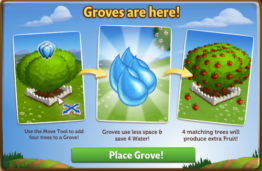
Tree crowding? Save some Water and space on your Farm with Groves! Store up to
four Trees and water all at the same time with one single click.

If
you are level 10 or higher, you will see the following pop-up. Click on “Place Grove”
to get started.


Building
the Grove


Your first step
is collecting construction parts. You will need the following items to start
building your Grove:

  • Buckets of Paint
  • Bags of Grove Soil
  • Wood Planks

Click
on the “Ask” button to send Building Material requests to
your Neighbors. If you do not wish to wait for your friends, you can skip any
of these tasks for Farm Bucks.


Groves - Start

Note: You can send
a request for materials to your Friends every 18 hours.


Once you have
collected the required items, click on the “Start Building!” button at the
bottom of the construction Menu.


Groves - Start Build

Now
that the Grove is almost complete, you will need a little help from your
Neighbors to finish the job. The Grove requires 4 additional mechanics, so
click on the “Ask Friends” button to send some crew requests to your Friends.
When they accept, you will see the spots in the Build Menu begin to fill. If
you do not wish to wait for your friends, click the “Hire One” button to
purchase crew members with Farm Bucks.


Groves - Finish

Using
the Grove

In order to use the Grove, you will need a total of
four Trees. Click on the empty Grove to open the main menu. 


Groves - Fill

Inside
the empty Grove, click on the green “Add Trees” button to use the Move Tool and
place up to four Trees. Trees will take up
one spot in your Grove regardless of the type (see below: Pecan Tree).


Groves - Pecan

Adding
& Removing Trees


Once you have watered your Trees, you cannot remove
them from the Grove until they have matured. If you wish to remove them from
the Grove before this, you can use Speed-Grow to instantly mature your Trees so
they can be removed.

Note: Any watered Tree outside of the Grove will lose its Water once placed
inside the Grove.

To
add a Tree in the Grove, click on the Grove and then the green “Add Tree”
button. All of your available Trees will automatically highlight in blue.


Groves - Move

Tip: Because the
Grove timer is an average of all of the Trees inside, keep groups of Trees
together to reduce the time it takes to mature. Bonus: This will also maximize the Tree output!

To
remove a Tree from the Grove, open the Tools menu (tools icon) on the bottom right
hand corner of the game screen. Select the “Move Tool” to click on the Tree,
then drag and drop it into the Grove.


Groves - Remove Tree

Additional
Information
:

  • If you do not wish to use the Grove
    feature, the first Grove can be sold (frame only) or stored in your
    Inventory.
  • If you want to see how much time you
    have left to harvest, hover your cursor over the Grove.
  • You can can have as many Groves on your farm as you like! 
  • You can purchase additional Groves in
    the General Store for Coins and Farm Bucks.
  • Rotate the Grove to view a different
    angle! (
    Rectangular Grove only)