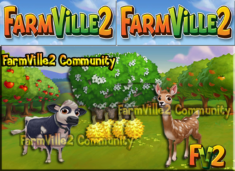
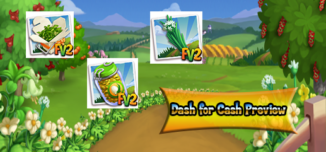
You can win bushels of coins and a flag. After five races, you’ll win a special animal!
GPT Loader -->
Jam on the hits of summer with Jostaberry Jam, Persian Lime Trees, Bradford Cows, Lime Meltaways, and more! Available for a Limited Time!
Rewards: 1 Favor, 30 XP and 100 Coins
Rewards: 1 Favor, 35 XP and 128 Coins
Rewards: 1 Favor, 40 XP and 250 Coins
Rewards: 1 Favor, 50 XP and 304 Coins
Rewards: 1 Favor, 60 XP and 550 Coins
Rewards: 1 Favor, 80 XP and 850 Coins
Rewards: 2 Favors, 100 XP and 1200 Coins
Rewards: 2 Favors, 150 XP and 1700 Coins
The Chicken Nursery is here, which means you can now raise baby Chickens! Use this building to develop the personalities of your Chickens and train them to produce extra resources!
Before you can start raising your baby Chickens, you will need to build your Nursery. Your first step is collecting Building Materials. You will need the following items to start building your Chicken Nursery:
To Collect Bags of Chicken Nesting, click on the “post” button to post to your Facebook wall; you will get the parts when your friends click on it, or when you click on a similar newsfeed post. Click on the “Ask” button to send requests for Bottle of Wood Glue and Fine Wood Dowels to your Neighbors. If you do not wish to wait for your friends, you can skip any of these tasks for Farm Bucks.
Once you have collected the required items, click on the “start building” button at the bottom of the construction menu.
Now that the Nursery is almost complete, you will need a little help from your Neighbors to finish the job. The Chicken Nursery requires four additional helpers, so click on the “Ask Friends” button to send some crew requests to your Friends. When they accept, you will see the spots in the Build Menu begin to fill. If you do not wish to wait for your friends, click the “Hire One” button to purchase helpers with Farm Bucks.
Using your Chicken Nursery (Development Quests)
The Chicken is broken up into three developmental stages (quest sets): Choose a Bonus, Choose a Personality, and Name your Chicken. Each development stage (quest set) has three tasks that have to be completed. As you complete each development stage, you will unlock the next stage. Once your Nursery is up, you will need to place one baby Chicken inside.
Note: You can raise any baby chicken in the Nursery, including Chickens available for Coins. Click on the Chicken Nursery to open the Quest Menu.
Development Quests – Choose a Bonus
The first step is to Choose a Bonus. You can choose between a Fertilizer Bonus, a Egg Bonus and an Appetite Bonus (you will receive two extra Fertilizer or Egg every time you feed the Adult chicken ).
Note: You can only choose one Specialty per baby Chicken.
Once you have selected a Bonus, click the green “Confirm” button to turn the page to the next set of development quests. Click on the “Make it” button for the recipe you wish to Craft and you will be sent to your Kitchen and/or Workshop.
The first development stage is as follows:
As you have collected the required items, click on the blue “Use” buttons to watch your avatar train your baby chicken! Once you have performed all three of the tasks, click the turquoise “Complete & Share” button.
Development Quests – Choose a Personality
The next step is to pick a Personality for your baby chicken. You can choose between Cocky, Scaredy, and Flighty. The Personality you pick will determine how your baby Chicken will behave once it is an adult (i.e. animate).
Note: You can only choose one Personality per baby Chicken.
Once you have selected a Personality, click the green “Confirm” button to turn the page to the next set of development quests. Click on the “Make it” button for the recipe you wish to Craft and you will be sent to your Kitchen and/or Workshop.
The second development stage is as follows:
Once you have collected the required items, click on the blue “Use” buttons to watch your avatar train your baby chicken! Once you have performed all three of the tasks, click the turquoise “Complete & Share” button.
Development Quests – Name your baby Chicken
The last step is to name your baby Chicken. You can use up to 14 characters (with spaces):
Once you have typed in a name, click the green “Confirm” button, then the page will turn, and the next page will be your last set of development quests. Click on the “Make it” button for the recipe you wish to Craft and you will be sent to your Kitchen and/or Workshop.
As you have collected the required items, click on the blue “Use” buttons to watch your avatar train your baby chicken! Once you have performed all three of the tasks, click the turquoise “Complete & Share” button.
Congratulations! You have raised your baby Chicken into an Adult that will produce an extra resource! Click your chicken to move and place it on your farm:
Crop Packets
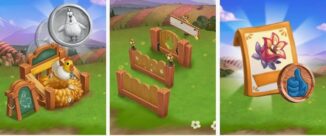
For a limited time only, you can earn special Pink Frills Hens & Chicks crop Packets! In order to earn these Packets, you must earn Chicken Medallions. As you raise baby Chickens, you will earn Chicken Medallions. If you unlocked a Nursery Fence, you will see a green button “Redeem Prize”. Click on the button to open the menu of the Chicken Medallion board:
Once you have earned all 4 Fences, you will unlock the Pink Frills Hens & Chicks crop Packets! You will be able to use this Crop for 14 days. Click the turquoise “Share and Go to Market” button to share some rewards with friends!
Note: You have limited time to earn the Pink Frills Hens & Chicks crop Packets. If you do not earn enough Chicken Medallions within theallotted time, the Crop Packet will disappear and you will be unable to claim it.
Additional Information:
Rewards: 1 Favor, 30 XP, 300 Coins and 1 Super Feed
Rewards: 1 Favor, 35 XP, 350 Coins and 1 Super Feed
Rewards: 1 Favor, 40 XP, 400 Coins and 1 Super Feed
Rewards: 1 Favor, 45 XP, 450 Coins and 1 Super Feed
Rewards: 1 Favor, 50 XP, 550 Coins and 1 Super Feed
Rewards: 1 Favor, 70 XP, 650 Coins and 1 Super Feed
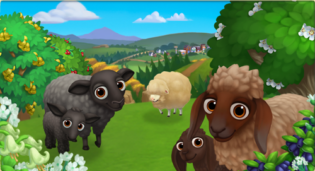
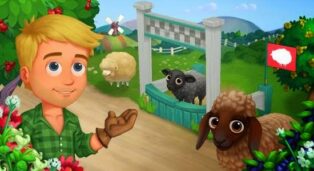
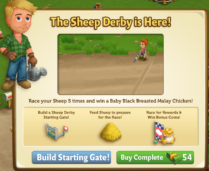
Race your Sheep for Rewards and Bonus Coins in the new Sheep Derby! Build your Starting Gate, feed your Sheep, and invite your friends to watch the race and you can win BIG! For the best chance at a big payout, make sure you have at least 9 Sheep on your Farm (If you cannot afford Farm Buck Sheep, you can purchase some from the Market for Coins).
Once you have completed 5 Races, you will also earn the adorable Black Breasted Malay Chicken, so head on over to FarmVille 2 and start racing today!
Build your Starting Gate:
To build your Starting Gate, you’ll need to collect the following items:
Click on the “Post” button to post button to request Sheep Flags in your game feed. Click on the “Ask” buttons to request Bucket of Teal Paint and Sheep Wood Posts from your Neighbors. If you do not wish to wait for your friends, you can skip any of these tasks for Farm Bucks.
Note: You can send a request for materials to your Friends every 18 hours.
Once you have collected the required items, click on the “Start Building!” button at the bottom of the construction menu. In order to build the Starting Gate you’ll need to hire Friends to help you finish the job!
To get help from Friends click on the “Ask Friends” button to send some crew requests to your Friends. When they accept, you’ll see the spots in the Builder Menu begin to fill. If you do not want to wait for your friends, click the “Hire One” button to purchase crew members with Farm Bucks. Once you have successfully filled all 4 spots, click on the “Finish Building” button.
Once your Starting Gate is built, you can start racing your Sheep and earn Big rewards.
The menu shows how many Sheep you have and how many feedings needed to start a Race. You will also need to invite 6 Friends to watch the Race.
Note: Only adult Sheep counts. Prized Adult Sheep will not count toward the Sheep Derby.
After satisfying all the requirements, you are now ready for the Race. Click the “Pick a Winner!” button to select the Sheep that you want to Race with other Sheep.
Before the Race starts, the menu will show the different Coin rewards you can earn for each place.
There are three different Jackpot winnings depending on the number of Adult Sheep you have in your Farm. The “Get Sheep” image on the lower left side of the menu shows which Jackpot winning you are currently on. Hovering on the image will show many more Sheep you need to be on the Jumbo Jackpot or Mega Jackpot winning. The more adult Sheep you have in your Farm, the higher the Jackpot winnings you can get.
After completing a Race, you will earn the Coins you have won for the Sheep you selected. You will also get a Sheep Racing Flag.
Different Jackpot Winnings are as follows:
Jackpot Winnings:
Jumbo Jackpot Winnings:
Mega Jackpot Winnings:
After completing 5 Races, they will be marked with check and you will earn the exclusive baby Black Breasted Malay Chicken:
You can start a new Race all the way to the 5th Race to earn more Coins and a Baby Black Breasted Chicken as many as you like.
HAPPY FARMING! 
Rewards: 150 XP, 2000 Coins and 1 Baby Bottle
Rewards: 150 XP, 3000 Coins and 1 Baby Bottle
Rewards: 160 XP, 3250 Coins and 1 Baby Bottle
Rewards: 175 XP, 3750 Coins and 1 Baby Bottle
Rewards: 180 XP, 4000 Coins and 1 Baby Bottle
Rewards: 185 XP, 4250 Coins and 1 Baby Bottle
Rewards: 200 XP, 4750 Coins and 1 2-Pk Baby Bottle
Rewards: 210 XP, 5500 Coins and 1 2-Pk Baby Bottle
HAPPY FARMING! 
Building the Dinner Table:
Your first step is building your Mayoral Election Button Crates. You will need the following items to start construction:
To collect Election Posters, click on the “Post” button to post to your Facebook wall; you will get the parts when your friends click on it, or when you click on a similar newsfeed post.
Click on the “Ask” button to send requests for Duffel Bags and Travel Stickers to your Neighbors. If you do not wish to wait for your friends, you can skip any of these tasks for Farm Bucks.
Once you have collected the required items, click on the “Start Building” button at the bottom of the construction menu.
Now that your Crates are almost complete, you will need some help from your Neighbors to finish the job. The Mayoral Election Button Crates require four additional helpers, so click on the “Ask Friends” button to send some crew requests to your Friends. When they accept, you will see the spots in the Building Menu begin to fill. If you do not wish to wait for your friends, click the “Hire One” button to purchase crew members with Farm Bucks. Once you have successfully filled all four spots, click on the “Finish Building” button.
Using the Mayoral Election Button Crates:
Click on the Dinner Table to open the main menu.
This menu shows how many Election Buttons you have collected and what prizes you are currently eligible to redeem.
A – The total amount of Election Buttons you have collected. As you redeem prizes, this number decreases.
B – The button to use when you want to craft Election Buttons.
C– The button to use when you want to purchase Election Buttons with Farm Bucks.
D – The button to use when you want to redeem a prize. Once you have enough Election Buttons, this button will turn turquoise.
E– The number of Farm Bucks required to purchase the prize.
F – If you want to ask your friends for Election Button ingridients.
Collecting Election Buttons:
Harvesting Crops: You can find Election Buttons by harvesting your Crops. If you find some, they will appear on your farm in a similar fashion to Prized Crops.
When an Election Button appears on your farm after harvesting, click on it and you will see the following pop-up:
Click on the turquoise “Share” button to post a feed to your wall. Your friends will be able click on this feed to claim some free Election Buttons for themselves too. Once you have clicked on the Election Button, it will automatically be added to your Mayoral Election Button Crates.
Crafting: You can craft your very own Election Buttons via the Crafting Kitchen. From the Dinner Table menu, click on the “Craft” button to open the Crafting Workshop.
Craft two Heirloom Election Buttons with Heirloom Piece of Wood and Patriotic Hobby Paint. You can send request to your Friends by clicking the “Ask” button.
Craft two Election Buttons with Piece of Wood and Patriotic Hobby Paint. You can send request to your Friends by clicking the “Ask” button.
Craft three Election Buttons with Metal Sheets and Star Spangled Stickers. Click on the “Post” button to post to your Facebook wall; you will get the parts when your friends click on it, or when you click on a similar newsfeed post.
Redeeming Election Buttons for Prizes:
Once you have collected enough Election Buttons, they can be redeemed for some lovely prizes. Click on your Mayoral Election Button Crates to open up your progress menu.
At the bottom of this menu, there are a total of 4 prizes that can be redeemed for White Truffles:
All 4 of these prizes can be redeemed as many times as you like, as long as you have enough Election Buttons (220 Election Buttons total). Once you have collected all 4 of the above prizes, you will earn the adorable baby Berkshire Pig!
HAPPY FARMING! 
© 2026 FarmVille2Free.com – Fan site. Not affiliated with or endorsed by Zynga Inc. All trademarks belong to their respective owners.