FarmVille2: Production Chains Guide – How to Produce More With Less Resources
In FarmVille 2, producing more doesn’t mean doing more actions — it means connecting the right activities together. This is where production chains make the difference.
This advanced guide explains how to link animals, crops, kitchen, and workshop into efficient systems that reduce waste, save time, and increase daily output without draining your barn or coins.
1) What production chains really are
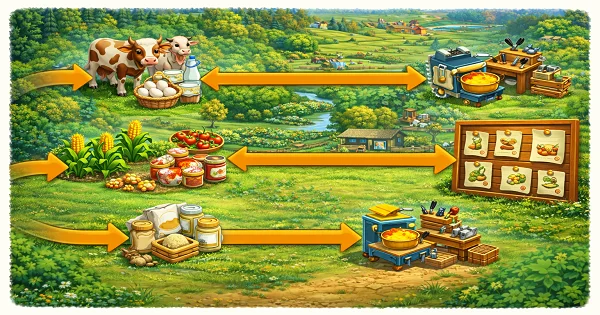
A production chain is a logical sequence of actions where the output of one activity becomes the input of the next. In FarmVille 2, this usually looks like:
- Animals → raw products
- Crops → ingredients
- Kitchen / Workshop → crafted items
- Crafted items → orders, deliveries, events
PRO players don’t produce items randomly. They always ask: “What will this item be used for next?”
2) Why most players waste resources
- Producing items with no immediate use
- Overfilling the Barn with low-value goods
- Running kitchen/workshop without a plan
- Crafting long items while short items are missing
3) Core production chains (PRO examples)
Animals → Basic products → Kitchen items → Orders
Crops → Ingredients → Workshop items → Deliveries
Balance fast crafts (daily flow) with long crafts (overnight or offline)
4) How to optimize production chains
- Check upcoming orders/events
- Produce only required ingredients
- Start long crafts before logging out
- Keep short crafts for active sessions
- Never let all machines block at once
PRO tip: always leave one free slot in your main machines to react quickly.
5) Barn control inside production chains
Production chains fail when the Barn is full. Barn control is part of production efficiency.
- Sell excess raw products
- Keep only chain-relevant items
- Don’t hoard “maybe useful later” goods
6) Final PRO rules
- Produce with a purpose
- Link every action to the next step
- Balance short and long crafts
- Protect your Barn space
- Systems beat random production
Leave a Reply