The Duck House Guide!

5 November 2013 FarmMaster 0
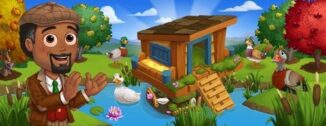
The Duck House has arrived in FarmVille 2! Use this building to store up to 18 Prized Ducks and feed them all with a single click! If that wasn’t enough, Prized Ducks in the House will only require half the Feed and you also gain an additional +50 Feed Capacity!
If you are level 15 or higher, you will see the following pop-up. Click on the “Place on Farm” button to get started.
  Duck House - FarmVille 2
Note: You can purchase a completed Duck House for Farm Bucks (Building Materials and additional helpers are not required).
Building the Duck House:

Your first step is collecting construction parts. You will need the following items to start building your Duck House:

  • Duck Ladders
  • Duck Posts
  • Bags of Moss
To collect Duck Ladders, click on the “Post” button to post to your Facebook wall – you will get the parts when your friends click on it, or when you click on a similar newsfeed post.
Click on the “Ask” button to send requests for Duck Posts and Bags of Moss to your Neighbors. If you do not wish to wait for your friends, you can skip any of these tasks for Farm Bucks.
Duck House - FarmVille 2
Note: You can send a request for materials to your Friends every 18 hours.

Once you have collected the required items, click on the “Start Building” button at the bottom of the construction Menu. 

Now that the Duck House is almost complete, you will need a little help from your Neighbors to finish the job. The Duck House requires four additional helpers, so click on the “Ask Friends” button to send some crew requests to your Friends. When they accept, you will see the spots in the Build Menu begin to fill. If you do not wish to wait for your friends, click on the “Hire One” button to purchase crew members with Farm Bucks.
  Duck House - FarmVille 2
Using the Duck House:
Click on the Duck House to open the main menu. 
Duck House - FarmVille 2
Inside the Duck House, you will see placements that you can fill with Prized Ducks. Prized Ducks will take up one spot in your House regardless of breed (see below: American Pekin Duck).
  Duck House - FarmVille 2
Adding & Removing Ducks: 
To add Prized Ducks in the House, check the “Auto Fill” box and click on the green “Add Prized Ducks” button. All of your Prized Ducks will automatically waddle into the House!
To remove a Prized Duck from the House, open the main menu and click on the red “–“ (minus symbol) box on the bottom left hand corner of the placement slot (see below: A).
The Duck cards have symbols on them to indicate different things:

   Duck House - FarmVille 2
A. Minus Symbol: Remove Ducks
B. Feed: How much Feed the Ducks will consume
C. White Feathers: How much the Ducks will produce (see below: Feeding)
D. Mastery: Animal Mastery Ribbons
Feeding: 
Prized Ducks stored in the House will eat half of the amount of Feed they normally do. For example, a Duck that eats 10 Feed outside of the House will eat 5 Feed when inside the House. Note: Any Prized Duck that would normally eat an odd amount of feed outside of the Duck House will be rounded up by one. For example, a Duck that would normally eat 9 Feed will only need 5 Feed when stored in the Duck House. 
White Feathers:
Each time you harvest the Duck House you will get White Feathers, which can be used in Crafting Workshop Recipes. Fill your Duck House all the way to get the most White Feathers when you harvest!
Note: The White Feathers will automatically go into your Inventory.
  Duck House - FarmVille 2
Additional Information: 
  • The timer for your Duck House will pause when placed in Storage, and then resume once placed back on your farm.
  • If you do not wish to use the Duck House feature, it can be sold (frame only) or stored in your Inventory.
  • If you want to see how much time you have left to harvest, hover your cursor over the House.
  • You are limited to one Duck House per farm.
  • Rotate the House to view a different angle!
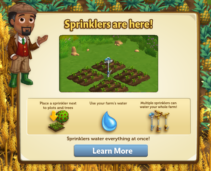
Sprinklers are here!

25 October 2013 FarmMaster 0

Note: This is a complex feature that touches many elements of the game. We are slowing rolling this out to all players over the upcoming months, so please be aware that you may not have this feature right away. We are very excited to get this out to all of our players as soon as possible, and we appreciate your patience. 

Sprinklers are here! Use Sprinklers to water multiple Crops, Trees, and Groves on your farm with one single click. If that wasn’t enough, purchase additional Sprinklers to water your entire farm!
If you are level 15 or higher, you will see the following pop-up. Click on the “Learn More” button to get started.
  
  Sprinklers - FarmVille 2
Sprinklers - FarmVille 2


Building your Standard Sprinkler:
To build the Standard Sprinkler, you will need to collect the following items: 
  • Sprinkler Heads
  • Valves
  • Water Tubings
To collect Sprinkler Heads, click on the “Post” button to post to your Facebook wall – you will get the parts when your friends click on it, or when you click on a similar newsfeed post.
Click on the “Ask” button to send requests for Valves and Water Tubings to your Neighbors. If you do not wish to wait for your friends, you can skip any of these tasks for Farm Bucks.
  Sprinklers - FarmVille 2
Note: You can send requests for materials to your Friends every 18 hours.
Once you have collected the required items, click on the “Start Building!” button at the bottom of the construction Menu. 
  Sprinklers - FarmVille 2
Now that the Standard Sprinkler is almost complete, you will need to hire Friends to help you finish the job! The Standard Sprinkler requires four additional helpers, so click on the “Ask Friends” button to send some crew requests to your Friends. When they accept, you will see the spots in the Builder Menu begin to fill. If you do not want to wait for your friends, click on the “Hire One” button to purchase crew members with Farm Bucks. Once you have successfully filled all four spots, click on the “Finish Building” button.
  Sprinklers - FarmVille 2
Getting Started:

How many things can I Water at once?
  • Crops: You can water up to 9 Crops using the Standard Sprinkler. 
  • Trees & Groves: You can water anything covered within the AoE (Area of Effect) of a Sprinkler. For example, if you place Trees or Groves within the AoE of the sprinkler, you will be able to Water everything that is in that particular area.
Using the Standard Sprinkler:
There are two different ways you can use the Sprinkler: 
  1. Water Painting Mode
  2. Manually Clicking Mode
Water Painting Mode: In order to use the Standard Sprinkler in Water Painting Mode, you must have enough Water in your HUD (see image below) or Wells relative to that particular area (Crops, Trees, or Grove). Note: If you do not have enough Water (HUD and Wells), you will be notified by a message.
Standard Sprinkler - FarmVille 2
Once you’re ready to use the Standard Sprinkler, simply place the Sprinkler in the un-watered area of a Crop, Tree, or Grove (AoE: See “How Many things can I Water at once” section above). The next step is to click and drag (painting-like motion) your mouse over the AoE that you’d like to Water (similar to the Feed Painting Mode), and then watch the Water spout out!
  Standard Sprinkler - FarmVille 2
Note: If you run out of Water from your HUD, your Standard Sprinkler will automatically harvest from your Wells.
Manually Clicking Mode: In order to use the Standard Sprinkler in the Manually Clicking Mode, you must have enough Water in your HUD (see image above), Wells, or Water in your Inventory relative to that particular area (Crops, Trees, or Grove).
Once you’re ready to use the Standard Sprinkler in the Manually Clicking Mode, simply right click it, and then drag and drop it in close proximity to the area (AoE) that you’d like to Water (see image below). Click the Standard Sprinkler to activate it and watch the Water spout out! Note: If you are in the Manually Clicking Mode cooldown, you can continue to use the Standard Sprinkler in the Water Painting Mode, however the cooldown timer will still be visible.
  Standard Sprinkler - FarmVille 2
If you do not have enough Water to use over a particular area, you will be notified in the game.
Note: Similiar to the Beehives, you can place the Standard Sprinkler over Crops (see image above). 
Standard Sprinkler - FarmVille 2
How often can I use the Standard Sprinkler? 
If you use the Water Painting mode, you can use the Sprinkler as often as you’d like. Note that the cooldown timer will still be visible, however you can continue to use the Sprinkler regardless of this timer.
Helpful Tip: Use the Water Painting mode to Water your Crops, Trees, and Groves as efficiently as possible.
If you do not use the Water Painting mode, there is a short cooldown in between each Standard Sprinkler session. Simply hover your cursor over the Standard Sprinkler if you want to see how much time you have left until you can use it again.
Standard Sprinkler - FarmVille 2
Out of Water? There are a few different ways to get more:
  • Wells – Use the Water from your Wells
  • Inventory – Use Water reserves from your Inventory
  • General Store – Purchase Water Packs from the General Store
Do you like your Standard Sprinkler? You can purchase additional Sprinklers (Standard and Premium) in the General Store!
Sprinklers - FarmVille 2
Helpful Tip: The more Sprinklers that cover your farm, the easier it is for you to Water your Crops, Trees, and Groves!
Additional Information:
  • Your first Standard Sprinkler is free, but you can purchase additional Sprinklers (Standard, Deluxe, and Super Deluxe) in the General Store.
  • Hover your cursor over the Standard Sprinkler if you want to see how much time you have left until you can use it again (Manually Clicking Mode only).
  • If you lack any requirements (such as not having enough Water), the game will tell you what you are missing.

The Homesick Alpaca!

23 October 2013 FarmMaster 0
Oh no, the little Alpaca following Gus is homesick! Lucky for him, farmers have a way with animals. Help Gus show the little one some love and he’ll reward you with the baby Alpaca!
  The Homesick Alpaca - FarmVille 2
If you are level 12 or higher, you will see the following pop-up. Click on the “I Can Help” button to get started.
The Homesick Alpaca - FarmVille 2
After clicking and talking to Gus, you’ll see the Homesick Alpaca Quest Menu. It shows you all of the tasks you have to complete to get the Homesick Alpaca.
The Homesick Alpaca - FarmVille 2
Note: If you close this menu and need to access it later to see your progress, just click on the Homesick Alpaca wandering on your farm or the Alpaca Bed.
The Homesick Alpaca Quests:
The Homesick Alpaca Quest tasks require you to build an Alpaca Bed, collect Alpaca Shears by completing three quests for Walter, and crafting Suncatchers. Click on the “Build It” button to get started.
  The Homesick Alpaca - FarmVille 2
Building the Alpaca Bed:
To build the Alpaca Bed, you will need to collect the following items:
  • Bolivian Blankets
  • Spittoons
  • Adobe Bricks
To collect Bolivian Blankets, click on the “Post” button to post to your Facebook wall – you will get the parts when your Friends click on it, or when you click on a similar newsfeed post.
Click on the “Ask” button to send requests for Spittoons and Adobe Bricks to your Neighbors. If you do not wish to wait for your Friends, you can skip any of these tasks for Farm Bucks.
The Homesick Alpaca - FarmVille 2
Note: You can send requests for materials to your Friends every 18 hours.
Once you have collected the required items, click on the “Start Building” button at the bottom of the construction Menu. 
The Homesick Alpaca - FarmVille 2
Now that the Alpaca Bed is almost complete, you will need to hire Friends to help you finish the job! The Alpaca Bed requires four additional helpers, so click on the “Ask Friends” button to send some crew requests to your Friends. When they accept, you will see the spots in the Builder Menu begin to fill. If you do not want to wait for your friends, click on the “Hire One” button to purchase crew members with Farm Bucks. Once you have successfully filled all four spots, click on the “Finish and Share” button.
The Homesick Alpaca - FarmVille 2
The next step in this quest is to collect Alpaca Shears by completing three quests for Walter. Click on the “Go To Quest” button to complete the first three of Walter’s ‘The Wool to Win’ quests (Wool You Please, The Spitting Image, and Bunny Business). If you do not wish to complete any of these quests, you can skip this step for Farm Bucks.
The Homesick Alpaca - FarmVille 2
As you complete a quest, look out for some Wool and Fertilizer prizes, and then click on the “Share” button to share some of your rewards with Friends!  
The Homesick Alpaca - FarmVille 2
The final step in the quest is to craft Suncatchers. To craft Suncatchers, you will need the following Ingredients: Yellow Glaze (Lemon & Pottery Slip) and Fired Glass (Porcelain + Piece of Glass). Click on the “Make It” button to head into the Crafting Kiln to get started.
The Homesick Alpaca - FarmVille 2
Note: If you do not wish to complete these tasks, you can skip this step for Farm Bucks.
After completing all of the requirements in the Homesick Alpaca Quests, you will see the following pop-up:
The Homesick Alpaca - FarmVille 2
It looks like the baby Alpaca has warmed up to you! Click on the “Adopt Alpaca and Share” button to post a reward feed for your Friends. Make sure to feed your little Alpaca Baby bottles so it will grow into an adult Alpaca that you can harvest for Wool! 
Note: Wool is an Ingredient used in exclusive Crafting Workshop Recipes.
Additional Information:
  • You have 14 days to complete the Homesick Alpaca Tasks. If you do not complete them, the Alpaca will disappear and you will be unable to claim it!
  • If you want to see how much time you have left to claim the Homesick Alpaca, hover your cursor over the Alpaca Bed.
  • If you want to see how much time you have left to claim the Homesick Alpaca, hover your cursor over it.
  • You can only rescue the Homesick Alpaca once.
  • You do need to complete the first three of Walter’s ‘The Wool to Win’ quests (Wool You Please, The Spitting Image, and Bunny Business).

The Trick-or-Treat Stand!

16 October 2013 FarmMaster 0

The time has come for Trick-or-Treating! Crafting Trick-or-Treat Bags in the Trick-or-Treat Stand will earn you Tickets, which you can redeem for rewards and the exclusive baby Harlequin Rabbit! 

If you are level 10 or higher, you will see the following pop-up. Click on the “Start Building” button to get started.
   Trick-or-Treat Stand - FarmVille 2
Building the Trick-or-Treat Stand:
Your first step is collecting Building Materials. You will need the following items to start building your Trick-or-Treat Stand. 
  • Cauldrons
  • Spiderweb Tablecloths
  • Jack-O-Lanterns
To collect Caldrons, click on the “Post” button to post to your Facebook wall; you will get the parts when your friends click on it, or when you click on a similar newsfeed post.
Click on the “Ask” button to send requests for Spiderweb Tablecloths and Jack-O-Lanterns to your Neighbors. If you do not wish to wait for your friends, you can skip any of these tasks for Farm Bucks.
Trick-or-Treat Stand - FarmVille 2
Note: You can send requests for materials to your friends every 18 hours.       
Once you have collected the required items, click on the “Start Building” button at the bottom of the construction Menu. 
  Trick-or-Treat Stand - FarmVille 2
Now that the Trick-or-Treat Stand is almost complete, you will need a little help from your Neighbors to finish the job. The Trick-or-Treat Stand requires four additional helpers, so click on the “Ask Friends” button to send some crew requests to your friends. When they accept, you will see the spots in the Build Menu begin to fill. If you do not wish to wait for your friends, click on the “Hire One” button to purchase crew members with Farm Bucks.
  Trick-or-Treat Stand - FarmVille 2
Using the Trick-or-Treat Stand:
Click on the Trick-or-Treat Stand to open the main menu. 
  Trick-or-Treat Stand - FarmVille 2
This menu shows how many Tickets you have collected and what prizes you are currently eligible to redeem. 

A – The total amount of Tickets you have. You earn Tickets by giving Trick-or-Treat Bags to your friends. This number keeps counting up, even as you redeem prizes.
B – The button to use when you want to Craft Trick-or-Treat Bags and give to your friends (earn Tickets). 
C – The number of Farm Bucks required to purchase a prize.
D – The amount of Tickets you will receive once a friend has taken that particular Trick-or-Treat Bag.
E – The total amount of that particular Trick-or-Treat Bag, which is ready to give to your friends.
F – If you want to invite your friends over to Trick-or-Treat and take a Trick-or-Treat Bag, click this button and a request will post to your feed and let you send a request to friends.
Crafting Trick-or-Treat Bags:
In order to earn Tickets, you must craft the Trick-or-Treat Bag Recipes and invite your friends over to Trick-or-Treat and take a Bag. You can craft your very own Trick-or-Treat Bags via the Stand. From the Trick-or-Treat Stand menu, click on the “Make” button to open the Recipe menu. You can choose from three different Recipes:
  • Jack-o-Lantern Bag: The required Ingredients are Wool and Black Crowberries (Black Crowberries is a limited edition Crop that you can purchase for Coins from the General Store). You will receive a total of one Ticket per friend that takes your Trick-or-Treat Bag.
  Trick-or-Treat Stand - FarmVille 2
  • Bat Bag: The required Ingredients are Apples and Wax Vampire Lips. You will receive a total of two Tickets per friend that takes your Trick-or-Treat Bags.
Trick-or-Treat Stand - FarmVille 2
  • Spider Bag: The required Ingredients are Pumpkins and Toy Rubber Spider. You will receive a total of three Tickets per friend that takes your Trick-or-Treat Bags.
Trick-or-Treat Stand - FarmVille 2
Once you have filled your six Trick-or-Treat Bag slots, the “Make 1” button on the Recipe Card will grey out and you will be unable to craft more until friends have taken what you have already crafted.
  Trick-or-Treat Stand - FarmVille 2
Collecting Tickets:
To get Tickets, you will need to enlist the help of your friends. From the Trick-or-Treat Stand menu, click on the “Invite” button to send requests to your friends. Some other friends will visit your farm from time to time to Trick-or-Treat and take a Trick-or-Treat Bag too!
Note: If you do not wish to wait, you can purchase these visitors and/or individual Tickets for Farm Bucks from the Trick-or-Treat Stand menu.
When Tickets appear on your farm after a friend has taken a Trick-or-Treat Bag, click on them and you will see the following pop-up:
Trick-or-Treat Stand - FarmVille 2
Click on the “Share Tickets” button to post a feed to your wall. Your friends will be able click on this feed to claim some free Tickets for themselves too. Once you have clicked on the Ticket, it will be automatically added to your Trick-or-Treat Stand. 
Note: You can share Tickets with friends every 18 hours. Simply click on the “Share Tickets” button at the bottom of the message.       
Redeeming Tickets for Prizes:
Once you have collected enough Tickets, they can be redeemed for some spooky prizes. Click on your Trick-or-Treat Stand to open up your progress menu. 

You can redeem the following five prizes with Tickets:
  • Spooky Lantern (20 Tickets)
  • Ghostly Fence (40 Tickets)
  • Goodie Bag! (60 Tickets) – Note: You have a chance of earning any of the following items: Fertilizer, Instagrow, Unwither, Water, Power, and Coins!
  • Cobweb Arch (100 Tickets)
  • Baby Harlequin Rabbit (110 Tickets)
Note: Redeeming Tickets for any of the Trick-or-Treat Stand prizes will not deduct from your Ticket count total (your Ticket count will not decrease).
These prizes can be redeemed multiple times in a row, as long as you have enough Tickets. Once you have collected enough Tickets to reach the end of the meter (220 Tickets), you will earn the cute baby Harlequin Rabbit!
Trick-or-Treat Stand - FarmVille 2
The baby Harlequin Rabbit can be redeemed with Tickets or Farm Bucks more than once. You can purchase additional baby Harlequin Rabbits for Farm Bucks after you have earned the first one for Tickets. After you have redeemed the baby Harlequin Rabbit the first time, your Ticket meter will reset, and you will be able to earn all of the prizes additional times.
Additional Information:
  • You have 21 days to collect the prizes. If you do not collect them all, the prizes will disappear and you will be unable to claim them.
  • If you want to see how much time you have left to claim the Trick-or-Treat Stand prizes, click your Trick-or-Treat Stand, and then you can view the timer above the Ticket meter.
  • You can earn additional items for making Trick-or-Treat Bags by visiting other Neighbors’ Trick-or-Treat Stands during Neighbor Visits.
  • You are limited to one Trick-or-Treat Stand per farm.
  • The Trick-or-Treat Stand is unmovable.

Heirloom Trees!

15 October 2013 FarmMaster 0

Note: This is a complex feature that touches many elements of the game. We are slowing rolling this out to all players over the upcoming months, so please be aware that you may not have this feature right away. We are very excited to get this out to all of our players as soon as possible, and we appreciate your patience. 


Are you interested in earning twice the amount of Coins and XP for crafted goods? If so, then Heirloom Trees are for you! Prune your Trees to make them Heirloom, and then harvest them for Heirloom Fruit, which you can use in high Coin and XP crafting Recipes! If that wasn’t enough, Heirloom Trees need less Water!
  Heirloom Trees - FarmVille 2
If you are level 14 or higher, you will see the following pop-up. Click on the “Place Garden Shed” button to get started.
  Heirloom Trees - FarmVille 2
Garden Shed:
Before you can start to Prune your Trees, you’ll need a Garden Shed to store your Shears. Click on your Garden Shed to open the main menu.
  
Heirloom Trees - FarmVille 2
This menu shows how many Pruning Shears you have collected.
A – The total amount of Pruning Shears you have. As you Prune Trees, this number decreases.
B – The button to use when you want to collect Pruning Shears from Friends.
C – The button to use when you want to use Pruning Shears on Trees.
D – The number of Farm Bucks required to purchase Pruning Shears.
Using the Pruning Shears:
You can Prune Trees individually (inside or outside of a Grove), or an entire Grove. To use the Pruning Shears, click the “Use” button from the Garden Shed menu (see C. above) or hover over a watered Tree and/or Grove, and then click the Pruning Shears icon (see image below).
Note: To Prune an individual Tree inside of a Grove, highlight the Tree that you would like to Prune.
Heirloom Trees - FarmVille 2
Note: You can use Pruning Shears on any Tree that is not already Pruned.
If you do not have enough Shears to Prune an entire Grove, you will only Prune as many Trees as possible with the number of Shears you have in you Shed. If you want to Prune a particular Tree inside of a Grove, simply remove it from the Grove.
Harvesting Pruned Trees:
Before you can craft Heirloom Recipes, you will need Heirloom Fruit. Heirloom Trees will take the same amount of time as before they were Pruned to mature.
Once you harvest your first Pruned Tree, you’ll receive the following message:
  Heirloom Trees - FarmVille 2
Click on the “Post for more Shears” button to ask your Friends for more Shears and also share some Pruning Shears with Friends!

Crafting with Heirloom Fruit:
As you harvest Pruned Trees, you will receive Heirloom Fruit, which you can then use in high Coin and XP Recipes! To craft Heirloom Recipes, click on your Crafting Kitchen, and then click on the “Heirloom” tab.
Heirloom Trees - FarmVille 2
Earning Coins!
Once you’re finished Crafting, it’s time to earn some money! Your Finished Products can be sold in your Market Stand for Coins. The more difficult the Recipe, the higher the Coin yield will be.
Elder Trees:
As you Prune your Trees, they’ll mature and eventually become “Elder.” The great thing about an Elder Tree is that you can store it in your Inventory or sell it for a free Pruning Shear!
Note: You can only store up to 18 Elder Trees total at any given time.
If you want to see how many harvests you have left until an Heirloom Tree becomes Elder, hover over your cursor over it (see image below).
Heirloom Trees - FarmVille 2
Once your Tree becomes an Elder, you will receive the following messaging. Click on the “Store Elder Tree” button to store it in your Inventory or click on the “Sell for Shear” button to get a Pruning Shear for free.
  Heirloom Trees - FarmVille 2
Additional Information:
  • You are limited to one Garden Shed at any given time.
  • If you want to see how many harvests you have left until an Heirloom Tree becomes Elder, hover over your cursor over it.
  • You can only craft Heirloom Recipes using Heirloom Fruit.

The Rabbit Nursery!

9 October 2013 FarmMaster 0

The Rabbit Nursery Feature is broken up into three consecutive development stages (quest sets) that you can complete at your own pace. 

The Rabbit Nursery is here! Use this building to train your baby Rabbits to develop their personality and train them to produce extra resources!
If you are level 12 or higher, you will see the following pop up. Clicking on the “Place Rabbit Nursery” button will give you the ability to place the Nursery Frame on your Farm.
Rabbit Nursery - FarmVille 2
Building the Rabbit Nursery:
Before you can start raising your baby Rabbits, you will need to build your Nursery. Your first step is collecting Building Materials. You will need the following items to start building your Rabbit Nursery:
  • Chalkboards
  • Bunny Litter Boxes
  • Rabbit Pellets
To Collect Chalkboards, click on the “post” button to post to your Facebook wall; you will get the parts when your friends click on it, or when you click on a similar newsfeed post.
Click on the “Ask” button to send requests for Bunny Litter Boxes and Rabbit Pellets to your Neighbors. If you do not wish to wait for your friends, you can skip any of these tasks for Farm Bucks.
Rabbit Nursery - FarmVille 2
Once you have collected the required items, click on the “Start Building” button at the bottom of the construction menu.
Rabbit Nursery - FarmVille 2
Now that the Nursery is almost complete, you will need a little help from your Neighbors to finish the job. The Rabbit Nursery requires four additional helpers, so click on the “Ask Friends” button to send some crew requests to your Friends. When they accept, you will see the spots in the Build Menu begin to fill. If you do not wish to wait for your friends, click on the “Hire One” button to purchase helpers with Farm Bucks.
Rabbit Nursery - FarmVille 2
Using your Rabbit Nursery (Development Quests):
Raising a baby Rabbit requires love, affection, and special attention. That’s why the Rabbit Nursery is here to help you! The Nursery is broken up into three development stages (quest sets): Choose an Ability, Choose a Personality, and Name Your Rabbit. Each development stage (quest set) has three tasks that have to be completed. As you complete each development stage, you will unlock the next stage.
Once your Nursery is up, you will need to place one baby Rabbit inside. Note: You can train any baby Rabbit on your farm or from the General Store in the Nursery, including the ones available for Coins. Click on the Rabbit Nursery to open the Quest Menu.
Development Quests – Ability:
The first step is to pick an Ability for your baby Rabbit. You can choose between a Fertilizer Bonus, a Wool Bonus (you will receive one extra Fertilizer or Wool every time you feed the Adult Rabbit) and an Appetite Bonus (your Adult Rabbit will be hungry in half the amount of time guaranteed). Note: You can only choose one Ability per baby Rabbit. In addition, the quests will differentiate depending on what Ability and/or Personality you choose.
Rabbit Nursery - FarmVille 2
Once you have selected an Ability, click on the green “Confirm” button to turn the page to the next set of development quests. Click on the “Make It” button for the Recipe you wish to Craft and you will be sent to your Kitchen and/or Workshop.

  Rabbit Nursery - FarmVille 2
Development Quests – Choose a Personality:
The next step is to pick a Personality for your baby Rabbit. You can choose between Mischievous, Affectionate, and Tumbler. The Personality you pick will determine how your baby Rabbit will behave once it is an adult (e.g. animate). Note: You can only choose one Personality per baby Rabbit.
Rabbit Nursery - FarmVille 2
Once you have selected a Personality, click on the green “Confirm” button to turn the page to the next set of development quests. Click on the “Make it” button for the Recipe you wish to Craft and you will be sent to your Kitchen and/or Workshop. Once you have performed all three of the tasks, click on the turquoise “Complete & Share” button.
  Rabbit Nursery - FarmVille 2
Development Quests – Name:
The final step is to name your baby Rabbit. You can use up to 14 characters (with spaces). Note: You can only name your Rabbit while in regular Screen mode (e.g. not in Full Screen mode).
  Rabbit Nursery - FarmVille 2
Once you have chosen a name, click on the green “Confirm” button to turn the page to the final set of development quests. Click on the “Make it” button for the Recipe you wish to Craft and you will be sent to your Kitchen and/or Workshop. Once you have performed all three of the tasks, click on the turquoise “Complete & Share” button.
  Rabbit Nursery - FarmVille 2
Congratulations! You have trained your baby Rabbit into an Adult that will produce an extra Fertilizer, Wool, or Appetite bonus! Click your Rabbit to move and place it on your farm:
Rabbit Nursery - FarmVille 2
Crop Packets:
For a limited time only, you can earn special Celery Crop Packets! In order to earn these Packets, you must train three baby Rabbits, regardless of their Ability and/or Personality. As you train each baby Rabbit, a green check mark will appear on the cards to indicate what parts of the mini quest have been completed.
  Rabbit Nursery - FarmVille 2
Once you have trained all three of the baby Rabbits (regardless of their Ability and/or Personality), you will unlock the Celery Packet! You will be able to use this Crop for 14 days. Click on the turquoise “Share and Go to Market” button to share some rewards with Friends and purchase your Crop for Coins!
Rabbit Nursery - FarmVille 2
Note: You have limited time to earn the Celery Crop Packet. If you do not train all three of the baby Rabbits within the allotted time, the Crop Packet will disappear and you will be unable to claim it.
Additional Information:
  • You can only use baby Rabbits with the Nursery.
  • You can re-use the Nursery to train as many Rabbits as you’d like.
  • If you do not wish to use the Rabbit Nursery feature, it can be sold (frame only) or stored in your Inventory.
  • You are limited to six Rabbit Nurseries per Farm. You can get up to two more Rabbit Nurseries for free, and up to four more Rabbit Nurseries for Farm Bucks from the General Store.

The Great Appaloosa River Logjam, Stage 4

2 October 2013 FarmMaster 0
  
The Great Appaloosa River Logjam Feature is broken up into four consecutive stages that unlock over time. Click the links below to find out more information about each stage.

Stage 1 Guide: View
Stage 2 Guide: View
Stage 3 Guide: View
Stage 4 Guide: View
Oh no! A Logjam in the Appaloosa River is blocking the ducks from crossing safely. Luckily, Gus knows a thing or two about clearing Logjams, so that’s where you come in! Assist Gus with his tasks and you can earn great prizes and more importantly, provide safe passage for the rare ducks. Complete all four stages and get the exclusive baby Mandarin Duck!
Note: All of the prizes float on the water when placed in the River!
    The Great Appaloosa River Logjam - FarmVille 2
Completing your Logging Camp (Logjam Quests):
In order to earn some cool new prizes, you will need to complete the Logjam Quests. 
You can access the Quest Menu from clicking on any of the following options: 
  1. The Logging Camp
  2. The Logjam pile
  3. A visiting Neighbor standing next to Logging Camp and Dock (they’re stopping by to help you clear the Logjam!) Note: After clicking on your Neighbor, watch closely so that you don’t miss them swim away in the river!
    The Great Appaloosa River Logjam - FarmVille 2
Each Logjam Quest has 4 parts that have to be completed. As you complete a part of a quest line, you will earn a new prize. If you complete all 4 parts of a Logjam Quest, you will win an exclusive prize for your River!
The Great Appaloosa River Logjam - FarmVille 2

Logjam Quests – Week 4:
As noted above, click on the Logging Camp, the visiting Neighbor (standing by the Camp and Dock), or any of the logs in the Logjam to start working on your fourth set of Logjam Quests. As you finish parts of your quest, a green check mark will appear to indicate what parts of the quest have been completed. For every quest you complete, you remove a piece of log from the Logjam and in return, you will receive some Pieces of Wood! The four quests for the Week 4 are as follows:
The Great Appaloosa River Logjam - FarmVille 2

Bonus Quests:
Finished the current week of quests early and are looking for something else to do while you wait? If you are level 20 or above, complete a Bonus quest for a chance to earn awesome extra rewards like Baby Bottles! In order to unlock the Bonus Quest, complete each week of quests before the feature expires.
Note: You have 35 days to complete the bonus quests. Bonus quests will only unlock if you complete a week of quests.
The Great Appaloosa River Logjam - FarmVille 2

The set of Bonus quests for the Week 4 is as follows:
    The Great Appaloosa River Logjam - FarmVille 2
Note: You are not required to complete the Bonus quests in order to earn the Great Appaloosa River Logjam prizes (Decorations or the baby Mandarin Duck).
As mentioned earlier in the guide, once you complete the entire Stage 4 Logjam Quests, you will win a special reward! To redeem your special prize, simply click the turquoise “Place and Share” button.
The Great Appaloosa River Logjam - FarmVille 2
Additional Information:
  • You have 35 days to collect the Great Appaloosa River Logjam prizes and Bonus rewards (optional). If you do not collect them all, the prizes and Bonus rewards (optional) will disappear and you will be unable to claim them.
  • If you want to see how much time you have left to claim the Great Appaloosa River Logjam prizes and the Bonus rewards (optional), hover your cursor over the Camp.
  • You can purchase additional prizes (Decorations and/or the Mandarin Duck) for Farm Bucks once you’ve redeemed them from the Logging Camp menu.
  • If you do not wish to use the Logging Camp, it can be sold (frame only) or stored in your Inventory.
  • You are limited to one Logging Camp per Farm. 

The Great Rubber Duck Spill

1 October 2013 FarmMaster 0
Oh no! Cornelius is supposed to deliver a crate of Rubber Ducks to a local school, but he’s lost all of them in the Great Rubber Duck Spill! Help Cornelius repair the Rubber Duck Crate, collect the Rubber Ducks, and then you’ll earn some awesome prizes! Crafting in the Workshop or harvesting your land and Water Crops will earn you Rubber Ducks, which you can redeem for Decorations and either the exclusive Hooded Merganser Duck OR the Jalapeño Crop Packet! 
The Great Rubber Duck Spill - FarmVille 2
If you are level 15 or higher, you will see the following pop-up. Click on the “Place” button to place the Crate on your farm.
The Great Rubber Duck Spill - FarmVille 2
Repairing the Rubber Duck Crate:
Your first step is building your Rubber Duck Crate. You will need the following items to start construction:
  • Wooden Mallets
  • Sealing Paint
  • Handy Saws
To collect Wooden Mallets, click on the “Post” button to post to your Facebook wall; you will get the parts when your friends click on it, or when you click on a similar newsfeed post.
Click on the “Ask” button to send requests for Sealing Paint and Handy Saws to your Neighbors. If you do not wish to wait for your friends, you can skip any of these tasks for Farm Bucks.
  The Great Rubber Duck Spill - FarmVille 2
Once you have collected the required items, click on the “Start Building” button at the bottom of the construction menu.
  The Great Rubber Duck Spill - FarmVille 2
Now that your Crate is almost complete, you will need some help from your Neighbors to finish the job. The Rubber Duck Crate requires four additional helpers, so click on the “Ask Friends” button to send some crew requests to your Friends. When they accept, you will see the spots in the Building Menu begin to fill. If you do not wish to wait for your friends, click the “Hire One” button to purchase crew members with Farm Bucks. Once you have successfully filled all four spots, click on the “Finish and Share” button.
The Great Rubber Duck Spill - FarmVille 2
Using the Rubber Duck Crate:
Click on the Rubber Duck Crate to open the main menu. 
  The Great Rubber Duck Spill - FarmVille 2
This menu shows how many Rubber Ducks you have collected and what prizes you are currently eligible to redeem. 

A – The total amount of Rubber Ducks you have collected. As you redeem prizes, this number decreases.
B – The button to use when you want to collect Rubber Ducks by crafting in the Workshop. 
C – The button to use when you want to redeem a prize. Once you have enough Rubber Ducks, this button will turn turquoise.
D – The number of Farm Bucks required to purchase the prize.
E – If you want to ask your friends for Rubber Ducks, press this button and a feed will be automatically posted to your wall.
F – If you want to change your final reward, press this button and you can pick either the baby Hooded Merganser Duck or the Jalapeño Crop Packet as your final reward. See the “Choosing Your Reward” section below for more details.
If you would like to purchase your own Rubber Ducky Decoration for your farm and River, you can purchase it from the General Store for Farm Bucks. Note: The Rubber Ducky Decoration will not count as part of your collection of Rubber Ducks for this feature.   
Collecting Rubber Ducks:
Harvesting Land and Water Crops: You can find Rubber Ducks by harvesting your land and Water Crops. If you find some, they will appear on your farm in a similar fashion to Prized Land and Water Crops.
The Great Rubber Duck Spill - FarmVille 2
When a Rubber Duck appears on your farm after harvesting, click on it and you will see the following pop-up:
The Great Rubber Duck Spill - FarmVille 2
Click on the turquoise “Share” button to post a feed to your wall. Your friends will be able click on this feed to claim some free Rubber Ducks for themselves too. Once you have clicked on the Duck, it will automatically be added to your Rubber Duck Crate. 
Crafting: You can craft your very own Rubber Ducks via the Crafting Workshop. From the Rubber Duck Crate menu, click on the “Craft” button to open the Workshop.

The Great Rubber Duck Spill - FarmVille 2
To craft Rubber Ducks, you will need Greenweed Extract (Dyer’s Greenweed + Water) and Plain Rubber Duck. Dyer’s Greenweed is a limited edition Crop, which you can purchase from the General Store for Coins.
To get Plain Rubber Ducks, you will need to enlist the help of your Neighbors. From the Rubber Ducks Recipe, click on the turquoise “Ask” button to send requests to your friends for Plain Rubber Ducks. If you do not wish to wait, you can purchase either of these ingredients for Farm Bucks.
Individual Rubber Ducks can also be purchased with Farm Bucks from the Rubber Duck Crate menu.
Choosing Your Reward:
From the Rubber Duck Crate menu, you can pick either the baby Hooded Merganser Duck or the Jalapeño Crop Packet as your final reward! To choose your reward, click the “Swap” button from the Rubber Duck Crate menu. You can swap your reward as many times as you wish up until redeeming Rubber Ducks for the final Decoration. At this time, you’ll receive the final reward that is actively selected (baby Hooded Merganser Duck or the Jalapeño Crop Packet).
  The Great Rubber Duck Spill - FarmVille 2
Redeeming Rubber Ducks for Prizes: 
Once you have collected enough Rubber Ducks, you can redeem them for some beautiful prizes. Click on your Rubber Duck Crate to open up your progress menu. 

At the bottom of this menu, there are a total of four prizes that you can redeem for Rubber Ducks:

  • Duck Crossing Sign (20 Rubber Ducks)
  • Duck Bench (40 Rubber Ducks)
  • Water Oak Tree (60 Rubber Ducks)
  • Duck Fountain (80 Rubber Ducks)
All four of these prizes can be redeemed as many times as you like, as long as you have enough Rubber Ducks (200 Rubber Ducks total). Once you have collected all four of the above prizes, you will earn the babyHooded Merganser Duck OR the Jalapeño Crop Packet!
  The Great Rubber Duck Spill - FarmVille 2

Note: The baby Hooded Merganser Duck can be redeemed for Rubber Ducks or Farm Bucks more than once.
Additional Information:
  • You have 21 days to collect the Rubber Duck Crate prizes. If you do not collect them all, the prizes will disappear and you will be unable to claim them.
  • If you do not wish to use the Rubber Duck Crate feature, it can be sold or stored in your Inventory.
  • You can only get Rubber Ducks when harvesting land and Water Crops on your own farm. You will not get Rubber Ducks from Neighbor visits.
  • If you want to see how much time you have left to claim the Rubber Duck Crate prizes, hover your cursor over the Crate.
  • You are limited to one Rubber Duck Crate per farm.
  • If you would like to purchase your own Rubber Ducky Decoration for your farm and river, you can purchase it from the General Store for Farm Bucks. Note: The Rubber Ducky Decoration will notcount as part of your collection of Rubber Ducks for this feature.
No Image

The Great Appaloosa River Logjam, Stage 3

26 September 2013 FarmMaster 0
The Great Appaloosa River Logjam Feature is broken up into four consecutive stages that unlock over time. Click the links below to find out more information about each stage.

Stage 1 Guide: View
Stage 2 Guide: View
Stage 3 Guide: View
Stage 4 Guide: Coming soon!
Oh no! A Logjam in the Appaloosa River is blocking the ducks from crossing safely. Luckily, Gus knows a thing or two about clearing Logjams, so that’s where you come in! Assist Gus with his tasks and you can earn great prizes and more importantly, provide safe passage for the rare ducks. Complete all four stages and get the exclusive baby Mandarin Duck!
Note: All of the prizes float on the water when placed in the River!
   The Great Appaloosa River Logjam - FarmVille 2
Completing your Logging Camp (Logjam Quests):
In order to earn some cool new prizes, you will need to complete the Logjam Quests. Currently, only the first, second, and third sets of quests are available. The other stage of this feature will unlock in the coming weeks.
You can access the Quest Menu from clicking on any of the following options: 
  1. The Logging Camp
  2. The Logjam pile
  3. A visiting Neighbor standing next to Logging Camp and Dock (they’re stopping by to help you clear the Logjam!) Note: After clicking on your Neighbor, watch closely so that you don’t miss them swim away in the river!
   The Great Appaloosa River Logjam - FarmVille 2
Each Logjam Quest has 4 parts that have to be completed. As you complete a part of a quest line, you will earn a new prize. If you complete all 4 parts of a Logjam Quest, you will win an exclusive prize for your River!
The Great Appaloosa River Logjam - FarmVille 2
Logjam Quests – Week 3:
As noted above, click on the Logging Camp, the visiting Neighbor (standing by the Camp and Dock), or any of the logs in the Logjam to start working on your second set of Logjam Quests. As you finish parts of your quest, a green check mark will appear to indicate what parts of the quest have been completed. For every quest you complete, you remove a piece of log from the Logjam and in return, you will receive some Pieces of Wood! The four quests for the Week 3 are as follows:
The Great Appaloosa River Logjam - FarmVille 2
Bonus Quests:
Finished the current week of quests early and are looking for something else to do while you wait? If you are level 20 or above, complete a Bonus quest for a chance to earn awesome extra rewards like Baby Bottles! In order to unlock the Bonus Quest, complete each week of quests before the feature expires.
Note: You have 35 days to complete the bonus quests. Bonus quests will only unlock if you complete a week of quests.
The Great Appaloosa River Logjam - FarmVille 2

The set of Bonus quests for the Week 3 is as follows:
   The Great Appaloosa River Logjam - FarmVille 2
Note: You are not required to complete the Bonus quests in order to earn the Great Appaloosa River Logjam prizes (Decorations or the baby Mandarin Duck).
Additional Information:
  • You have 35 days to collect the Great Appaloosa River Logjam prizes and Bonus rewards (optional). If you do not collect them all, the prizes and Bonus rewards (optional) will disappear and you will be unable to claim them.
  • If you want to see how much time you have left to claim the Great Appaloosa River Logjam prizes and the Bonus rewards (optional), hover your cursor over the Camp.
  • You can purchase additional prizes (Decorations and/or the Mandarin Duck) for Farm Bucks once you’ve redeemed them from the Logging Camp menu.
  • If you do not wish to use the Logging Camp, it can be sold (frame only) or stored in your Inventory.
  • You are limited to one Logging Camp per Farm. 

Duck Watching Station!

25 September 2013 FarmMaster 0
Duck watching season is around the corner! Luckily, Gus knows a thing or two about how to lure Ducks to a farm. Assist Gus with his tasks and build a nest by recycling old Brown Feathers to earn the exclusive babyCrested Cayuga Duck!
  Duck Watching Station - FarmVille 2
If you are level 12 or higher, you will see the following pop-up. Click on “Place” to get started.
  Duck Watching Station - FarmVille 2
Building the Duck Watching Station:

Your first step is collecting construction parts. You will need the following items to start building your Duck Watching Station:

  • Hodgepodge Glue
  • Crafting Pliers
  • Spotting Scopes
To collect Hodgepodge Glue, click on the “Post” button to post to your Facebook wall – you will get the parts when your friends click on it, or when you click on a similar newsfeed post.
Click on the “Ask” button to send requests for Crafting Pliers and Spotting Scopes to your Neighbors. If you do not wish to wait for your friends, you can skip any of these tasks for Farm Bucks.
Duck Watching Station - FarmVille 2
You can also purchase any of these items above for Farm Bucks if you do not wish to wait for your friends to respond to your requests or newsfeed posts.
  
Note: You can post and send requests for materials to your Friends every 18 hours.

Once you have collected the required items, click on the “Start Building!” button at the bottom of the construction Menu. 
  Duck Watching Station - FarmVille 2
Now that the Duck Watching Station is almost complete, you will need some assistance from your Neighbors to finish the job. The Duck Watching Station requires four additional helpers, so click on the “Ask Friends” button to send some crew requests to your Friends. When they accept, you will see the spots in the Build Menu begin to fill. If you do not wish to wait for your friends, click the “Hire One” button to purchase crew members with Farm Bucks.
Once you have successfully filled all four spots, click on the “Finish & Share” button.
  Duck Watching Station - FarmVille 2
Using the Duck Watching Station:
You must have at least three Adult Ducks on your farm that are not Prized for the Station to be functional. When you feed your Ducks, they will drop Brown Feathers, which can be found in the “Ingredients” section of your Inventory.
Tip: Limited Edition Ducks produce more Brown Feathers when fed!
To see your Brown Feather count, click on the Duck Watching Station to open the main menu. Your Brown Feather total is located on the left-hand side of this screen. The number at the bottom of the Brown Feather indicates how many you currently have in your Inventory.
Duck Watching Station - FarmVille 2


Once you have collected at least five Brown Feathers, you will be able to inspect them by clicking on the blue “Inspect” button from the Duck Watching Station menu.
Special Brown Feathers:
To earn the baby Crested Cayuga Duck, you will need to collect special types of Special Brown Feathers. To get these Special Brown Feathers, all you need to do is keep recycling Brown Feathers!
There are three types of Special Brown Feathers you can receive:
  1. Under Feather (collection requires 6)
  2. Flight Feather (collection requires 5)
  3. Contour Feather (collection requires 4)
These Brown Feathers are not used for Crafting like the “Feather Duster.” Instead, they are automatically added to your Brown Feather Collection. To earn the baby Crested Cayuga Duck, you will need to have 6 Under Feathers, 5 Flight Feathers, and 4 Contour Feathers (15 total) Brown Feathers in your Collection. Once you have collected these, you can trade them in for the baby Crested Cayuga Duck!
The more Adult Ducks you have on your Farm, the better your chances are of receiving Special Brown Feathers!
Duck Watching Station - FarmVille 2
If you do not want to wait to collect the Special Brown Feathers, you can use Farm Bucks to skip these steps and get the new baby Crested Cayuga Duck right away!
Duck Watching Station - FarmVille 2
Your new baby Crested Cayuga Duck needs Baby Bottles to reach adulthood, just like your other animals. Once it has matured, it will produce Brown Feathers.
Additional Information:
  • The timer at the bottom of your Duck Watching Station Menu indicates how long you have to collect the baby Crested Cayuga Duck. If you do not collect it, the prize will disappear and you will be unable to claim it.
  • Minimum of three Adult Ducks (non Prized) on any given farm is required to use the Duck Watching Station.
  • If you do not wish to use the Duck Watching Station feature, it can be sold (frame only) or stored in your Inventory.
  • You can collect the baby Crested Cayuga Duck as many times as you wish (before the feature expires).
  • If you want to see how much time you have left to claim the baby Crested Cayuga Duck, hover your cursor over the Station.
  • Limited to one Duck Watching Station per farm.
  • If you lack any requirements (such as not having enough Ducks), the game will tell you what you are missing.
No Image

The Great Appaloosa River Logjam, Stage 2

19 September 2013 FarmMaster 0
  
The Great Appaloosa River Logjam Feature is broken up into four consecutive stages that unlock over time. Click the links below to find out more information about each stage.

Stage 1 Guide: View
Stage 2 Guide: View
Stage 3 Guide: Coming soon!
Stage 4 Guide: Coming soon!
Oh no! A Logjam in the Appaloosa River is blocking the ducks from crossing safely. Luckily, Gus knows a thing or two about clearing Logjams, so that’s where you come in! Assist Gus with his tasks and you can earn great prizes and more importantly, provide safe passage for the rare ducks. Complete all four stages and get the exclusive baby Mandarin Duck!
Note: All of the prizes float on the water when placed in the River!
  The Great Appaloosa River Logjam - FarmVille 2
Completing your Logging Camp (Logjam Quests):
In order to earn some cool new prizes, you will need to complete the Logjam Quests. Currently, only the first and second sets of quests are available. The other two stages of this feature will unlock in the coming weeks.
You can access the Quest Menu from clicking on any of the following options: 
  1. The Logging Camp
  2. The Logjam pile
  3. A visiting Neighbor standing next to Logging Camp and Dock (they’re stopping by to help you clear the Logjam!) Note: After clicking on your Neighbor, watch closely so that you don’t miss them swim away in the river!
  The Great Appaloosa River Logjam - FarmVille 2
Each Logjam Quest has 4 parts that have to be completed. As you complete a part of a quest line, you will earn a new prize. If you complete all 4 parts of a Logjam Quest, you will win an exclusive prize for your River!
The Great Appaloosa River Logjam - FarmVille 2
Logjam Quests – Week 2:
As noted above, click on the Logging Camp, the visiting Neighbor (standing by the Camp and Dock), or any of the logs in the Logjam to start working on your second set of Logjam Quests. As you finish parts of your quest, a green check mark will appear to indicate what parts of the quest have been completed. For every quest you complete, you remove a piece of log from the Logjam and in return, you will receive some Pieces of Wood! The four quests for the Week 2 are as follows:
The Great Appaloosa River Logjam - FarmVille 2
Bonus Quests:
Finished the current week of quests early and are looking for something else to do while you wait? If you are level 20 or above, complete a Bonus quest for a chance to earn awesome extra rewards like Baby Bottles! In order to unlock the Bonus Quest, complete each week of quests before the feature expires.
Note: You have 35 days to complete the bonus quests. Bonus quests will only unlock if you complete a week of quests.
The Great Appaloosa River Logjam - FarmVille 2
The set of Bonus quests for the Week 2 is as follows:
  The Great Appaloosa River Logjam - FarmVille 2
Note: You are not required to complete the Bonus quests in order to earn the Great Appaloosa River Logjam prizes (Decorations or the baby Mandarin Duck).
Additional Information:
  • You have 35 days to collect the Great Appaloosa River Logjam prizes and Bonus rewards (optional). If you do not collect them all, the prizes and Bonus rewards (optional) will disappear and you will be unable to claim them.
  • If you want to see how much time you have left to claim the Great Appaloosa River Logjam prizes and the Bonus rewards (optional), hover your cursor over the Camp.
  • You can purchase additional prizes (Decorations and/or the Mandarin Duck) for Farm Bucks once you’ve redeemed them from the Logging Camp menu.
  • If you do not wish to use the Logging Camp, it can be sold (frame only) or stored in your Inventory.
  • You are limited to one Logging Camp per Farm. 

The Silly Little Duckling!

17 September 2013 FarmMaster 0
 
Oh no, the little Duckling following Marie is afraid of water! Lucky for her, farmers have a way with animals. Help Marie teach the little Duckling how to swim and she’ll reward you with the baby Wood Duck!
Silly Little Duckling - FarmVille 2
If you are level 15 or higher, you will see the following pop-up. Click on the green “Sure” button to get started.
  Silly Little Duckling - FarmVille 2
After clicking and talking to Marie, you’ll see the Silly Little Duckling Quest Menu. It shows you all of the tasks you have to complete to get the Silly Little Duckling.
Silly Little Duckling - FarmVille 2
Note: If you close this menu and need to access it later to see your progress, just click on the Silly Little Duckling wandering on your farm or the Duck Habitat.
The Silly Little Duckling Quests:
The Silly Little Duckling Quest tasks require you to build Duck Habitat, collect Duck Training Manuals by completing three Quests for Walter, and craft Fancy Duck Decoys. Click on the “Build It!” button to get started.
Building the Duck Habitat:
To build the Duck Habitat, you will need to collect the following items:
  • Down Feathers
  • Twigs
  • Cattails
To collect Down Feathers, click on the “Post” button to post to your Facebook wall – you will get the parts when your friends click on it, or when you click on a similar newsfeed post.
Click on the “Ask” button to send requests for Twigs and Cattails to your Neighbors. If you do not wish to wait for your friends, you can skip any of these tasks for Farm Bucks.
Silly Little Duckling - FarmVille 2
Note: You can send requests for materials to your Friends every 18 hours.
Once you have collected the required items, click on the “Start Building!” button at the bottom of the construction Menu. 
Silly Little Duckling - FarmVille 2
Now that the Duck Habitat is almost complete, you will need to hire Friends to help you finish the job! The Duck Habitat requires four additional helpers, so click on the “Ask Friends” button to send some crew requests to your Friends. When they accept, you will see the spots in the Builder Menu begin to fill. If you do not want to wait for your friends, click the “Hire One” button to purchase crew members with Farm Bucks. Once you have successfully filled all four spots, click on the “Start Building” button.
Silly Little Duckling - FarmVille 2
Note: When completed, the Duck Habitat can be placed on land and water!
Silly Little Duckling - FarmVille 2
The next step in this quest is to collect Duck Training Manuals by completing three quests for Walter. Click on the blue “Go To Quest” button to complete the first three of Walter’s ‘One Part Inspiration’ Quests (When to Duck, Orange You Glad, and Shades of Orange). If you do not wish to complete any of these quests, you can skip this step for Farm Bucks.
  Silly Little Duckling - FarmVille 2
Silly Little Duckling - FarmVille 2
Click on the turquoise “Share” button to share some of your rewards with Friends!  
  Silly Little Duckling - FarmVille 2
The final step in the quest is to craft Fancy Duck Decoys. To craft Fancy Duck Decoys, you will need the following Ingredients: Basic Duck Decoy (Pieces of Wood & Crafting Beads) and Felt Roll (Wool + Wool). Click on the blue “Make It!” button to head into the Crafting Workshop to get started.
  Silly Little Duckling - FarmVille 2
Silly Little Duckling - FarmVille 2

Note: If you do not wish to complete these tasks, you can skip this step for Farm Bucks.
After completing all of the requirements in the Silly Little Duckling Quests, you will see the following pop-up:
Silly Little Duckling - FarmVille 2
It looks like the Silly Little Duckling has warmed up to you! Click on the “Place & Share” button to post a reward feed for your friends. Make sure to feed your little Duckling Baby Bottles so it will grow into an adult Wood Duck that you can harvest for Brown Feathers! 
Note: Brown Feathers are Ingredients used in exclusive Crafting Workshop Recipes.
Additional Information:
  • You have 14 days to complete the Silly Little Duckling Tasks. If you do not complete them, the Duckling will disappear and you will be unable to claim it!
  • If you want to see how much time you have left to claim the Silly Little Duckling, hover your cursor over the Duck Habitat.
  • If you want to see how much time you have left to claim the Silly Little Duckling, hover your cursor over it.
  • You can only rescue the Silly Little Duckling once.
  • You do need to complete the first three of Walter’s ‘One Part Inspiration’ Quests (When to Duck, Orange You Glad, and Shades of Orange).


The Great Appaloosa River Logjam, Stage 1

11 September 2013 FarmMaster 0
  
The Great Appaloosa River Logjam Feature is broken up into four consecutive stages that unlock over time. Click the links below to find out more information about each stage.

Stage 1 Guide: View
Stage 2 Guide: Coming soon!
Stage 3 Guide: Coming soon!
Stage 4 Guide: Coming soon!
Oh no! A Logjam in the Appaloosa River is blocking the ducks from crossing safely. Luckily, Gus knows a thing or two about clearing Logjams, so that’s where you come in! Assist Gus with his tasks and you can earn great prizes and more importantly, provide safe passage for the rare ducks. Complete all four stages and get the exclusive baby Mandarin Duck!
Note: All of the prizes float on the water when placed in the River!
If you are level 15 or higher, you’ll see the following pop up. Click on the “I Can Help” button to get started.
  The Great Appaloosa River Logjam - FarmVille 2
Before you can start clearing the Logjam, you will need to build your Logging Camp. Your first step is collecting Building Materials. You will need the following items to start building your Logging Camp:
  • Pike Poles
  • Axes
  • Sawdust Struts
To collect Pike Poles, click on the “post” button to post to your Facebook wall; you will get the parts when your friends click on it, or when you click on a similar newsfeed post.
Click on the “Ask” button to send requests for Axes and Sawdust Struts to your Neighbors.
The Great Appaloosa River Logjam - FarmVille 2
Note: If you do not wish to wait for your friends, you can skip any of these tasks for Farm Bucks.
Once you have collected the required items, click on the “Start Building” button at the bottom of the construction menu.
  The Great Appaloosa River Logjam - FarmVille 2
Now that the Camp is almost complete, you will need a little help from your Neighbors to finish the job. The Logging Camp requires 4 additional helpers, so click on the “Ask Friends” button to send some crew requests to your Friends. When they accept, you will see the spots in the Build Menu begin to fill. If you do not wish to wait for your Friends, click the “Hire One” button to purchase crewmembers with Farm Bucks.
The Great Appaloosa River Logjam - FarmVille 2
Completing your Logging Camp (Logjam Quests) 
Once your Camp is up, you may notice that it looks a little unfinished. In order to earn more parts and some cool new prizes, you will need to complete the Logjam Quests. Currently, only the first set of quests is available. The other three stages of this feature will unlock in the coming weeks.
You can access the Quest Menu from clicking on any of the following options: 
  1. The Logging Camp
  2. The Logjam pile
  3. A visiting Neighbor standing next to Logging Camp and Dock (they’re stopping by to help you clear the Logjam!) Note: After clicking on your Neighbor, watch closely so that you don’t miss them swim away in the river!
The Great Appaloosa River Logjam - FarmVille 2
Each Logjam Quest has 4 parts that have to be completed. As you complete a part of a quest line, you will earn a new part for your Camp. If you complete all 4 parts of a Logjam Quest, you will win an exclusive prize for your River!
  The Great Appaloosa River Logjam - FarmVille 2
Logjam Quests – Week 1
As noted above, click on the Logging Camp, the visiting Neighbor (standing by the Camp and Dock), or any of the logs in the Logjam to start working on your first set of Logjam Quests. As you finish parts of your quest, a green check mark will appear to indicate what parts of the quest have been completed. For every quest you complete, you remove a piece of log from the Logjam and in return, you will receive some Pieces of Wood! The four quests for the Week 1 are as follows:
  The Great Appaloosa River Logjam - FarmVille 2
The Great Appaloosa River Logjam - FarmVille 2
Bonus Quests:
Finished the current week of quests early and are looking for something else to do while you wait? If you are level 20 or above, complete a Bonus quest for a chance to earn awesome extra rewards like Baby Bottles! In order to unlock the Bonus Quest, complete each week of quests before the feature expires.
Note: You have 35 days to complete the bonus quests. Bonus quests will only unlock if you complete a week of quests.
The Great Appaloosa River Logjam - FarmVille 2
The set of Bonus quests for the Week 1 is as follows:
  The Great Appaloosa River Logjam - FarmVille 2
Note: You are not required to complete the Bonus quests in order to earn the Great Appaloosa River Logjam prizes (Decorations or the baby Mandarin Duck).
Additional Information:
  • You have 35 days to collect the Great Appaloosa River Logjam prizes and Bonus rewards (optional). If you do not collect them all, the prizes and Bonus rewards (optional) will disappear and you will be unable to claim them.
  • If you want to see how much time you have left to claim the Great Appaloosa River Logjam prizes and the Bonus rewards (optional), hover your cursor over the Camp.
  • You can purchase additional prizes (Decorations and/or the Mandarin Duck) for Farm Bucks once you’ve redeemed them from the Logging Camp menu.
  • If you do not wish to use the Logging Camp, it can be sold (frame only) or stored in your Inventory.
  • You are limited to one Logging Camp per Farm. 

Dive into River Farming!

31 August 2013 FarmMaster 0

Please Note: This feature is not yet available to players. 

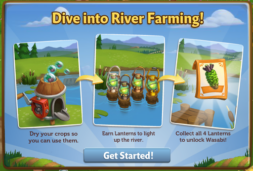
Introducing, the Lantern! Dry your Water Crops to unlock
special River Lanterns from Gus. Get all four Lanterns to unlock an
exclusive Wasabi Crop Packet!

If you are level 15 or higher, you will see the following
pop-up. Click on the “Okay” button to get started.


Using the Lantern:


The Lantern feature has four stages. Each stage requires a
certain amount of Crops dried. When you dry your Water Crops, they will fill
your Lantern bar. Each time you fill the bar, you will win a lantern that you
can place in the water.


To see your bar, click on the Lantern to open
the main menu. Your bar is located on the bottom of this screen. The number at
the bottom of the bar indicates how many Crops you need to dry and your current
progress towards this goal.


   Dive into River Farming - FarmVille 2

As you complete each stage you will unlock a new River
Lantern. The stages and respective Lanterns are as follows:

  • Stage
    1
    : The Iron Light
  • Stage
    2
    : The Timeworn Radiant
  • Stage
    3
    : The Brassy Shiner
  • Stage
    4
    : The Sunbeam

Once you have dried enough Water Crops, you will be able to
harvest your Clipboard by clicking on it.


Dive into River Farming - FarmVille 2

The more Water Crops you dry, the faster you fill your bar.
In addition, drying Water Crop Packets like Lotus counts twice!

If you do not want to wait to fill the Lantern bar, you can
use Farm Bucks to skip these steps and get the next River Lantern right
away! 

Wasabi Crop Packet:

Once you have earned all four of your River
Lanterns, you can claim your Wasabi Crop Packet! The Wasabi is
used in high value recipes in the Crafting Kitchen and Prized Wasabi are worth
more points at the County Fair. 
Click the “Share and Go To Market” button to purchase your
first Seeds for Coins.


Dive into River Farming - FarmVille 2

Additional Information:

  • You
    are limited to one Lantern (feature) per farm.
  • You
    have 21 days to earn the four River Lanterns. 
    If you do not
    collect them all, the River Lanterns will disappear and you will be unable
    to claim them. 
  • After
    the 21 days, you can purchase additional River Lanterns in the General
    Store for Farm Bucks. 
  • Harvesting
    regular Crops do not count towards the Lantern. Only drying
    Water Crops in the Crop Dryer will count.
  • If you
    want to see how much time you have left to claim your River Lanterns,
    hover your cursor over the Lantern (feature) on the dock.

The Romantic Outdoor Dinner!

28 August 2013 FarmMaster 0
Greetings, Farmers!
Walter wants to surprise Barbara with a Romantic Outdoor Dinner and he needs your help! Barbara loves White Truffles, so that’s where you come in. Help Walter build a Dinner Table, collect White Truffles for a romantic meal, and then you’ll earn some awesome prizes! Crafting in the Kitchen or harvesting your Crops will earn you White Truffles, which you can redeem for romantic Decorations and an exclusive Red River Hog!

If you are level 9 or hi­gher, you will see the following pop-up. Click on the “Place Dinner Table” button to place the Table on your farm.
Romantic Outdoor Dinner - FarmVille 2
Building the Dinner Table:
Your first step is building your Dinner Table. You will need the following items to start construction:
  • Truffle Baskets
  • Fancy Tablecloths
  • Fancy Meal Covers
To collect Truffle Baskets, click on the “Post” button to post to your Facebook wall; you will get the parts when your friends click on it, or when you click on a similar newsfeed post.
Click on the “Ask” button to send requests for Fancy Tablecloths and Fancy Meal Covers to your Neighbors. If you do not wish to wait for your friends, you can skip any of these tasks for Farm Bucks.
Romantic Outdoor Dinner - FarmVille 2
Once you have collected the required items, click on the “Start Building” button at the bottom of the construction menu.
Romantic Outdoor Dinner - FarmVille 2
Now that your Table is almost complete, you will need some help from your Neighbors to finish the job. The Dinner Table requires four additional helpers, so click on the “Ask Friends” button to send some crew requests to your Friends. When they accept, you will see the spots in the Building Menu begin to fill. If you do not wish to wait for your friends, click the “Hire One” button to purchase crew members with Farm Bucks. Once you have successfully filled all four spots, click on the “Finish Building” button.
  Romantic Outdoor Dinner - FarmVille 2
Using the Dinner Table:
Click on the Dinner Table to open the main menu. 
  Romantic Outdoor Dinner - FarmVille 2
This menu shows how many White Truffles you have collected and what prizes you are currently eligible to redeem. 

A – The total amount of White Truffles you have collected. As you redeem prizes, this number decreases.
B – The button to use when you want to collect White Truffles by crafting in the Kitchen. 
C – The button to use when you want to redeem a prize. Once you have enough White Truffles, this button will turn turquoise.
D – The number of Farm Bucks required to purchase the prize.
E – If you want to ask your friends for White Truffles, press this button and a feed will be automatically posted to your wall.
Collecting White Truffles:
Harvesting Crops: You can find White Truffles by harvesting your Crops. If you find some, they will appear on your farm in a similar fashion to Prized Crops.
Romantic Outdoor Dinner - FarmVille 2
When a White Truffle appears on your farm after harvesting, click on it and you will see the following pop-up:
  Romantic Outdoor Dinner - FarmVille 2
Click on the turquoise “Share” button to post a feed to your wall. Your friends will be able click on this feed to claim some free White Truffles for themselves too. Once you have clicked on the Truffle, it will automatically be added to your Dinner Table. 
Crafting: You can craft your very own White Truffles via the Crafting Kitchen. From the Dinner Table menu, click on the “Craft” button to open the Kitchen.
Romantic Outdoor Dinner - FarmVille 2
To craft White Truffles, you will need Truffles and Parsley Root. You can get Truffles from feeding Prized Pigs.
To get Parsley Root, you will need to enlist the help of your Neighbors. From the White Truffles recipe, click on the turquoise “ask” button to send requests to your friends for Parsley Root. If you do not wish to wait, you can purchase either of these ingredients for Farm Bucks.
Individual White Truffles can also be purchased with Farm Bucks from the Dinner Table menu.
Redeeming White Truffles for Prizes:
Once you have collected enough White Truffles, they can be redeemed for some lovely prizes. Click on your Dinner Table to open up your progress menu. 

At the bottom of this menu, there are a total of 4 prizes that can be redeemed for White Truffles:
  • Rose Stand (16 White Truffles)
  • Pair of Columns (32 White Truffles)
  • Byer’s White Cape Myrtle Tree (48 White Truffles)
  • Curtained Pergola (64 White Truffles)
All 4 of these prizes can be redeemed as many times as you like, as long as you have enough White Truffles (160 White Truffles total). Once you have collected all 4 of the above prizes, you will earn the adorable baby Red River Hog!
Romantic Outdoor Dinner - FarmVille 2
The Romantic Outdoor Dinner:
Once you’ve clicked on the “Share White Truffles” button, Walter and Barbara will personally drop off your new baby Hog! Click on the “Okay” button, and then watch the two of them head over to the Table to eat the special dinner that you prepared.    
  Romantic Outdoor Dinner - FarmVille 2
After the Outdoor dinner, click the green “Place Hog” button to move your new friend onto your farm!
Note: The baby Red River Hog can be redeemed for White Truffles or Farm Bucks more than once.
Additional Information:
  • If you do not wish to use the Dinner Table feature, it can be deleted or stored in your Inventory.
  • You can only get White Truffles when harvesting crops on your own farm. You will not get White Truffles from Neighbor visits.
  • You have 21 days to collect the Dinner Table prizes. If you do not collect them all, the prizes will disappear and you will be unable to claim them.
  • If you want to see how much time you have left to claim the Dinner Table prizes, hover your cursor over the Table.
  • You are limited to one Dinner Table per farm.

The Squirrel Tree!

14 August 2013 FarmMaster 0


The new Squirrel Tree is here! Harvest berry Crops to attract Squirrels and then feed them Treats to win great rewards. Get all three prizes to unlock an exclusive Black and Brown Eastern Fox Squirrel for a limited time!
Note: The Black and Brown Eastern Fox Squirrel will be available to use on Trees and Groves for 20 days. After that time, the Black and Brown Eastern Fox Squirrel will expire and leave your farm.
If you are level 9 or higher, you will see the following pop-up. Click on the blue “Place Squirrel Tree” button to place the Tree on your farm.
Squirrel Tree - FarmVille 2
Building the Squirrel Tree:
Your first step is building your Squirrel Tree. You will need the following items to start construction:
  • Squirrel Houses
  • Squirrel Bedding
  • Red Paint
To collect Squirrel Houses, click on the “Post” button to post to your Facebook wall; you will get the parts when your friends click on it, or when you click on a similar newsfeed post.
Click on the “Ask” button to send requests for Squirrel Bedding and Red Paint to your Neighbors. If you do not wish to wait for your friends, you can skip any of these tasks for Farm Bucks.
  Squirrel Tree - FarmVille 2
Once you have collected the required items, click on the “Start Building” button at the bottom of the construction menu.
Squirrel Tree - FarmVille 2
Now that your Tree is almost complete, you will need some help from your Neighbors to finish the job. The Squirrel Tree requires four helpers, so click on the “Ask Friends” button to send some crew requests to your Friends. When they accept, you will see the spots in the Building Menu begin to fill. If you do not wish to wait for your friends, click the “Hire One” button to purchase crew members with Farm Bucks. Once you have successfully filled all four spots, click on the “Finish and Share” button.
  Squirrel Tree - FarmVille 2
Using the Squirrel Tree:
Click on the Squirrel Tree to open the main menu. 
  Squirrel Tree - FarmVille 2
This menu shows how many Squirrels you have fed and what prizes you are currently eligible to redeem. 

A – How many Squirrel Feedings you need and your current progress towards this goal. 
B – The button to use when you want to purchase berry Crops for to plant from the General Store.
C – The button to use when you want to craft Treats via the Kitchen. 
D – The total amount of Treats you have crafted. As you feed Squirrels, this number decreases.
E – The button to use when you want to purchase Fences for Coins or Farm Bucks from the Squirrel menu (see “Fences” section below).
F – The number of Farm Bucks required to purchase a Prize.
Finding Help Squirrels:
Everybody knows that berries attract Squirrels, so plant some berry Crops and look for them when harvesting!
Helper Squirrels will appear on your farm after you harvest any of the following berry Crops:
  • Boysenberry (Limited Edition)
  • Strawberry
  • Raspberry
  • Blueberry
  • Blackberry
  Squirrel Tree - FarmVille 2
Once you find a Squirrel, it will have a thought bubble to indicate what it’s ready for:
  Squirrel Tree - FarmVille 2
  • Hungry for Treats (Treat thought bubble): The Squirrel is hungry for Treats (see “Crafting Treats” section below).
  • Ready to Help (Tree thought bubble): The Squirrel is ready to help you tend to Trees and Groves (see “Using Helper Squirrels” section below).
Note: You are limited to a total of 10 Helper Squirrels on any given farm.
Fences:
Fences attract more Squirrels! You can purchase up to a total of 10 Fences for Coins or Farm Bucks from the Squirrel menu. Simply click the Squirrel Tree, and then click the blue “Get Fences” button.
Squirrel Tree - FarmVille 2
Crafting Treats:
In order to use Helper Squirrels (Hungry for Treats), you must craft the Treat Recipes. Note: Once they are fed, (Tree thought bubble), you will be able to use them on Trees and Groves (see “Using Helper Squirrels” section below). You can craft your very own Treats via the Crafting Kitchen. From the Squirrel Tree menu, click on the “Craft” button to open the Kitchen. You can choose from three different Recipes:
  • Bag of 1 Squirrel Treat: The required Ingredients are Strawberries and Corn Meal. You will receive a total of one Treat.
  Squirrel Tree - FarmVille 2
  • 2 Treats: The required Ingredients are Apples and Bag of Sesame Seeds. You will receive a total of two Treats.
Squirrel Tree - FarmVille 2
  • 3 Treats: The required Ingredients are Blueberries and Bag of Chia Seeds. You will receive a total of three Treats.
  Squirrel Tree - FarmVille 2
Using Helper Squirrels:
Feeding your crafted Treats to a Squirrel will allow you to use it to tend to your Trees and Groves. To feed a hungry Squirrel (Treat thought bubble), simply click on it.
Squirrel Tree - FarmVille 2
To use the fed Squirrel (Tree thought bubble), simply click on it, then drag and drop it over a Tree or Grove. Similar to Farmhands, a thought bubble will indicate that your Squirrel will help you with one of the following tasks per Tree and/or Grove:
  • Water: If your Tree or Grove is not watered, use your Squirrel for Water.
  • Speed-Grow: If your Tree or Grove is watered, use your Squirrel for Speed-Grow.
  • Ready for Harvest: If your Tree or Grove is ready to be harvested, use your Squirrel for bonus output.
  Squirrel Tree - FarmVille 2
Once you have used your Helper Squirrel, it will run into your Squirrel Tree and you will be unable to use that particular Squirrel a second time.
Note: The Black and Brown Eastern Fox Squirrel speeds up two Groves at once.
Earning Prizes:

Once you have fed enough Squirrels, you can earn some lovely prizes. Click on your Squirrel Tree to open up your progress menu. 

At the bottom of this menu, there are a total of four that can be earned through feeding Squirrels:

  • White Oak Tree (This exclusive tree produces Acorns, which is a new type of Ingredient used in new crafting Recipes)
  • Loganberry Packet (This exclusive Crop Packet can be used as many times as you wish for 7 days)
  • A second White Oak Tree (This exclusive tree produces Acorns, which is a new type of Ingredient used in new crafting Recipes)
  • The adorable Black and Brown Eastern Fox Squirrel for 20 days. This little one speeds up two Groves at once!
All four of these prizes can be earned as many times as you’d like as long as you have fed enough Squirrels.
  Squirrel Tree - FarmVille 2
Note: You will need to redeem each of the above prizes at least once before you get credit towards the Black and Brown Eastern Fox Squirrel. The Black and Brown Eastern Fox Squirrel will be available to use on Trees and Groves for 20 days. After that time, the Black and Brown Eastern Fox Squirrel will expire and leave your farm.
Additional Information:
  • You have 21 days to collect the Squirrel Tree prizes. If you do not collect them all, the prizes will disappear and you will be unable to claim them.
  • You are limited to a total of 10 Helper Squirrels at any given time and can only use each Squirrel once.
  • If you do not wish to use the Squirrel Tree feature, it can be sold or stored in your Inventory.
  • You can only get credit towards the Squirrel Tree from feeding Squirrels on your own farm. You will not get credit from Neighbor visits.
  • If you want to see how much time you have left to claim the Squirrel Tree prizes, hover your cursor over the Tree.
  • You are limited to one Squirrel Tree per farm.