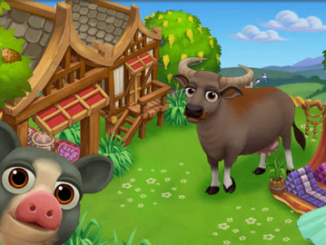
Even More Thailand Limited Edition Items!

13 May 2013 FarmMaster 0

Greetings, Farmers!

New “Time to Try Some Thai” Limited items are
available in the General Store. Our little Hainan Pig produces 5 Fertilizer and
gives 28 XP! Check below for details on our latest release and be sure to share
what your favorite new addition is by commenting below this post!

New Limited Edition Items:

  • Thai Sala – Level 3, 24 Farm Bucks, 92 XP
  • Thai Lantern – Level 3, 2 Farm Bucks, 15 XP
  • Old Thai Farming Cart – Level 3,  12,500 Coins, 87 XP
  • Green Thai Umbrella – Level 3, 6 Farm Bucks, 29 XP
  • Pink Thai Umbrella – Level 3, 8 Farm Bucks, 29 XP
  • Orange Thai Umbrella – Level 3, 6 Farm Bucks, 29 XP
  • Thai Silk Tent – Level 3, 18 Farm Bucks, 71 XP

New Limited Edition Trees:

  • Durian Tree – Level 7, 12 Farm Bucks, produces 4 Feed, used
    in Recipes
  • Cassia Tree – Level 7, 12 Farm Bucks, produces 3 Feed, used
    in Recipes

New Limited Edition Animals:

  • Water Buffalo – Level 6, (Baby 30), Adult 43 Farm Bucks
  • Anglo-Nubian – Level 6, (Baby 21), Adult 38 Farm Bucks
  • Hainan Pig – Level 6, (Baby 39), Adult 52 Farm Bucks

New Limited Edition Crop:

  • Lemongrass – Level 7, matures in 4 Hours, produces 5 Feed,
    used in Recipes

Crafting Kitchen Recipes:

  • Toorien Guan – Level 7, Durian + Sugar, sells for 3,490
    Coins
  • Durian Khanom Tuay Foo – Level 7, Batter + Durian, sells for
    4,020 Coins
  • Tom Yum Soup – Level 7, Broth + Lemongrass, sells for 2,540
    Coins

Crafting Workshop Recipes:

  • Thai String Doll – Level 7, Wool Thread + Cassia, sells for
    4,340 Coins
  • Thai Triangle Pillow – Level 7, Wool Bolt + Golden Fleece,
    sells for 2,590 Coins
  • Cassia Hairpin – Level 7, Wool Bolt + Cassia, sells for
    3,810 Coins
Spring Showers!

19 April 2013 FarmMaster 0

Spring is well and truly here and the weather forecast is
calling for rain! Farmers are advised to take advantage of the change in
weather by preparing their fields, which are sure to flourish from the
downpour. In addition to your free water and more bountiful harvests, your
Limited Edition Animals will also produce more during this time, so let’s get
started with our preparations!

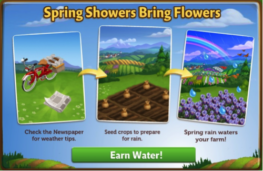
If you are level 9 or higher, you will see the following
pop-up upon entering FarmVille 2. Clicking on “Earn Water” will close the menu
and you will see a newspaper boy cycling past your Farm.

He is here to deliver you the Newspaper, which is filled
with all kinds of valuable information about how you can prepare for the coming
rain.

Spring Showers - FarmVille 2

Click on the Newspaper to open it up and you will see what
tasks you have to complete to get ready.

Spring Showers - FarmVille 2

This menu also explains in a bit more detail what some of
the benefits are of this feature. If you complete the Spring Showers tasks (see
below section for more detail), not only will you earn 30 free water, but any
Limited Edition Crops, Trees or Animals on your farm will have a higher output
than normal.


Spring Showers Tasks:

To prepare, you will need to feed some of your Adult Goats (they get
very frightened by storms, but a full belly will help keep them calm), collect
Copper Rain Buckets and Plush Blue Towels.

To collect Rain Buckets, click on the blue “post” button to
post a feed to your wall that your friends can click on to fulfill your
request. To collect Plush Towels, click on the “ask friends” button, which will
open up a menu that will allow you to send requests to individual friends for
assistance.

And finally, you will need to feed your goats. If you do not
have any goats, they can be purchased from the General Store for Coins or Farm
Bucks.  

If you do not wish to wait for your friends, you can skip any
of these tasks for Farm Bucks.

Note: You can
send a request for items to your Friends every 18 hours.

Once you have completed all three tasks, it’s going to start
raining on your farm! Any seeded crops (up to 30) will be automatically watered
for you, so make sure to plan accordingly.

Spring Showers - FarmVille 2

Note: Trees will
not be automatically watered.

If you activate your rain and you have no crops that need
watering, the extra drops will be added to your HUD, so nothing is lost.


Spring Showers - FarmVille 2

After the rain has subsided, make sure to refresh your game
for a surprise! Springtime in FarmVille 2 means more than just watered crops;
your Farm has come to life with beautiful flowers, butterflies, and Rainbows!

Spring Showers - FarmVille 2

Unfortunately, all good things must come to an end, including
springtime. Mouse-over the Newspaper to view the countdown timer that indicates
how long you have until spring is over. Be sure to take advantage of the rainy
season by planting Limited Edition Crops and stocking up on LE Animals, as they
will give you more resources than normal on a springtime farm.


Once your
timer has been depleted, you will be able to complete a new set of tasks to
bring the rain back to your Farm.


Additional
Information
:

  • The Spring Showers feature will be available
    for 6 weeks.
  • If you do not wish to participate, simply
    ignore the newspaper on your farm and it will disappear when the event is over.

We hope you all enjoy watching the rain fall and getting even
more resources from your Limited Edition Crops, Trees and Animals. 

Crop Packets!

18 April 2013 FarmMaster 0

Greetings Farmers,

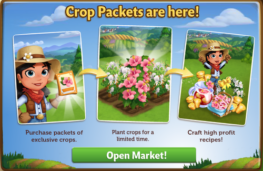
Crop Packets are here! Purchase to unlock these packets of special Crops and plant for
a limited time. Hibiscus and Honeysuckle produce flowers used in high
profit Crafting Recipes! Available in the General Store on the “Seeds”
tab.


Unlock Crop Packet


Build a bigger Mud Wallow!

1 April 2013 FarmMaster 0

Hey
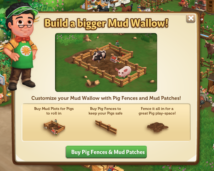
Farmers! Did you know that you can customize your Mud Wallow with
special Pig Fences and Mud Patches? They are available now in the
“Decorations” section of the General Store. 

Here is a look at one of the many ways you can build out your Mud Wallow:

Mud Wallow - FarmVille 2

 Our little Black Spotted Ossabaw Pig is having a ball rolling around in that mud!

Spring is here!

13 March 2013 FarmMaster 0


Greetings, Farmers!

Spring
has arrived in FarmVille 2, along with new Limited Edition items!
The Ossabaw Island Hog is known to be small, but what it lacks in size
it makes up for in cuteness, just like the one pictured above. Check out
the information below for more details about our latest release and be
sure to let us know which addition is your favorite! 

New Limited Edition items:

  • Spring Balloon – 23 Farm Bucks (animates!)
  • Spring Brunch Table – 12 Farm Bucks
  • Spring Basket – 8 Farm Bucks
  • Blue Egg Paver – 4 Farm Bucks
  • Pink Egg Paver – 4 Farm Bucks
  • Garden Bunny Sculpture – 2,200 Coins

New Limited Edition Trees:

  • April Glo Nectarine Tree – 12 Farm Bucks
  • Eastern Cottonwood Tree – 12 Farm Bucks

New Limited Edition Animals:

  • Dwarf Lop Rabbit – 36 (Baby 19) Farm Bucks
  • Easter Egger Chicken – 35 (Baby 18) Farm Bucks
  • Ossabaw Island Hog – 41 (Baby 28) Farm Bucks

New Limited Edition Crops:

  • Easter Lily – 30 Coins, matures in 2 hours

New Crafting Kitchen Recipes:

  • Spring Egg Basket – Level 7
  • Challah Bread – Level 7
  • April Glo Galette – Level 7

Heirloom Recipes Tips!!!

23 February 2013 FarmMaster 0


Hey Farmers!

Vanilla is back for a limited time only! For four days only, use Vanilla to craft three special Recipes: Vanilla Cream, Vanilla Butterscotch Filling and Vanilla Butterscotch Bundt.
All of these Recipes yield a hefty profit, so hurry on into the Crafting Kitchen to whip up some of these delicious treats before they disappear!

Sneak Peek: Pigs!

22 February 2013 FarmMaster 0
Pigs have been spotted in FarmVille 2! They seem to be awfully friendly…maybe one will make its way to your Farm in the near future? Let us know what you think of the adorable Baby Pig by leaving us a comment below!

New Fertilizer Bin Guide!

20 February 2013 FarmMaster 0

Hey Farmers,

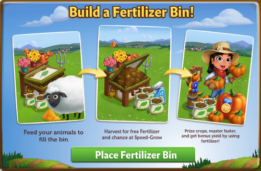
Do you need more Fertilizer? If so, the new Fertilizer Bin
is for you! Feed your animals to fill the Bin and then harvest it to earn free
Fertilizer for your crops. If that wasn’t enough, you also have a chance of
earning Speed-Grow when you collect from your Fertilizer Bin, so head on over
to FarmVille 2 and start building today!

If you are level 8 or higher, you will see the following
pop-up. Click on “Place Fertilizer Bin” to get started.


Building the Fertilizer Bin


Your first step is collecting construction parts. You will need the
following items to start building your Fertilizer Bin:

  • Green Paint
  • Grass Clippings
  • Wood Plank

For the Green Paint, click on the “Post” button to post to
your Facebook wall – you will get the parts when your friends click on it, or
when you click on a similar newsfeed post.

To collect Grass Clippings and Wood Planks, click on the
“Ask” button to send requests for the items to your Neighbors.

You can also purchase any of these items above for Farm Bucks
if you do not wish to wait for your friends to respond to your requests or newsfeed
posts.

Fertilizer Bin - FarmVille 2

Note: You can post a request for Green Paint to your
newsfeed every 16 hours and send requests for Grass Clippings and Wood Planks to
your Friends every 18 hours.


Once you have collected the required items, click on the “Start Building!”
button at the bottom of the construction Menu. 

Fertilizer Bin - FarmVille 2

Now that the Fertilizer Bin is almost complete, you will
need a little help from your Neighbors to finish the job. The Fertilizer Bin
requires 4 additional mechanics, so click on the “Ask Friends” button to send
some crew requests to your Friends. When they accept, you will see the spots in
the Build Menu begin to fill. If you do not wish to wait for your friends,
click the “Hire One” button to purchase crew members with Farm Bucks.

Once you have successfully filled all 4 spots, click on the
“Finish & Share” button.

 
Fertilizer Bin - FarmVille 2

Using the Fertilizer Bin

You must have at
least one Adult Animal on your farm that is
not Prized for the Bin to be
functional. When you feed your Animals, they will fill your Fertilizer Bin
Meter with compost, which is a new type of material
that can only be
used with this feature.

Collected
compost
will be automatically added to your Fertilizer Bin Meter. Once your
Meter is full, you can harvest the Bin with a Fertilizer Rake
(see below) for extra Fertilizer.

To see your Meter, click on the Fertilizer Bin to open the
main menu. Your Meter is located on the left-hand side of this screen. The
number at the bottom of the Meter indicates how much compost you need to
collect and your current progress towards this goal.

Fertilizer Bin - FarmVille 2

Additionally, you can also see your progress by hovering
your mouse over the Bin to display the green progress bar.

Fertilizer Bin - FarmVille 2

Fertilizer Rakes & Harvesting your Bin

Once you have
collected the necessary amount of compost, you will need one Fertilizer Rake to
harvest your bin. You can craft your Rake in the Workshop with two Pieces of
Wood. Click on the turquoise “Craft” button to head on into the Crafting
Workshop.

Fertilizer bin - FarmVille 2

Once you are inside
the Crafting Workshop, you will need two “Piece of Wood” to craft the Rake.

Fertilizer bin - FarmVille 2

Note: If you do
not want to craft a Fertilizer Rake, you can use Farm Bucks to skip these steps
and get it right away.

A cute butterfly
flying over the Bin will indicate it is full. Once you have crafted your
Fertilizer Rake, harvest your Bin by clicking on it. When you harvest your Bin,
you will always produce extra Fertilizer, which can be used on Crops &
Trees.

Fertilizer bin - FarmVille 2

Note: Any extra
Fertilizer you produce will be automatically added to the Fertilizer total at
the top of the game screen.

Fertilizer bin - FarmVille 2

In addition to Fertilizer, you have a chance of earning
Speed-Grow when you harvest your Bin!

Additional Information:

  • Minimum of one Adult Animal (non-Prized) on any
    given farm is required to use the Fertilizer Bin.
  • Rotate the Bin to view a different angle!
  • If you do not wish to use
    the Fertilizer Bin feature, it can be sold (frame only) or stored in your
    Inventory.
  • If you want to see how much
    compost is needed to harvest, hover your cursor over the Bin.
  • Limited to one Fertilizer
    Bin per farm.
  • You can only have a total
    of 5 Fertilizer Rakes in your Inventory at one time. Note: You can purchase additional Rakes (more than 5) with Farm Bucks.

New Turkish Delights set!

19 February 2013 FarmMaster 0

A
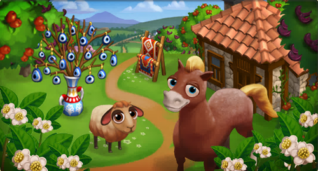
new set of Turkish Delights Limited Edition items have arrived in
FarmVille 2! Add the adorable Anadolu Pony to your collection or the Red
Karaman Sheep! Check out the information below for more details about
our latest release.

New Limited items:

  • Turkish Peasant Hut – 32 Farm Bucks
  • Kilim Rug Display – 12 Farm Bucks
  • Nazar Vase – 10 Farm Bucks
  • Lamp of Barbarossa – 2 Farm Bucks
  • Sundial of Mustafa – 3,000 Farm Coins

New Limited Edition Trees:

  • Carob Tree – 12 Farm Bucks
  • Jujube Tree – 12 Farm Bucks

New Limited Edition Animals:

  • Anadolu Pony – 43 (30 Baby) Farm Bucks
  • Red Karaman Sheep – 34 (21 Baby) Farm Bucks

New Limited Edition Crops:

  • Fava Bean – 50 Farm Coins, matures in 6 hours

New Crafting Kitchen Recipes:

  • Fava Bean Dip
  • Kurabiye Cookie
  • Jujube Jam

From zFriends to Game Neighbors!!

16 February 2013 FarmMaster 0

By now, you’ve probably made a ton of zFriends on Zynga.com. Since you don’t have to be friends on Facebook or connected in any way, you simply play games together on Zynga.com and send each other needed items. No fuss, no muss. It’s pretty much a utopia!
But, maybe, in a few cases, you want more. You wonder, “What would it be like to take this to the next level? How do I add a zFriend as a Game Neighbor? Not the lazier ones who barely have time to unwither my crops, but the helpful ones.”
There are two ways you can turn zFriends into Game Neighbors, both as easy as A, B, C! No, wait, it’s so easy that there is no C!
    Method 1:

  1. When playing on Zynga.com, click the “Add Friends”/”Invite Friends,” “Add Neighbors”/”Invite Neighbors,” or “My Neighbors” tab in the menu bar that runs across the top of most gameboards. (See menu bar examples below.)
  2. CastleVille:CastleVille menu bar
    ChefVille:ChefVille menu bar
    CityVille:CityVille menu bar
    CoasterVille:CoasterVille menu bar
    FarmVille 2:FarmVille 2 menu bar
    Hidden Chronicles:Hidden Chronicles menu bar
    Ruby Blast:Ruby Blast menu bar
    Zynga Slingo:Zynga Slingo menu bar
    The Ville:The Ville menu bar

  3. Select your zFriends in the MFS (Multiple Friend Selector) that pops up, just like you would your Facebook friends while playing on Facebook, click the “Send” button, and you’re done! (See neighbor invite MFS example below.)


FarmVille 2 menu bar

    Method 2:

  1. Click on the empty neighbor slot that appears in either the neighbor bar that runs across the bottom of most gameboards or the leaderboards of certain games. (See empty neighbor slot examples below.)
  2. Zynga BingoCastleVilleChefVilleCityVilleCoasterVille
     empty neighbor slot on Zynga Bingo neighbor bar empty neighbor slot on CastleVille neighbor bar empty neighbor slot on ChefVille neighbor bar empty neighbor slot on CityVille neighbor bar empty neighbor slot on CoasterVille neighbor bar


    FarmVille 2Ruby Blast
    (leaderboards)
    Zynga Slingo
    (leaderboards)
    The Ville
     empty neighbor slot on FarmVille 2 neighbor bar empty neighbor slot on Ruby Blast neighbor bar empty neighbor slot on Zynga Slingo neighbor bar empty neighbor slot on The Ville neighbor bar


  3. Select your zFriends in the MFS (Multiple Friend Selector) that pops up, just like you would your Facebook friends while playing on Facebook, click the “Send” button, and you’re done! (See neighbor invite MFS example below.)


FarmVille 2 menu bar

See, it’s as easy as A + B to invite zFriends to become Game Neighbors. No C required!
Playfully,
The Zynga.com Crew
PS: zFriends are not displayed in game MFSes on Facebook, so game neighbor invitations must be sent to zFriends while you are playing on Zynga.com.
PPS: Neighbored zFriends only appear on your game neighbor bars while you are playing on Zynga.com. They will not appear on your game neighbor bars when you are playing on Facebook.

Florist Table – Progress Confusion

13 February 2013 FarmMaster 0

Hey Farmers!

It has come to our attention that some players are a bit
confused about the functionality of the Florist Table, so we wanted to clarify
some details for everyone.

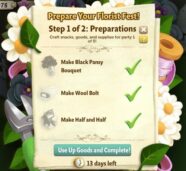
After you have built the Florist Table, you have to prepare
for your Florist Fest. This involves Crafting Black Pansies, Wool Bolts and
Half & Half.

Once you have crafted these items, you must keep them in your Inventory until the “Use Up Goods and
Complete!” button appears. Selling these items before clicking this button will
result in a loss of progress.


We understand that this may be a tad confusing, so we will
be updating the text in this menu to clarify the requirements a bit more. Thank
you for your continued support and we hope you are enjoying the Florist
Festival!

New Coin Expansions!

7 February 2013 FarmMaster 0

New Coin Expansions!

Hey Farmers,

Get
your plows warmed up for new Coin expansions! If you are Level 34 or
higher, expand the lot on the top left hand side for Farm Coins. Have
not quite made it to Level 34? Get a heads start by gathering your
expansion permits. They will come in handy once you level up!

Be sure to Like & Share this post so Friends can expand too! 

New Sweetheart Tree!

30 January 2013 FarmMaster 0

Hey Farmers!

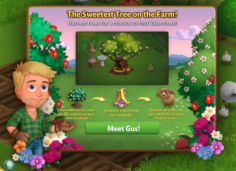
Meet Gus, the handsome new farmer in town! He has a secret
crush and needs your help collecting Valentines for the Sweetheart Tree. Craft
Valentines or Harvest
your trees for a chance to find them, which you can redeem for all kinds of romantic
prizes, including the Caramel Pygora
Goat
!

If
you are level 6 or higher, you will see the following pop-up. Click on the
green “Meet Gus!” button to get started.

Building the Sweetheart Tree

Your first step is collecting construction parts. You will
need the following items to start building your Sweetheart Tree:

  • Shovel
  • Bag of Soil
  • Wood Plank

Click on the “Ask” button to send requests for Shovels and
Wood Planks to your Neighbors. If you do not wish to wait for your friends, you
can skip any of these tasks for Farm Bucks.

To collect Bags of Soil, click on the “Post” button to post
to your Facebook wall; you will get the parts when your friends click on it, or
when you click on a similar newsfeed post.

Sweetheart Tree - Build

Note: You can send a request for materials to
your Friends every 18 hours.

Once you have collected the required items, click on the
“Start Building!” button at the bottom of the construction Menu.

Sweetheart Tree - FarmVille 2

Now that the Sweetheart Tree is almost complete, you will
need help from your Neighbors to finish the job. The
Sweetheart Tree requires 4 additional builders, so click on the “Ask Friends”
button to send some crew requests to your Friends. When they accept, you will
see the spots in the Build Menu begin to fill. If you do not wish to wait for
your friends, click the “Hire One” button to purchase crew members with Farm
Bucks. Once you have successfully filled all 4 spots, click on the “Finish
& Share” button.

Sweetheart Tree - FarmVille 2

Using the Sweetheart Tree


Click on the Sweetheart Tree to
open the main menu.

Sweetheart Tree - FarmVille 2

This
menu shows how many Valentines you have collected and what prizes you are
currently eligible to redeem.

A – The total amount of Valentines you have. As you redeem prizes, this number
decreases.
B – The button to use when you want to redeem a prize. Once you have enough Valentines,
this button will turn turquoise.

C
– The buttons to use when you want to collect Valentines crafting Ingredients
from Friends.
D – The number of Farm Bucks required to purchase Valentines.

Collecting
Valentines

Harvesting Trees: You can find Valentines by harvesting your Trees. If you
find some, they will appear in a similar fashion to prized crops.

Sweetheart Tree - FarmVille 2

When
a Valentine appears on your farm after harvesting, click on it and you will see
the following pop-up:

Sweetheart Tree - FarmVille 2

Click
on the turquoise “Share Valentines” button to post a feed to your wall. Your
friends will be able click on this feed to claim some free Valentines for themselves
too. Once you have clicked on the Valentine, it will automatically be added to your
Sweetheart tree.

If you are not finding as many Valentines as you would like by
Harvesting, it’s time to enlist the help of your Neighbors: Valentines can also
be received from friends via feed posts and the Free Gifts page.

Crafting: You
can craft your very own Valentines via the Crafting Workshop.

Click on the “Ask” button to send requests for Confectioner’s
Sugar to your Neighbors. If you do not wish to wait for your friends, you can
skip any of these tasks for Farm Bucks.

To collect Cocoa Nibs, click on the “Post” button to post to
your Facebook wall – you will get the parts when your friends click on it, or
when you click on a similar newsfeed post.

Sweetheart Tree - FarmVille 2

Individual
Valentines can also be purchased with Farm Bucks from the Sweetheart Tree
menu.

Redeeming Valentines for Prizes

Once you have collected enough Valentines, they can be redeemed for some
fantastic prizes. Click on your Sweetheart Tree to open up your progress
menu.

At the bottom of this menu, there are a total of 4 prizes that can be
redeemed for Valentines:

  • Pink
    Planter (15 Valentines)
  • Bird
    Bath (30 Valentines)
  • Camellia
    Tree (60 Fireworks)
  • Love
    Picnic Tent (145 Fireworks)

All
4 of these prizes can be redeemed as many times as you like, as long as you
have enough Valentines (250 Valentines
total
). Once you have collected all 4 of the above prizes, you will earn
the adorable Caramel Pygora Goat!

Note: You will need to redeem each of the above items at least
once before you get credit towards the Caramel Pygora Goat.

Sweetheart Tree - FarmVille 2

Once
you have redeemed each of the four prizes, Click on the “Get it” button to
claim your cute new friend!

Note: The Caramel Pygora Goat can only be redeemed for Valentines
once. If you wish to get additional Caramel Pygora Goats you will have to
purchase them with Farm Bucks via the Sweetheart Tree.

Sweetheart Tree - FarmVille 2

If you
don’t feel like collecting Valentines, all of the above prizes can also be
purchased in unlimited quantities for Farm Bucks.

Additional Information:

  • If you do not wish to use the Sweetheart
    Tree feature, it can be deleted or stored in your Inventory.
  • You can only get Valentines when
    harvesting trees on your own farm. You will not get Valentines from
    Neighbor visits.
  • You have 10 days to collect the Valentines prizes. If you do not
    collect them all, the prizes will disappear and you will be unable to claim
    them.
  • If you want to see how much time you have left to claim the Valentines
    prizes, hover your cursor over the tree.
  • You are limited to one Sweetheart Tree per farm.
No Image

Exclusive Look: The making of the “Furry-Moo”

30 January 2013 FarmMaster 0

Have
you ever wondered what goes on behind the scenes in order to bring an
animal to life in FarmVille 2? If so, we’ve got an exclusive sneak peek
you’re not going to want to miss. 

Developing
a feature in FarmVille 2 requires a ton of research, planning and
collaboration from numerous departments within the studio. This week, we
had the opportunity to sit down with Jerry, FarmVille 2’s Senior
Concept artist, to discuss the creative process behind the Highland Cow and the Yogurt Creamery

Jerry explains below how the FarmVille 2 Art Team took the Yogurt Creamery from an idea to a stunning new addition to the game. 

Highland Cow

“For
the Highland Cow animal, we wanted to capture the heavy coat and
attitude we noticed in our reference images. Native to Scotland, this
slow-moving, laid back cow had a lot of hair, but not a care in the
world. A shaggy haircut channeling the 90’s Seattle grunge scene and
overlapped chunks of fur brought us to our adult cow design in-game.
When addressing the baby version, giving her a haircut and keeping a
chunky look was the goal. Since the Highland Cow was a reward animal for
the Yogurt Creamery, there was a definite need to give the players
something special for all of their hard work.”


Highland Cow - FarmVille 2

A detailed sketch of the Highland Cow, before production. 


Baby Highland Cow concept art. 


Highland Cow - FarmVille 2Concept art for the Adult Highland Cow. 

Yogurt Creamery

“The Yogurt Creamery, which was originally called the “Dairy Station”,
was set up to be a big new feature for dairy animals in FarmVille 2.

Looking
at barns in New England and older rustic stone and
wood structures, we wanted to create something that felt inviting and
harkened back to farms from an earlier time. Above all else, we wanted
it to be easy on the eyes and be fun to interact with.

Starting off with
some rough ideas, we explored what might work best for this feature. A
big goal was to make the building’s gameplay elements make visual sense on the
board. Once the milk drops fly into the vat and activate the building, the belt
and wooden mixer barrel start up and start creating the yogurt mix.

While the
building is in progress, the avatar can even come by and test out the batch.
Keeping in line with the Hen House harvest state, we wanted the finished yogurt
crate to pop out of the doors and be highly visible with the yellow visual effects glow.
It was great to see this go from a rough sketch phase all the way to our
talented modeling and animation teams, and finally, into the game for everyone
to play!”


Yogurt Creamery - FarmVille 2

This
image illustrates the various build states of the Yogurt Creamery with
notes from the artist about how they invisioned the feature animating in
game. 


Yogurt Creamery - FarmVille 2

Pictured above are rough sketches of what the Yogurt Creamery was ideated as early in the development process.


Yogurt Creamery - FarmVille 2

The image above is a “storyboard” of the Yogurt Creamery, explaning the various animations and interactions of the feature. 

We
hope you enjoyed this look into the FarmVille 2 Studio, and our
favorite Furry-Moo. Please stay tuned for more exclusive FarmVille 2
showcases!

Tips for How to Best Play the New Hotness!

28 January 2013 FarmMaster 0

Would you like to get the best performance out of your computer while playing FarmVille 2? The game takes advantage of some of the latest technologies to bring you a great gaming experience. The tips below will help you get the best from your computer while you play!
Tip #1: Use the latest version of the Adobe Flash Player
FarmVille 2 requires that you have Adobe Flash Player 11 (or better) installed on your computer. To make sure you are getting the best Flash performance possible, you should upgrade to the most recent release of Flash.
Tip #2 Use Firefox or Internet Explorer
FarmVille 2 runs best on computers using Firefox or Internet Explorer as the browser of choice. You can play FarmVille 2 in other Internet browsers if you would like, but will often see a performance improvement by using one of these two browsers. Apple Customers: FarmVille 2 will often run better using the Safari internet browser on a Mac.
Tip #3 Close any unnecessary applications on your computer.
While playing FarmVille 2, you may see a performance improvement if you close or shut down other applications that you are running. This will free up computer resources for FarmVille 2 gameplay.
Tip #4 Upgrade your Video Drivers
FarmVille 2 works best when your video drivers are updated with the latest software. For more information about this, check out information from the website of the company that makes your video card.

Peanut Butter Cookies!

19 January 2013 FarmMaster 0

Hey Farmers!

Have you crafted Peanut Butter Cookie in the Kitchen yet? You should! Get 15 XP from crafting and sell in the Market Stand for 1,890 Farm Coins!